Service & Reparatur
025748
3xxx
18
von/of
22
mijo 2010
immersed in liquid is
connected).
Oxi 3205, 3x10, 34x0:
mg/l, %, mbar
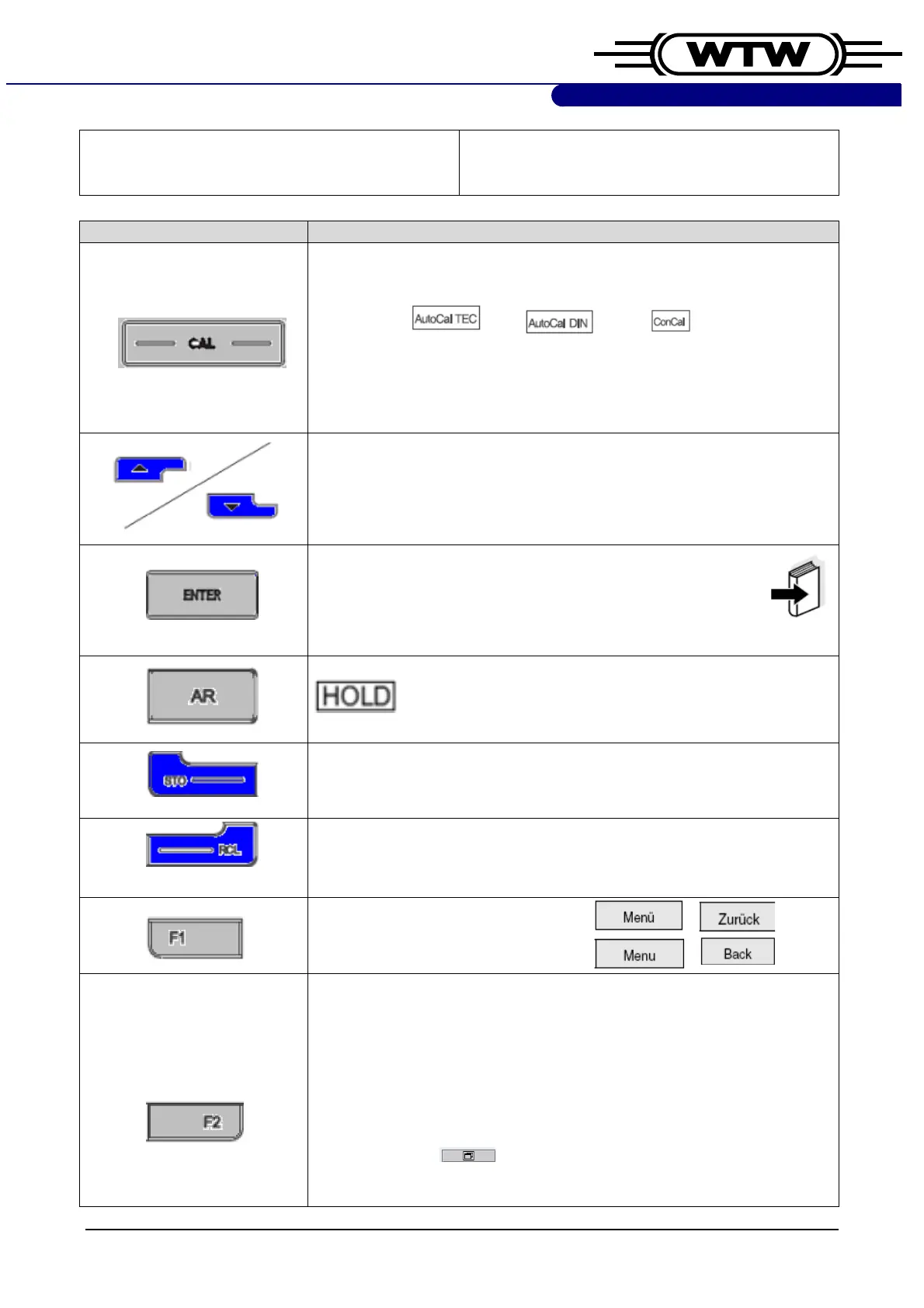
Taste drücken / press key Reaktion / reaction
Schaltet zwischen den Optionen…
Switches between the options…
pH 3110: ct 1 cd 1 ASY
Cond 3110: USE Cell, CAL Cell
Oxi 3205: O
2
(nur wenn Simulator oder Elektrode angeschlossen ist).
(only if simulator or sensor is connected).
Werte erhöhen bzw. verringern, z.B. bei
pH 3110:
die
Temperatur
manuell einstellen. Bei
Cond/Oxi/pH 3210:
Navigation in Menüs.
Increment resp. decrement values, e.g.
pH 3110:
set the temperature
manually. In
Cond/Oxi/pH 3210:
navigation in menus.
Funktionen z.B. Kalibrieren bestätigen/auslösen. Langes
drücken öffnet das Konfigurationsmenü.
Confirm resp. activate functions e.g. calibration. Pressing
longer opens the configuration menu.
For Cond/Oxi/pH 3210 & Multi 34x0:
erscheint im Display.
appears in the display.
For Cond/Oxi/pH 3210, 3310
Manueller Speichermenü wird aufgerufen; verlassen mit M oder F1.
Accesses manual data storage menu; exit with M or F1.
For Cond/Oxi/pH 3210, 3310
Manueller Speichermenü wird aufgerufen; verlassen mit M oder F1.
Accesses manual data storage menu; exit with M or F1.
Öffnet/schließt diverse Menüs.
Opens/closes diverse menus.
Wird bei
Cond/Oxi/pH 3210
nicht verwendet.
Is not used in
Cond/Oxi/pH 3210.
Displayinhalt wird bei
Cond/Oxi/pH 3310
auf die USBschnittstelle
ausgegeben. Zur Prüfung Gerät an MultiLab Pilot Version 5.06 oder
HyperTerminal anschließen.
Outputs the display content of
Cond/Oxi/pH 3310
to the USB interface.
To test connect meter to MultiLab Pilot version 5.06 or
HyperTerminal.
Multi 3420, 3430:
Das Symbol erscheint oberhalb der Taste, die angeschlossenen
Sensoren können gleichzeitig oder einzeln vergrößert angezeigt



 To Next Page