VARIO pH Operation
35
ba75373e03 05/2005
4.6.4 Timer
The timer function can count down the seconds of a specified time interval
(timer interval) of maximum 59:59 (minutes:seconds). When the specified
timer interval has expired, an alarm signal sounds for one minute and the
display flashes.
Note
If the timer has been stopped you can
! Reset the timer to the adjusted timer interval with <R>.
! Terminate the timer and switch to the measured value display with
<E>.
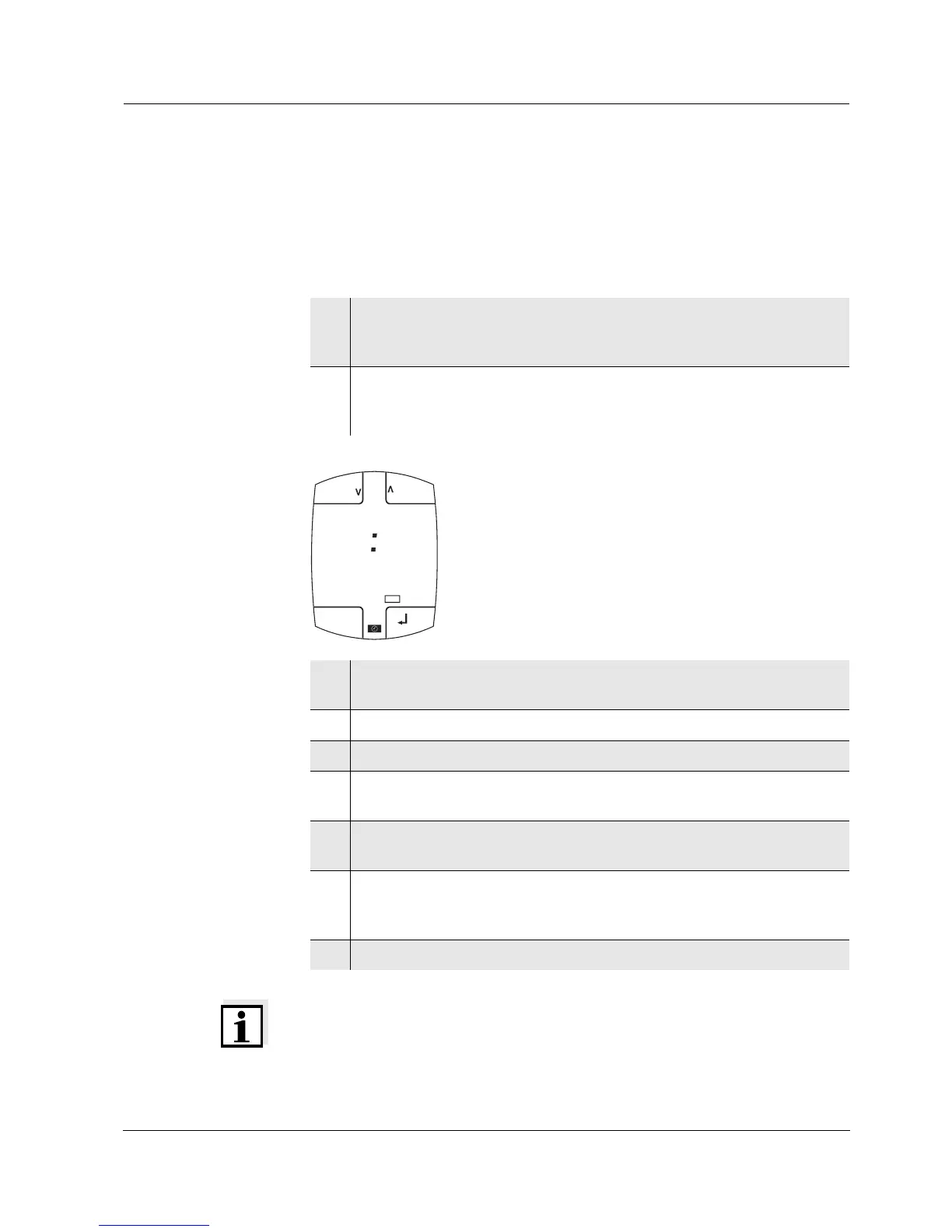
1 Display the stopwatch with <U_>.
The U status indicator appears.
The stopwatch is on 00:00.
2 Select the minutes or seconds with <5> or <6> [<Minutes> or
<Seconds>].
The selected display flashes.
3 Set the timer interval (minutes:seconds) with <>> and <<>.
The stopwatch has been converted to a timer.
4 Confirm the setting with <g>.
5 Start the timer with <g>.
6 If necessary, display the remaining time as an intermediate time with
<L>.
7 If necessary, stop the timer before the time has expired with <g>
and make it continue with <g>.
8 As soon as the time has expired the alarm signal sounds.
Switch off the alarm signal with <(>. The timer goes on counting
with a negative sign.
9 Stop the timer with <g>.
C
03 51
h:min
Day.Month
CLR
Ident
pH
mV
d
MEM
CAL
LoBat
Lap
RESET
LAP
ESC
0 5 0 9
min:s


 To Next Page