Wulfsberg Electronics P-2000 and C-2000/RT-2000 Operator’s Manual
Document 150-041102 Revision A Page 13 of 37
Selecting a Channel by Alphanumeric Identifier
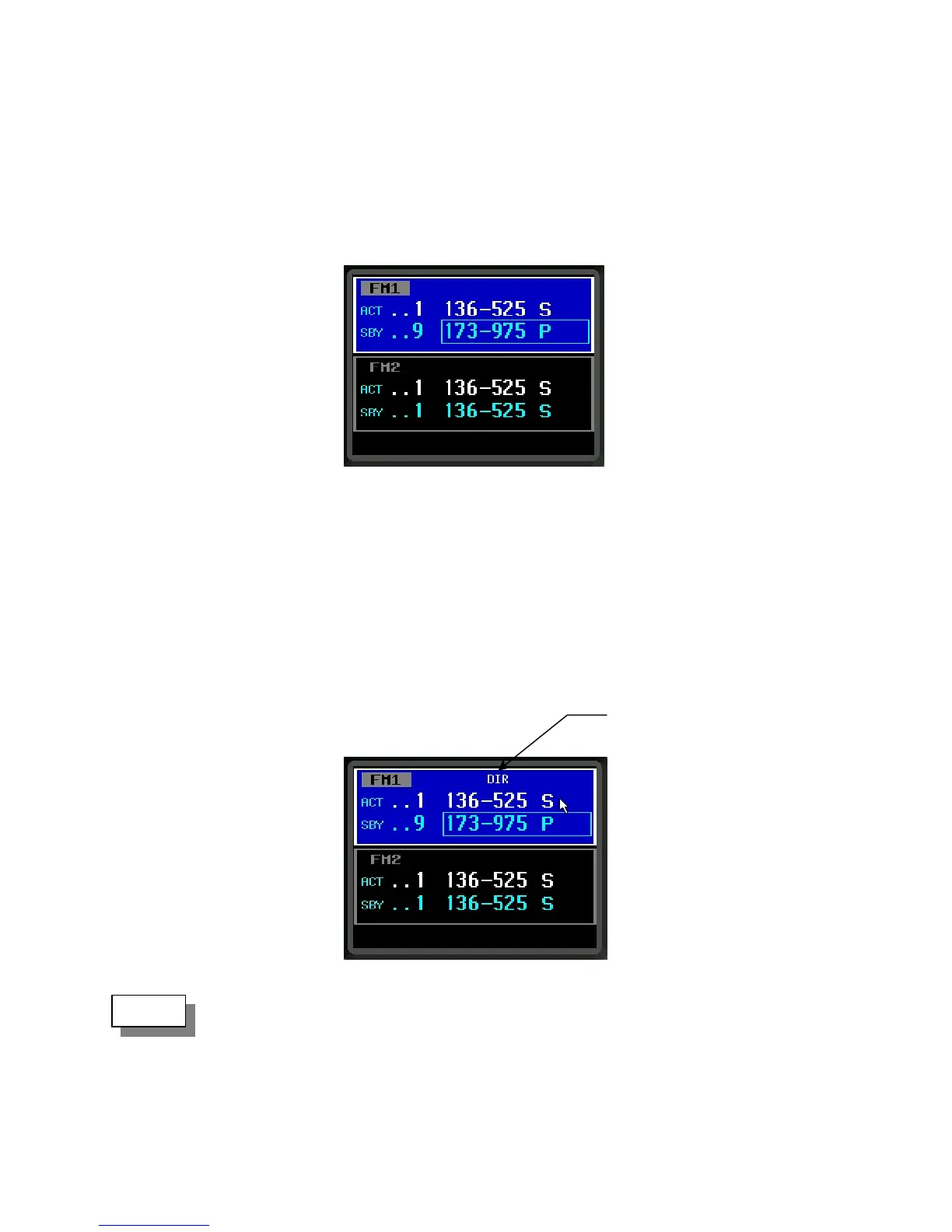
To change the standby channel using the Alpha Identifier, use the Select Knob to move the cursor square around the
alpha identifier as shown below. Turn the Tune Knob until the channel is your desired channel. Notice that
channels change alphabetically.
Using the Direct/Repeat Feature
The P-2000 supports both direct and repeat modes of operation. Any preset channel that has identical transmit and
receive frequencies is considered a direct channel. If the transmit and receive frequencies are different, the P-2000
considers the channel a repeater channel. Repeater channels can be temporarily changed into direct channels by
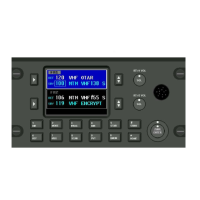
pressing the DIR button. This will temporarily copy the receive frequency into the transmit frequency. The direct
mode indicator will light. The following illustration shows radio 1 in direct mode.
Pressing the DIR button on a direct channel has no effect.
Direct Mode Indicato
NOTE:


 To Next Page