Wulfsberg Electronics P-2000 and C-2000/RT-2000 Operator’s Manual
Document 150-041102 Revision A Page 30 of 37
CPS MODE
Loading Channel Memory
Programming the preset channels of the P-2000 must be performed with PC-based program available from
MOTOROLA named CPS. Normally this procedure is accomplished by a technician familiar with this software
package since extensive knowledge is required to operate the Motorola software. As a note to the technician, no
RIB box is required between the PC and P-2000 since Wulfsberg has built this capability into its transceiver. The
process to read and modify the transceiver preset channels is as follows:
• Ensure you are on the HOME PAGE.
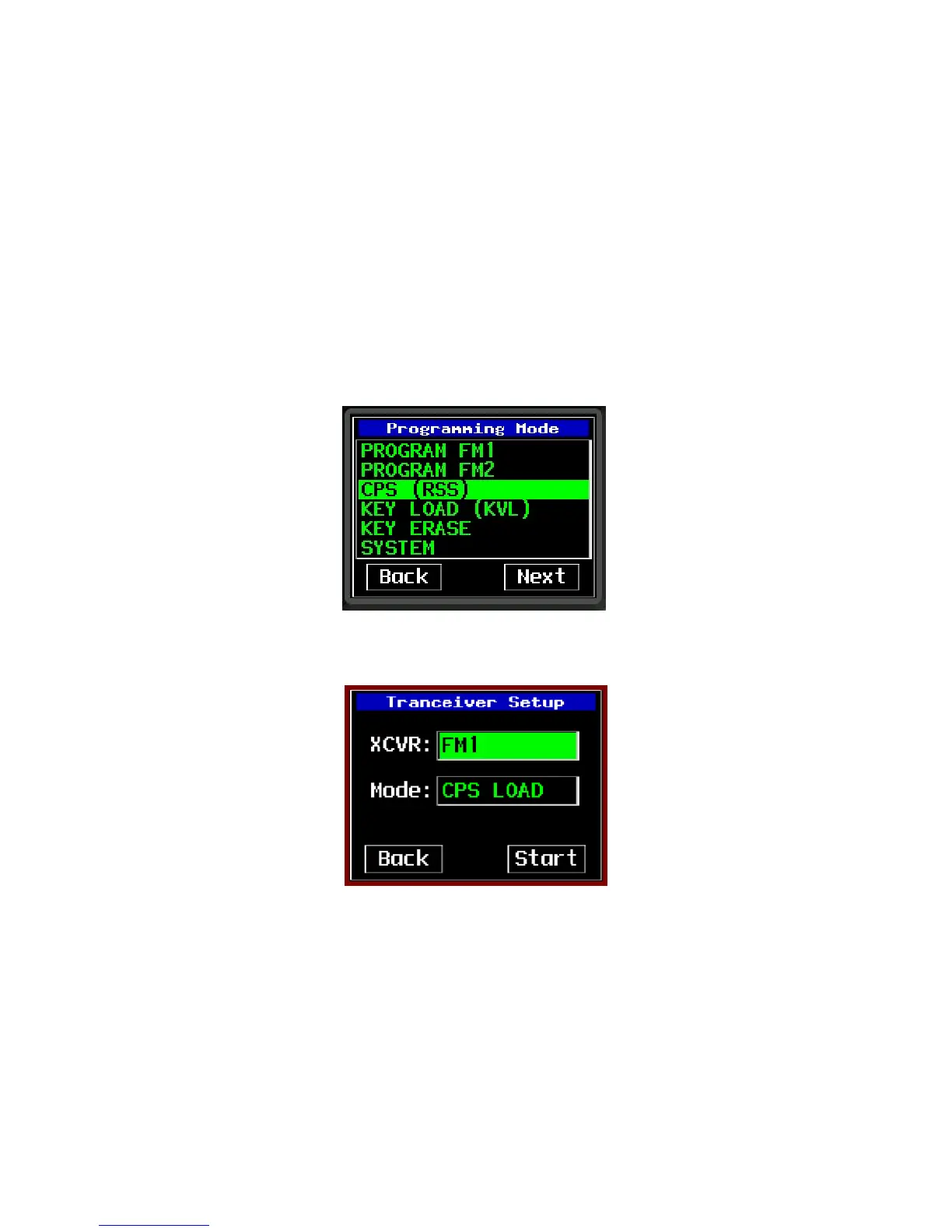
• Press the PROG button. If prompted, enter the password #1 (In the system programming, the user has the
option of eliminating this password by setting it to “0000”). The PROGAM page will be displayed as below:
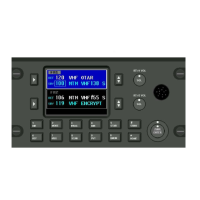
• Highlight the CPS option and press the enter button. The Transceiver Setup page will be displayed with the
CPS load already pre-selected as shown below:
• Select XCVR FM1 or FM2, highlight the start option and press enter to begin.
• Connect the PC to the data port on the front of the P-2000 (RT-2000 not C-2000).
• Using the CPS software, read the FM1 and save the file as sent by the Wulfsberg Factory for backup purposes.
• Perform any changes to the archive file such as adding/deleting channels, changing encryption options etc. For
the P-2000 to function properly DO NOT change key button options or display options. Also, the
Zone/Channel assignment must be made so that there no more than 16 channels per zone.


 To Next Page