Wulfsberg Electronics P-2000 and C-2000/RT-2000 Operator’s Manual
Document 150-041102 Revision A Page 16 of 37
MESSAGE PAGE
This page allows the user to manage text messages for the system. When no unread messages exist within the
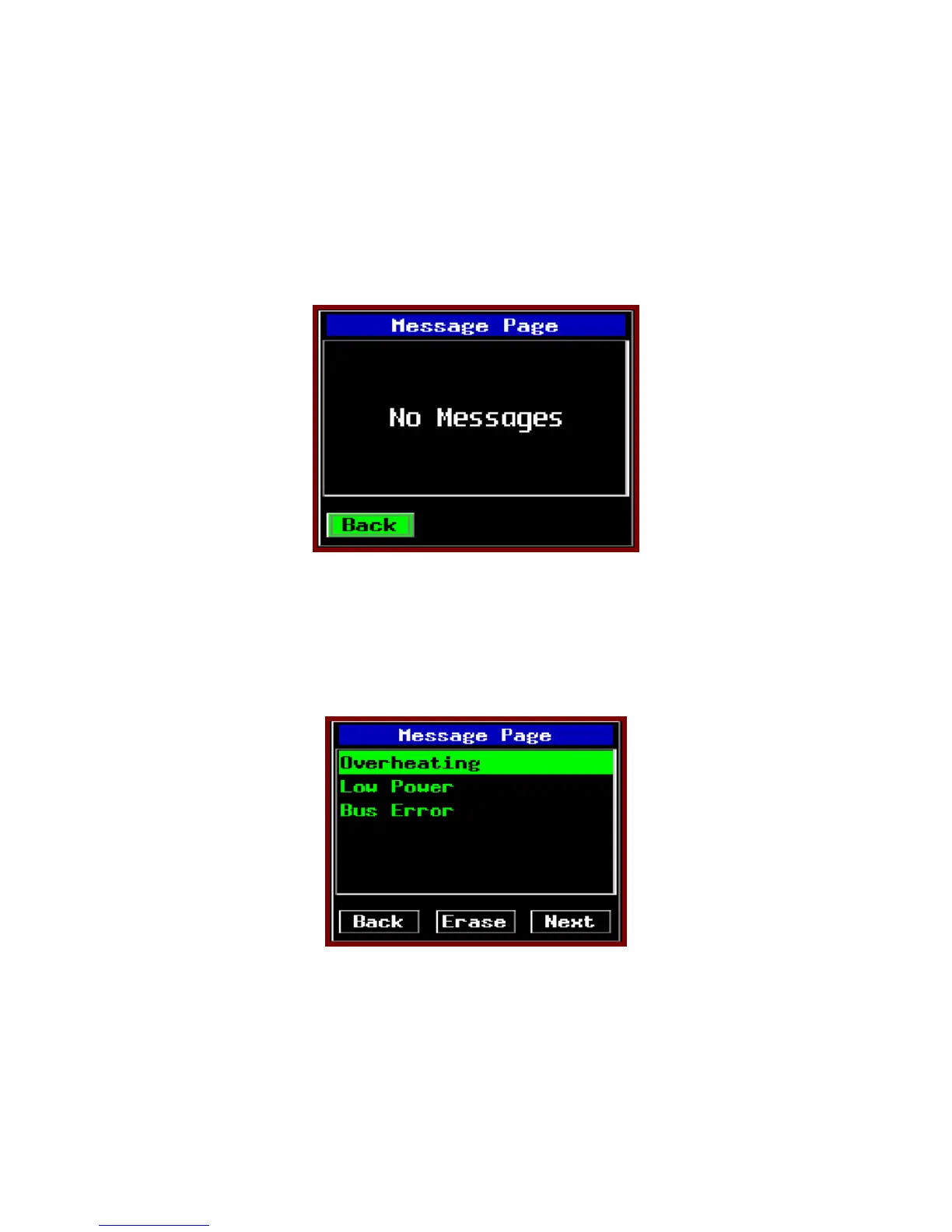
system, the MSG indicator will not be visible on the normal operation page. When the MSG key is pressed on the
normal operation page and no messages are available, the no message page is displayed. This page is depicted
below. The only selectable item on this page will be the back button. Pressing ENTER will return to the HOME
page.
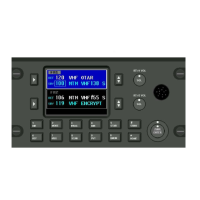
When an unread message exists within the system, the MSG indicator will be visible on the HOME page. When the
MSG key is pressed and messages are available, the message list page shall be displayed. An example of a message
page that contains unread messages is shown below.


 To Next Page