EasyManua.ls Logo

Wyrestorm EX-70-H2X - User Manual

Wyrestorm EX-70-H2X
4 pages
Print Icon
To Next Page IconTo Next Page
Loading...
4K UHD 4:4:4/60 HDBaseT extender with HDMI Loop Out
and 2-way PoH (70m/230ft)
EX-70-H2X
Quickstart Guide
Copyright © 2018 WyreStorm Technologies | wyrestorm.com
EX-70-H2X v2 Quickstart Guide | 181023
UK: +44 (0) 1793 230 343 | ROW: 844.280.WYRE (9973)
support@wyrestorm.com
1 of 4
WyreStorm recommends reading through this document in its entirety to become familiar with the product’s features prior to starting the
installation process.
Basic Wiring Diagram
HDMI Source
HDMI
HDBaseT Cat5e/6/6a
IR Emitter
IR Emitter
IR Receiver
HDMI Display
12 DC
Power Supply
12 DC
Power Supply
KEY
HDMI
HDBaseT/Ethernet
IR/RS-232
Power
EX-70-H2X Transmitter (TX) EX-70-H2X Receiver (RX)
HDMI
Ethernet
Ethernet
IR to Control System Router
CAB-IR-LINK (Sold Separately)
HDMI
Note: Extender set may be powered
by either the TX or RX. Only one
power supply is required.
Note: Extender set may be powered
by either the TX or RX. Only one
power supply is required.
HDMI Display
OR
IMPORTANT! Installation Requirements
This product was released in 2 different versions which contain
different chassis designs and feature sets. This Quickstart Guide
contains information for version 2 of this product only. See Identifying
Product Versions for details.
Visit the product page to download the latest rmware, document
version, additional documentation, and conguration tools.
Read through the Wiring and Connections section for important wiring
guidelines before creating or choosing premade cables.
While this product supports CEC, WyreStorm cannot guarantee
compatibility with all forms of CEC communication.
In the Box
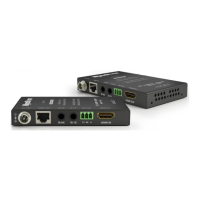
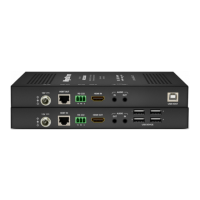
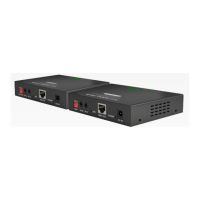
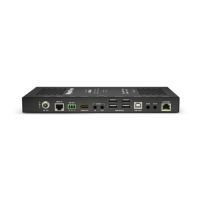
1x EX-70-H2X Transmitter
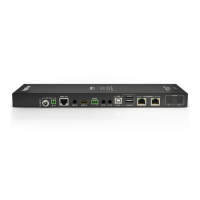
1x EX-70-H2X Receiver
1x 12V DC 3A Power Supply (US | UK | EU)
2x 3-pin Screw Down Phoenix Connectors
1x IR Emitters
1x IR Receivers
4x Mounting Brackets (2x for TX | 2x for RX)
1x Quickstart Guide (this document)
Identifying Product Versions
This product has been released with different versions which contain different chassis designs and/or feature sets. This Quickstart Guide contains information
for version 2 of this product only, information for version 1 can be found in the previous Quickstart Guide. Versions can be identied by a v# after the model
number on the product chassis model sticker. Note that version 1 of this product may not contain a v1 after the product while all versions above version 1 will
contain a version number.

Question and Answer IconNeed help?

Do you have a question about the Wyrestorm EX-70-H2X and is the answer not in the manual?

Overview

The WyreStorm EX-70-H2X is a 4K UHD 4:4:4/60 HDBaseT extender with HDMI loop out and 2-way PoH, designed to extend HDMI signals up to 70m/230ft. This Quickstart Guide provides essential information for installation and setup.

Function Description

The EX-70-H2X system consists of a transmitter (TX) and a receiver (RX). The transmitter takes an HDMI input, provides an HDMI loop out, and converts the signal to HDBaseT for transmission over a single Cat5e/6/6a cable. The receiver then converts the HDBaseT signal back to HDMI for display. The device supports 2-way Power over HDBaseT (PoH), meaning the extender set can be powered by either the TX or RX unit, requiring only one power supply for the entire system. It also supports bidirectional IR, RS-232, and Ethernet pass-through, allowing for control of source and display devices from either end of the installation.

Important Technical Specifications

Audio and Video:

  • Inputs (TX): 1x HDMI In (19-pin type A), 1x HDBaseT Out (8-pin RJ-45 Female), 1x HDMI Loop Out (19-pin type A)
  • Inputs (RX): 1x HDBaseT In (8-pin RJ-45 Female), 1x HDMI Out (19-pin type A)
  • Output Video Encoding: HDBaseT Class A
  • Encoding Data Rate: 18Gbps
  • End to End Latency: 10µs (micro seconds)
  • Audio Formats: 2ch PCM | Multichannel up to DTS-X and Dolby Atmos
  • Video Resolutions (Max):
    • 1920x1080p @60Hz 12bit: 15m/49ft (HDMI), 100m/328ft (Cat6/6a/7), 140m/439ft (Long Cable Mode)
    • 1920x1080p @60Hz 16bit: 7m/23ft (HDMI), 100m/328ft (Cat6/6a/7), 140m/439ft (Long Cable Mode)
    • 3840x2160p @24Hz 10bit 4:2:0 HDR: 3m/10ft (HDMI), 70m/230ft (Cat6), 100m/328ft (Cat6a/7)
    • 3840x2160p @30Hz 8bit 4:4:4: 7m/23ft (HDMI), 70m/230ft (Cat6), 100m/328ft (Cat6a/7)
    • 3840x2160p @60Hz 10bit 4:2:0 HDR: 3m/10ft (HDMI), 70m/230ft (Cat6/6a/7)
    • 4096x2160p @60Hz 8bit 4:2:0: 7m/23ft (HDMI), 70m/230ft (Cat6), 100m/328ft (Cat6a/7)
    • 4096x2160p @60Hz 8bit 4:4:4: 7m/23ft (HDMI), 70m/230ft (Cat6/6a/7)
  • Supported Standards: DCI | RGB | Dolby Vision @ 30Hz | HLG | HDR-10
  • Maximum Pixel Clock: HDMI: 600MHz | HDBaseT: 297MHz

Communication and Control:

  • HDMI: HDCP 2.2 | EDID | DVI/D supported with adapter (not included)
  • HDBaseT: HDCP 2.2 | EDID | 2-way PoH | Bidirectional IR, RS-232, and Ethernet
  • CEC: CEC Pass-through (requires CEC compatibility between source and display)
  • IR: 1x IR TX: 3.5mm (1/8in) TS Mono | 1x IR RX: 3.5mm (1/8in) TRS Stereo
  • RS-232: 3-pin Phoenix
  • Ethernet: 1x Ethernet: 8-pin RJ-45 Female

Power:

  • Power Supply: 12V DC 3A
  • PoH: IEEE 802.3af 48V 15.4W Max | 2-way
  • Max Power Consumption: 26.5W

Environmental:

  • Operating Temperature: 0 to +45°C (32 to +113°F), 10% to 90%, non-condensing
  • Storage Temperature: -20 to +70°C (-4 to +158°F), 10% to 90%, non-condensing
  • Maximum BTU: 90.42 BTU/hr

Dimensions and Weight:

  • Rack Units: <1U
  • Height: 18mm/0.71in
  • Width: 232mm/9.14in
  • Depth: 94mm/3.71in
  • Weight: 0.52kg/1.14lbs

Regulatory:

  • Safety and Emission: CE | FCC | RoHS

Usage Features

Installation Requirements:

  • This product is available in two versions with different chassis designs and feature sets. This guide specifically covers version 2.
  • It is recommended to visit the product page for the latest firmware, documentation, and configuration tools.
  • Careful attention to wiring and connections is crucial; refer to the "Wiring and Connections" section for guidelines.
  • While CEC is supported, WyreStorm cannot guarantee compatibility with all forms of CEC communication.

Wiring Guidelines:

  • Minimize or remove factors like patch panels, wall plates, cable extenders, kinks in cables, and electrical/environmental interference to ensure optimal signal transmission.
  • WyreStorm recommends using pre-terminated HDMI cables due to the complexity of connector types, ensuring accurate connections.

IR TX/RX Guidelines:

  • WyreStorm infrared emitters and receivers are recommended for best compatibility with IR coding formats.
  • Avoid connecting 3rd party control systems directly to a WyreStorm system due to potential incompatibilities; WyreStorm offers a CAB-IR-LINK cable to compensate for voltage and pin differences.
  • IR TX (transmit) uses a 3.5mm (1/8in) mono plug (Tip: Anode, Sleeve: Cathode/IR Signal).
  • IR RX (receive) uses a 3.5mm (1/8in) stereo jack (+5V DC, IR Signal, Ground).

RS-232 Wiring:

  • The EX-70-H2X uses a 3-pin RS-232 with no hardware flow control.
  • Ensure correct pin connections by referring to the documentation of the connected device.
  • WyreStorm Connector Pinout: Pin 1 TX (Transmit) to 3rd Party RX (Receive), Pin 2 RX (Receive) to 3rd Party TX (Transmit), Pin 3 G (Ground) to 3rd Party G (Ground).

EDID Configuration:

  • EDIDs can be configured to resolve video output issues with displays that may not accept the maximum resolution from the source.
  • Ensure the display is connected and powered ON before copying EDIDs. If copying fails, EDID will default to 4K @30Hz 2ch.
  • Power cycle the extender after changing DIP switch settings for EDID to take effect.
  • Available EDID settings include: EDID Copy (Default), 4K@30Hz/8bit only 2ch audio without HDR, 4K@60Hz 2ch audio without HDR, 4K@30Hz 2ch audio with HDR, 4K@60Hz 2ch audio with HDR, 4K@30Hz 7.1ch audio with HDR, 4K@60Hz 7.1ch audio with HDR, and 1080P@60Hz 2ch.

Long Cable Mode:

  • This mode extends 2K HDBaseT signals up to 140m/459ft.
  • It is recommended to set this mode to Off for cable runs of 100m/328ft or less.
  • Settings apply to the Setting DIP switch on the transmitter.

RS-232 Mode Settings:

  • The RS-232 connector is used for transmitting RS-232 over HDBaseT and for firmware updates.
  • Receiver RS-232 Mode Switch:
    • Set to Normal for transmitting RS-232 signals from TX to RX for remote device control.
    • Set to Update for installing firmware updates in either TX or RX.
  • Transmitter Setting Switch:
    • RS-232 Pass-Through (DEFAULT)
    • HDBaseT Update

Maintenance Features

Troubleshooting - No or Poor Quality Picture (snow or noisy image):

  • Verify power supply to both transmitter and receiver.
  • Ensure all HDMI and HDBaseT connections are secure and functioning.
  • Confirm HDBaseT cable is properly terminated according to EIA568B standard.
  • Verify source and display output resolution is supported by the extender.
  • Configure EDID settings to a lower resolution if needed.
  • If transmitting 3D or 4K, ensure HDMI cables are 3D or 4K rated.

Troubleshooting - No or Intermittent 3rd party Device Control:

  • Verify IR, RS-232, and Ethernet cables are properly terminated as per the "Wiring and Connections" section.
  • Ensure RS-232 modes are correctly selected for the desired operation.
  • Troubleshooting Tips: Use a cable tester or connect the cable to other devices to verify functionality.

Firmware Updates:

  • The RS-232 connector on the receiver can be set to "Update" mode to facilitate firmware updates for both the TX and RX units.

Warranty Information:

  • WyreStorm Technologies LLC provides a five (5) year warranty against defects in material and workmanship under normal use from the date of purchase. Refer to the product warranty page on wyrestorm.com for more details.

Wyrestorm EX-70-H2X Specifications

General IconGeneral
BrandWyrestorm
ModelEX-70-H2X
CategoryExtender
LanguageEnglish

Related product manuals