4K UHD HDCP2.2 HDBaseT Extender Set with 2-way PoH, IR
and RS-232 (4K: 70m/230ft | 1080p: 100m/328ft)
EX-70-H2
Quickstart Guide
In the Box
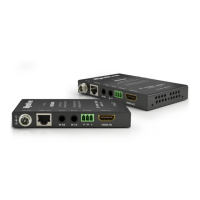
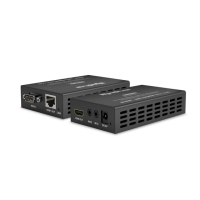
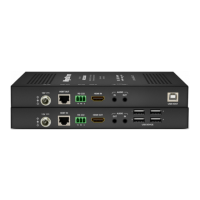
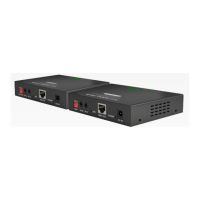
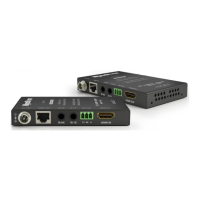
1x EX-70-H2 Transmitter
1x EX-70-H2 Receiver
1x 18V DC 1A Power Supply (US/UK/EU)
2x 3-pin Screw Down Phoenix Connectors
2x Wide-band IR Emitters
2x Wide-band IR Receivers (30-50KHz)
4x Mounting Brackets (1pr for TX and 1pr for RX)
1x Quickstart Guide (this document)
Basic Wiring Diagram
HDMI Display
HDMI
HDMI
IR Emitter
IR Emitter
IR Receiver
18V DC 1A
Power Supply
IR to Control System
CAB-IR-LINK (Sold Separately)
EX-70-H2 Transmitter (TX)
EX-70-H2 Receiver (RX)
4K/UHD HDMI Source
KEY
HDMI
HDBaseT Cat5e/6/6a
IR TX and RX
Power
HDBaseT
Cat6/6a/7
or
IMPORTANT!
Disconnecting and connecting (hot plugging) HDMI or HDBaseT while devices
are powered on may cause damage. WyreStorm recommends powering off
devices before disconnecting these connections.
Additional Information
This Quickstart Guide provides the basic steps for the common uses of this
SURGXFW'HWDLOHGLQVWDOODWLRQDQGFRQJXUDWLRQLQIRUPDWLRQPD\EHIRXQGLQ
the download tab located on the product page.
Installation
Before Beginning
• WyreStorm recommends visiting the product page before installing this
product for updates to this Quickstart Guide as well as other information
about the product.
• Verify that all items are included in the packaging per the In the Box list.
Pre Wire
1. Run a Cat5e/6/6a cable from the matrix location to the receiver location.
Terminate the cable per the HDMI/HDBaseT Wiring section.
2. If using 3rd party IR emitters or connecting blocks at either the
transmitter or receiver, run the wire and terminate per the IR TX (Emitter)
Wiring section.
3. (Optional) If using RS-232 pass-through, run the wire and terminate per
the RS-232 Wiring section.
4. (Optional) If using 3rd party IR receivers at either the transmitter or
receiver, run the wire and terminate per the IR RX (Receiver) Wiring
section.
Transmitter Installation
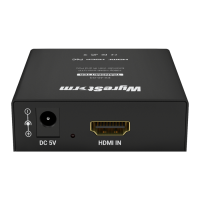
1. Connect an HDMI source to the HDMI In on the transmitter using an
HDMI cable from a high quality brand such as WyreStorm Express.
2. (Optional) Place an IR emitter onto the source device near the device’s
IR receiver and connect it the IR TX port.
3. Connect the cable created in Pre Wire step 1 to the HDBT Out.
4. (Optional) Connect the 3-pin connector to the RS-232 port on the
transmitter and the opposite end to a port on a control system.
5. If using PoH from the transmitter to power the receiver, connect the
included 18V DC 1A power supply to the 18V DC 1A jack.
Receiver Installation
1. Connect the HDMI Out on the receiver to an input on the display using
an HDMI cable from a high quality brand such as WyreStorm Express.
2. (Optional) Place an IR emitter onto the source device near the device’s
IR receiver and connect it the IR TX port.
3. Connect the cable created in Pre Wire step 1 to the HDBT In.
4. (Optional) If using RS-232 pass-through, connect the 3-pin connector
to the RS-232 port on the receiver and the opposite end to a port on the
device being controlled.
5. If not using PoH from the transmitter to power the receiver, connect the
included 18V DC 1A power supply to the 18V DC 1A jack.
Copyright © 2016 WyreStorm Technologies | wyrestorm.com
EX-70-H2 Quickstart Guide | 161102
North America: 518-289-1294 | EMEA/ROW: 44 (0) 1793 230 343
support@wyrestorm.com
1 of 4
WyreStorm recommends reading through this document in its entirety to become familiar with the product’s features prior to starting the
installation process.

 Need help?
 General



 To Next Page
