2 Chapter
Getting Started
This chapter provides information about your flash and/or RAM kit warranty, kit contents,
required tools, and removing the thin client’s cover.
Kit Warranty
The warranty on this kit assumes the remaining months of warranty of the thin client in
which it is installed, or for 90 days, whichever is greater. Installation of this kit will not void
the factory warranty, however the user will be responsible for damage due to improper
installation.
Kit Contents
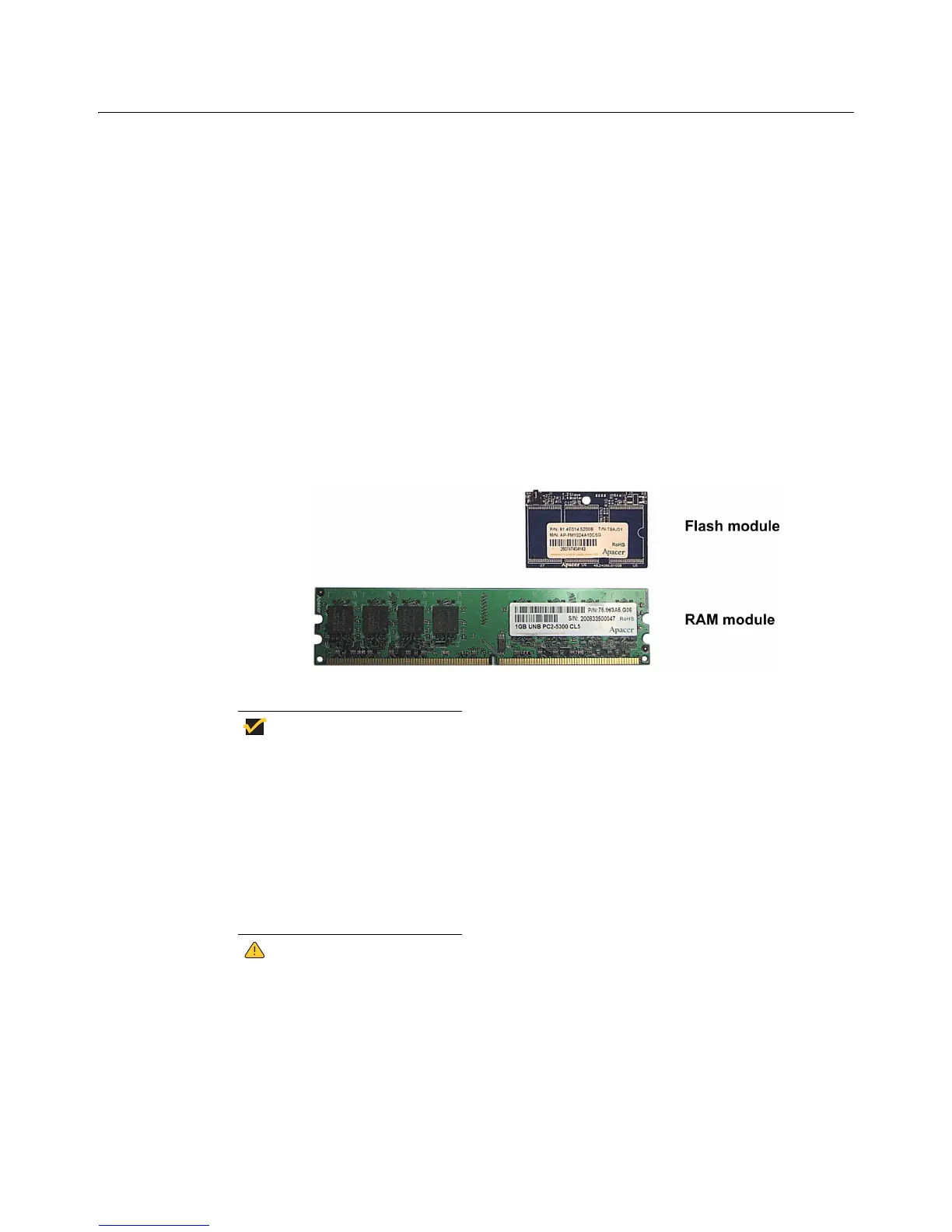
Included in the kit is the flash or RAM module as shown in Figure 1.
Figure 1 Kit contents (both kits are shown)
Your flash or RAM module may look different
Required Tools and Materials
You will need the following tools to install the kit:
• #2 Phillips screwdriver
• Needle-nose pliers
• Container for holding screws, optional
Flash and RAM modules may be susceptible to damage by Electro-Static
Discharge (ESD). All industry-standard cautions should be followed to avoid
ESD. Before you remove or install a modules, touch any metal part of the
chassis and keep that contact with the chassis during the installation
process.


 To Next Page