5
Installing the RAM Module
This section provides information on how to install the RAM kit in a Wyse Rx0L thin client.
Flash and RAM modules may be susceptible to damage by Electro-Static
Discharge (ESD). All industry-standard cautions should be followed to avoid
ESD. Before you remove or install a modules, touch any metal part of the
chassis and keep that contact with the chassis during the installation
process.
Removing the Existing RAM Module
To remove:
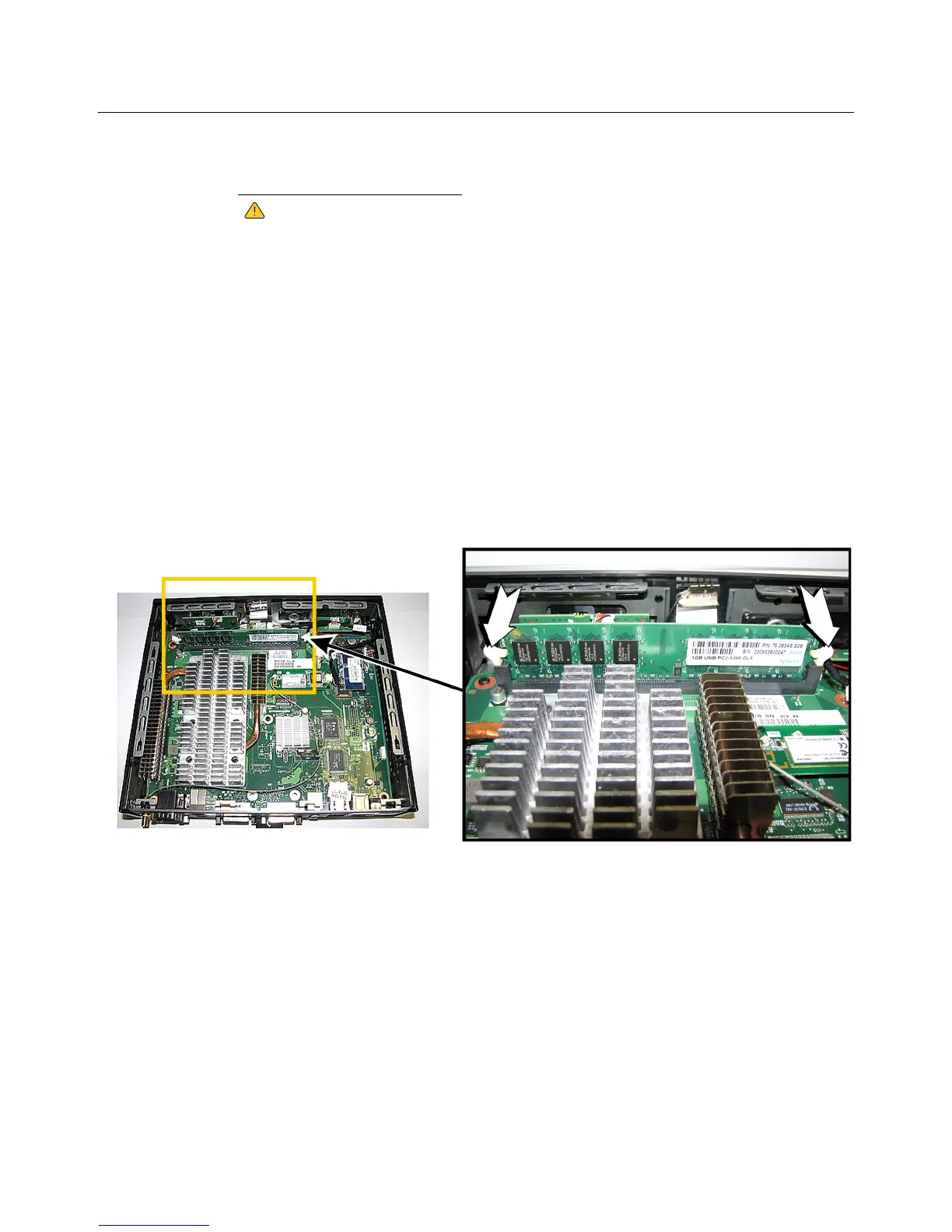
1. Unlock the two module locking clamps at either side of the module by pushing in the
direction of the arrows as shown in Figure 5.
2. Remove the RAM module.
Figure 5 Removing the existing RAM module
Installing the New RAM Module
To install:
1. Insert the new RAM module into the connector of the original module.
2. Press down on the module so that the two locks with snap in place, securing the
module.


 To Next Page