
 Need help?
Do you have a question about the X-FLOC FFB2000-Pro and is the answer not in the manual?
Key information on fault-free operation and compatibility with machine models.
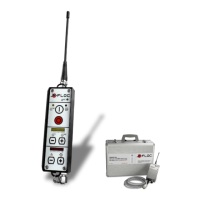
List of components provided with the remote control system.
Step-by-step guide for first-time setup and preparations for operation.
Explanation of essential functions like powering the device on and off.
Details on managing air and material flow, including start, stop, and toggle functions.
How to adjust air/material flow volumes and activate dynamic pressure regulation.
Instructions for activating/deactivating automatic shutdown for different firmware versions.
Methods for checking battery status and displaying the firmware version.
Detailed list of parameters, their value ranges, and factory settings for configuration.
Procedure for pairing the transmitter with the receiver using the 'learn' button.
Steps to enter parameter mode, select, set, and reset parameters.
Procedure to exit parameter mode and resume normal operation.
Instructions for charging the handheld controls and indicators of charge status.
How to operate the system using a cable connection when radio communication is unavailable.
Guidelines on approved batteries, charging procedures, and handling rechargeable batteries.
Steps for replacing batteries and proper disposal of used batteries.
Common issues affecting radio signals and how to resolve them, including channel selection.
Tips for improving radio connection range, focusing on receiver placement and elevation.
How to check battery capacity and guidelines for storing the control without charging.
 General
| Brand | X-FLOC |
|---|---|
| Model | FFB2000-Pro |
| Category | Remote Control |
| Language | English |

 To Next Page