44
45
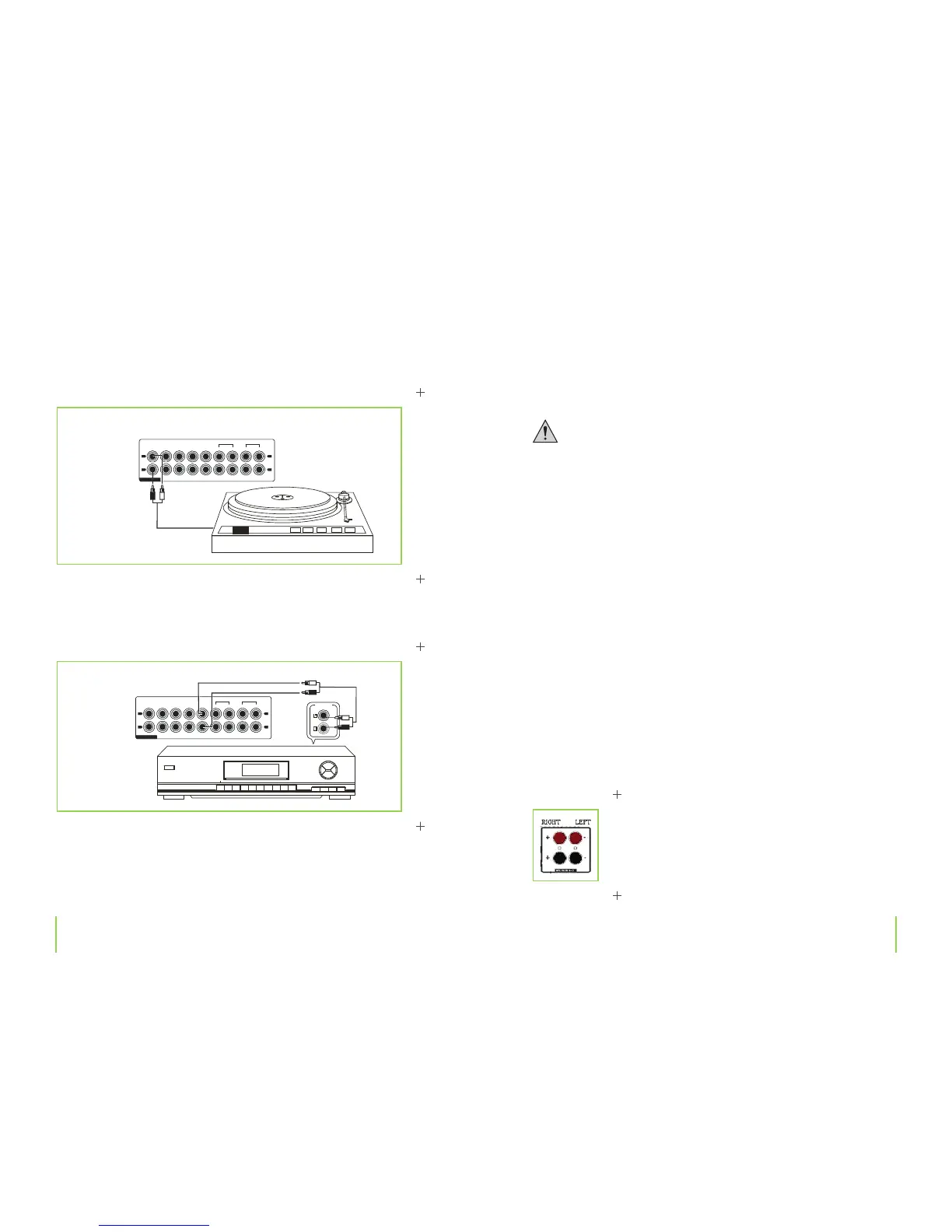
Phono connections
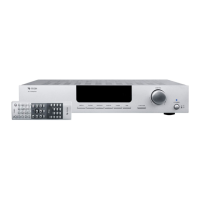
Connecting a tuner
Tuner
› Connect your tuner’s outputs to the TUNER jacks.
Chapter 4 C
onnec
tions Chapter 4 Connections
Connecting loudspeakers
A two-core wire connection is required to connect the speakers. Isolate all wiring
points. Ensure that there are no sharp edges that could damage cables. Only use spea-
kers with a su cient power rating (refer „Technical data” for more information on).
Always switch your system o before connecting or disconnecting speakers.
Connect the loudspeakers directly to the ampli er. Never use an earphone adapter
or distribution box. In case of doubt consult a specialist for further information.
Make sure that the loudspeakers are correctly polarized, i.e. that plus to plus termi-
nals and minus to minus terminals correspond.
This ampli er has been developed for operation with loudspeakers that have an im-
pedance rating of 6 to 8 ohms. Never use loudspeakers with a lower impedance
rating. Loudspeakers should only be connected to these respective outputs.
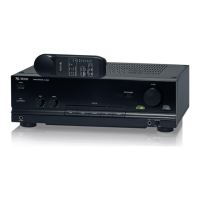
› Connect your loudspeakers to the wire clamp terminals marked SPEAKERS.
› C
onnec
t the positive (+) terminal of the left loudspeaker with the red loudspeaker terminal
marked „LEFT+“.
› Connect the negative (–) terminal of the left loudspeaker with the black loudspeaker terminal
marked „LEFT–”.
› Connect the positive (+) terminal of the right loudspeaker with the red loudspeaker terminal
marked „RIGHT+“.
Connect the negative (–) terminal of the right loudspeaker with the black loudspeaker terminal
marked „RIGHT–“.
CERYALPRENUTDCONOHP
TA P E
PL AY R EC
EQ
L
R
AU D I O
AV 1 AV 2
L
R
OU T PUT
CERYALPRENUTDCONOHP
TA P E
PL AY RE C
EQ
L
R
AU D I O
AV 1 AV 2
L
R


 To Next Page