4
www.xa.com/en
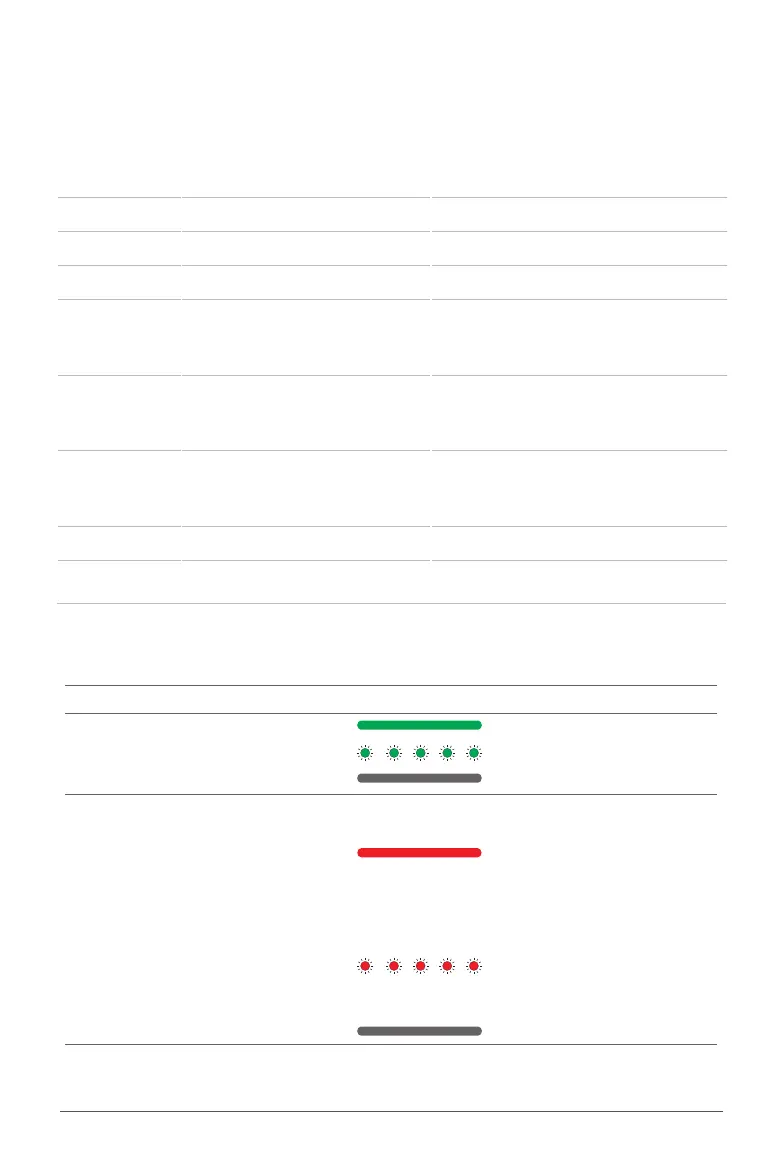
Status Type LED Light Indicator Description
Operation
Indicator
Green Light (ON) Idling
Green Light (Flash) Charging
Green Light (OFF) Powering OFF
Maintenance
Indicator
Red Light (ON)
Fault Detected
Refer to Fault code for
troubleshooting
Fault Code can be dismissed
by switching the ON/OFF
button 3 consecutive times
Red Light (Flash)
Reminder of Engine Oil
Inspection (8hr Operation)
Flashing Notice can be
removed by turning OFF the
device for 3min
Red Light (OFF) Normal
LCD
LCD Display
The LCD display alternately displays the cumulative running time of the equipment and the time
for the next oil change (3s Interval). If there is a fault, the LCD screen will only display the fault
code. Check the meaning of the fault codes in the table below:
Fault Codes Descriptions
Solutions
E1 Low Engine Oil
Refill Engine Oil
E2 Replace Engine Oil
Replace Engine Oil
E3 Over-Heat Protection
Shutdown for 10min for cooling
E4 Over-Current Protection
Check the Battery Connector for
• Short circuits
• Liquid
• Battery
E5 Over-Voltage Protection
• Replace battery to troubleshoot
battery problems
• Check and ensure the variety and
quality of the fuel
E6 Abnormal Battery connection
Check Charger Cables
Check Charger Adapter
Check Charger and Battery Socket
Check Battery
E7 Fail to Start
Restart Equipment
E8 Charge Controller Malfunction
DO NOT USE, and
Contact After-sales Support


 To Next Page