6
www.xa.com/en
1. TurnONtheBattery,
2. TurnONtheSwitchbutton(RightsideoftheControlPanel)
Thechargingstationwillstartupandenterthenormalworkingmode
IFtheignitionfails,theredmaintenanceindicatorwilllightup,turntheswitchOFFandONagain,
andtheoverchargestationwillre-igniteandshouldstart.
IFtheignitionfailsafterservalattempt,
1. TurnOFFtheSwitch,andtheBattery
2. PerforminspectionoftheChargingStation
a.Ensuresufficientfuel
b.CheckChargeController
3. AftertroubleshootingtheChargingStation
4. TurnONtheBattery,
5. TurnONtheSwitchbuttononChargingStationControlPanel
Thechargingstationwillstartupandenterthenormalworkingmode
IFtheSwitchisON,buttheChargingStationinshutdownstate
1. ConnectandTurnONtheBattery
2. Re-executetheOffandONswitchbuttononChargingStationControlPaneltoreactivatethe
chargingoperation
Note
Under normal operating conditions, when the Battery is connected and turned ON, the Charging
Station will start charging automatically
🧷
IMPORTANT:
• IF you need to disconnect or turn off the Battery during the charging process, please ensure
that the Charging Station is turned OFF
• Disconnecting or turning off the battery without turning off the Charging Station may cause
overvoltage protection and Charging Station shutdown.
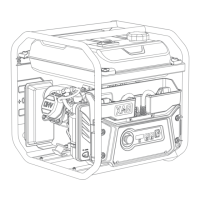
Charging Station Operation
Turning the Charging Station ON


 To Next Page