© 2001 Xantrex Technology Inc. 13
P/N 973-0012-01-02 Rev. A 05/01
Setting Parameters
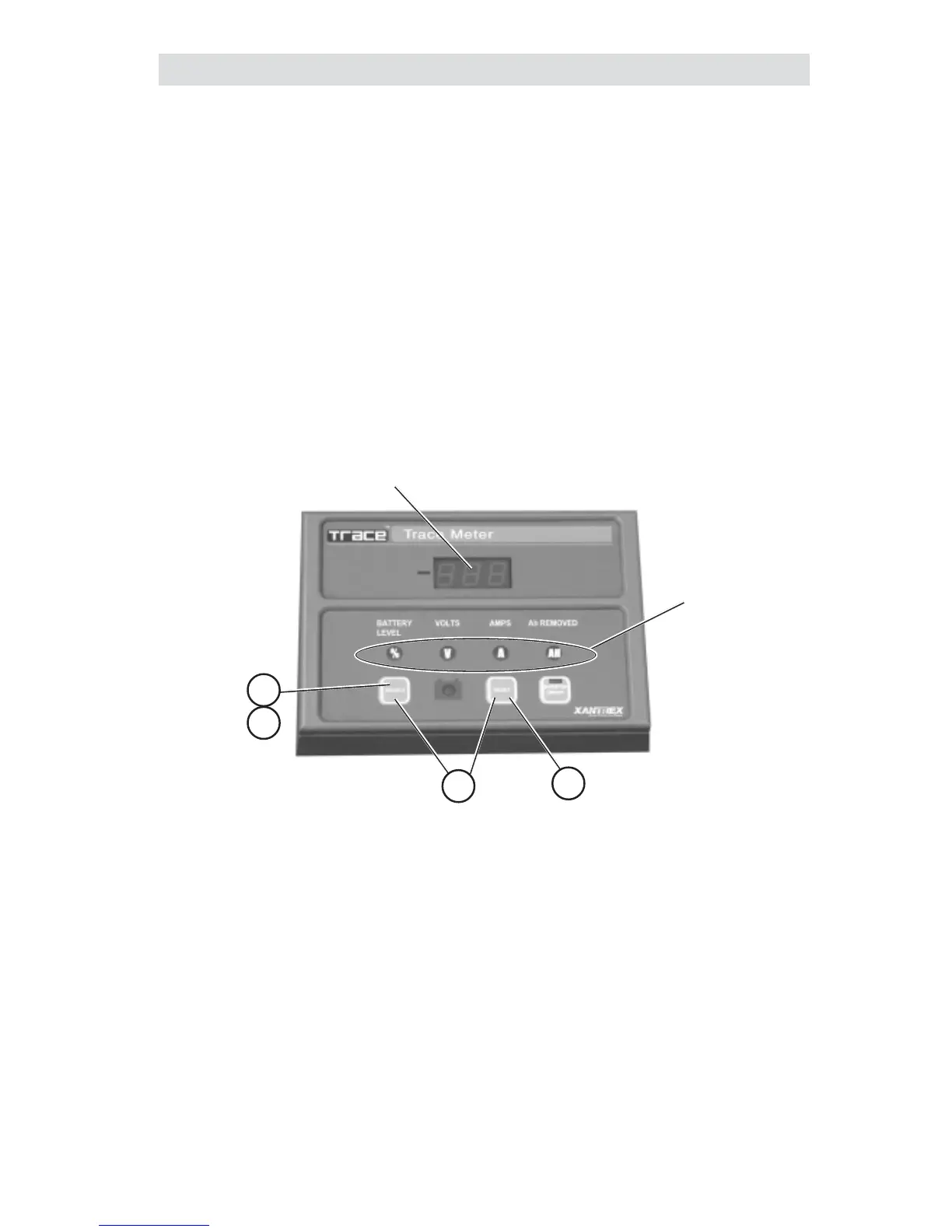
Individual system parameters can be set by the following procedure:
1. Press the SELECT button until the mode selection indicator to be set is
illuminated.
2. Press the SELECT and RESET buttons simulataniously. Release both
buttons when the LED display flashes.
3. Press and release the RESET button to scroll through the selections (or
values) slowly, or hold the RESET button to scroll rapidly.
4. When the desired value is shown in the LED display, press the SELECT
button to accept it.
Figure 3-2
Setting Parameters
1
Mode Indicators
Select Value
2
4
14.4
3
3.0 CONFIGURATION


 To Next Page
 Loading...