EasyManua.ls Logo

Xantrex XPower 1500 - User Manual

Xantrex XPower 1500
38 pages
Print Icon
To Next Page IconTo Next Page
Loading...
TM
TM
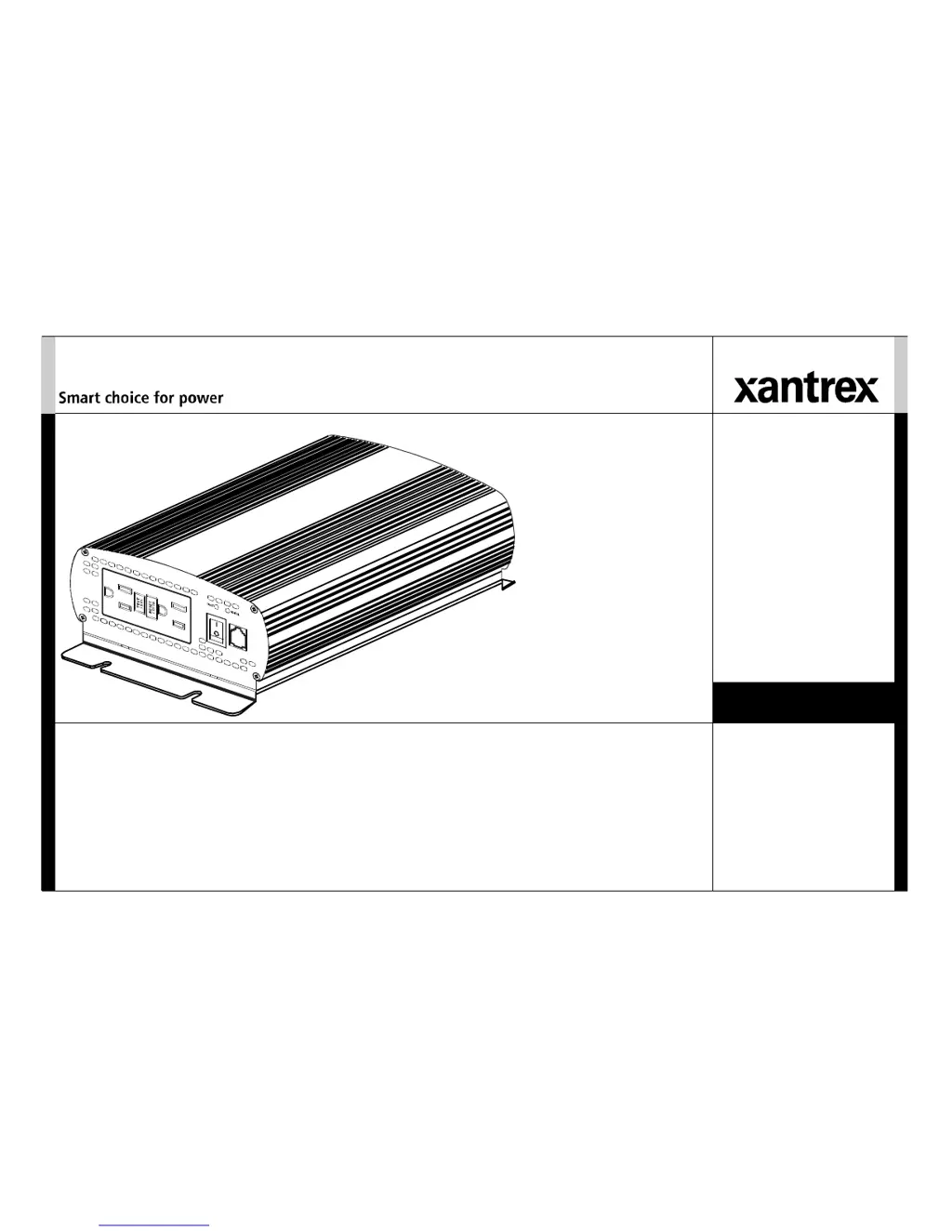
XPower
Inverter 1500
Owner’s Guide

Questions and Answers

  • M
    Michael HarveyJul 26, 2025
    What to do if the Fault Light is on and there is no output voltage from my Xantrex XPower 1500 Inverter?
    • J
      jtaylorJul 26, 2025
      If the Fault Light is illuminated and there's no output voltage from your Xantrex Inverter, several issues could be at play. It might be due to low or high input voltage, so start by recharging the battery and verifying the connections and cable. Ensure the inverter is connected to a 12V battery and check the charging system's voltage regulation. Thermal shutdown could also be the cause; let the unit cool down, improve ventilation, and reduce the load. Overloads and short circuits can also trigger this; reduce the load to stay within the inverter's output rating, and eliminate any short circuits.
  • A
    Austin BarkerJul 30, 2025
    What to do if there is no output voltage but the Power Light is on on my Xantrex XPower 1500 Inverter?
    • M
      Mr. Oscar LambertJul 30, 2025
      If the Power Light is on but there's no output voltage from your Xantrex Inverter, the GFCI might have tripped. Try resetting the GFCI.
  • S
    sara87Aug 4, 2025
    How to improve television reception when using a Xantrex XPower 1500 Inverter?
    • M
      Maureen ButlerAug 4, 2025
      To resolve television reception issues with your Xantrex Inverter, ensure the chassis ground screw on the inverter's rear is firmly connected to your vehicle or home's ground system. Verify that your TV antenna provides a strong, clear signal and that you're using high-quality cables between the antenna and the TV. Keep the cables linking the battery and inverter as short as possible, twisting them together with two to three twists per foot. Position the television as far from the inverter as you can, and avoid operating high-power loads with the inverter while the TV is on.
  • T
    Tina ReynoldsAug 7, 2025
    How to stop buzz in audio equipment when using Xantrex XPower 1500 Inverter?
    • T
      Tara CollinsAug 7, 2025
      A buzzing sound in your audio equipment when using a Xantrex Inverter may occur if the power supply in your audio system doesn't adequately filter the modified sine wave the inverter produces. To fix this, consider using a sound system with a higher quality power supply.
  • M
    Matthew PalmerAug 12, 2025
    Why does the low battery alarm stay on for my Xantrex XPower 1500 Inverter?
    • C
      Crystal WelchAug 12, 2025
      If the low battery alarm on your Xantrex Inverter stays on, it could be due to poor DC wiring or a failing battery. Ensure you are using the correct cable size and length and that all connections are secure. Try charging the battery. If problems persist, consider replacing the battery.
  • M
    Margaret RodriguezAug 16, 2025
    What to do if there is no output voltage and both the Power Light and Fault Light are off on my Xantrex XPower 1500 Inverter?
    • A
      amy57Aug 16, 2025
      If both the Power Light and Fault Light are off and there is no output voltage from your Xantrex Inverter, first, ensure the inverter is turned on and check all wiring connections to both the inverter and the battery selector switch, if one is installed. If the issue persists, the inverter may be damaged, especially if it was connected with reverse DC input polarity. In this case, consider returning the unit.
  • D
    dwalkerAug 21, 2025
    Why is the output voltage low (96 VAC–104 VAC) on my Xantrex XPower 1500 Inverter?
    • C
      Courtney HarrisAug 21, 2025
      A low output voltage (96 VAC–104 VAC) from your Xantrex Inverter may be caused by using a voltmeter that cannot accurately read the RMS voltage of a modified sine wave. Use a true RMS reading voltmeter such as the Fluke 87. Also, check the connections and cable to ensure the battery is fully charged, recharge if necessary, and reduce the load.

Summary

About This Guide

Purpose

Explains the guide's objective and scope for users.

Scope

Details what the guide covers, including safety and troubleshooting.

Audience

Identifies the intended users of the guide.

Conventions Used

Explains symbols and formatting used in the manual.

Important Safety Instructions

Electrical Shock Hazard

Critical warnings about avoiding electrical shock.

Fire and Burn Hazard

Safety instructions to prevent fire and burns.

Explosion Hazard

Precautions related to battery explosion risks.

Precautions When Working With Batteries

Safety guidelines for handling batteries.

Precautions When Placing the Inverter

Advice on inverter placement to prevent damage and ensure safety.

Regulatory and Limitations

Information on compliance, intended use, and restrictions.

Introduction

Quality Power

Describes the inverter's capability to provide reliable, high-quality power.

Ease of Use

Highlights the inverter's user-friendly design and installation features.

Comprehensive Protection

Details various built-in safety features for the inverter and battery.

Inverter Materials List

Lists all items included in the inverter package.

Inverter Features

AC Panel

Describes the AC output outlets, test, and reset buttons.

DC Panel

Details the DC input terminals, ground screw, and ventilation openings.

Inverter Installation

Installation Code

Covers electrical code requirements for installation.

Prepare for Installation

Steps to take before installing the inverter.

Typical Power System Design

Illustrates a common power system setup for RVs.

Battery Requirements

Specifies battery type and capacity needed for optimal performance.

Charging System

Explains the importance of an appropriate charging system.

Location

Guidelines for selecting a suitable and safe installation location.

Cables for DC Input and Ground

Recommendations for DC input and ground cable selection and installation.

Fuses (or Circuit Breakers)

Guidance on selecting and installing appropriate DC fuses or breakers.

Install the Inverter

Overview of the inverter installation steps.

Mount the Inverter

Instructions on how to physically mount the inverter unit.

Connect the Chassis Ground

Steps for properly connecting the chassis ground for safety.

Connect the DC Cables

Detailed instructions for connecting the DC power cables.

Inverter Operation

Turning the Inverter On and Off

Procedures for operating the inverter via front panel or remote switch.

Testing the GFCI

Instructions for performing monthly GFCI functionality tests.

Operating Several Loads at Once

Advice on connecting multiple appliances to avoid overload.

Operating Limits

Details on power output, input voltage ranges, and shutdown conditions.

Inverter Loads

Information on compatible loads and potential issues with certain appliances.

High Surge Loads

Guidance on handling loads requiring high starting currents.

Trouble Loads

Information on appliances that may be damaged by modified sine wave output.

Connecting Appliances to the Inverter

How to connect appliances using extension cords.

Routine Maintenance

Basic maintenance tasks to keep the inverter in good condition.

Maintaining the Inverter

Specific checks for cleanliness and secure connections.

Recharging Batteries

Recommendations for optimal battery recharging practices.

Troubleshooting

Buzz in Audio Equipment

Addresses audio system buzzing caused by inverter output.

Television Reception

Solutions for interference with television reception.

Troubleshooting Reference

A table detailing common problems, causes, and solutions.

Specifications

Electrical Specifications

Technical electrical details of the inverter's performance.

Regulatory Approvals

Lists safety standards and certifications the inverter meets.

Physical Specifications

Provides dimensions and weight of the inverter unit.

Warranty and Return Information

Warranty

Details the terms, duration, and coverage of the limited warranty.

Proof of Purchase Requirements

Explains what documentation is needed for warranty claims.

Warranty Exclusions

Lists conditions and situations not covered by the warranty.

Disclaimer

Legal disclaimers regarding warranty limitations and liabilities.

Return Material Authorization Policy

Procedures for obtaining authorization for product returns.

Return Procedure

Guidelines for safely packaging and shipping products for service.

Information About Your System

Prompts users to record system details for customer service.

Xantrex XPower 1500 Specifications

General IconGeneral
Output Power1500 W
Surge Power3000 W
Output Voltage120 VAC
Output Frequency60 Hz
Input Voltage12 VDC
Efficiency90%
Output WaveformModified Sine Wave
CoolingFan cooled
ProtectionsOverload, Over Temperature
Input Voltage Range10.5 - 15.5 V

Related product manuals