Connect the console to your TV
The Xbox One console system includes one HDMI cable. You can use this cable to connect the
console to an HDMI-compatible TV or HDTV. Here's how:
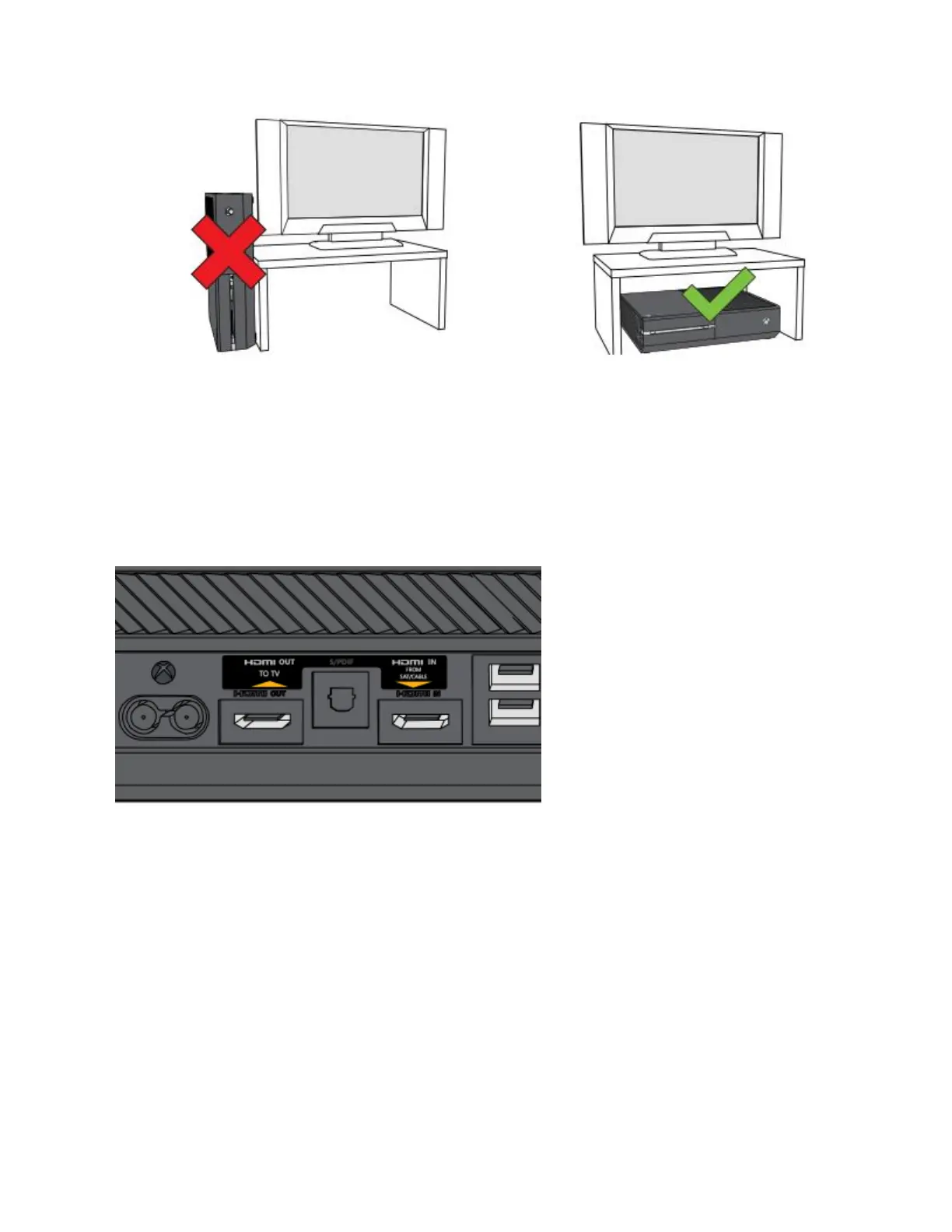
1. Find the HDMI ports on the back of the console. They’re flat, rectangular openings near
the middle of the console with another square port between them.
2. Connect the HDMI cable to the HDMI OUT port on your console (the leftmost HDMI
port on the back of your console).
3. Connect the other end of the cable to the HDMI input on your TV.


 To Next Page