Connect the console to your router or modem (wired
connection only)
You can connect your Xbox One to your wireless router or modem to access the Internet through
your console.
If you want to connect wirelessly, skip this step. You will be prompted to connect to a wireless
network later, during digital setup.
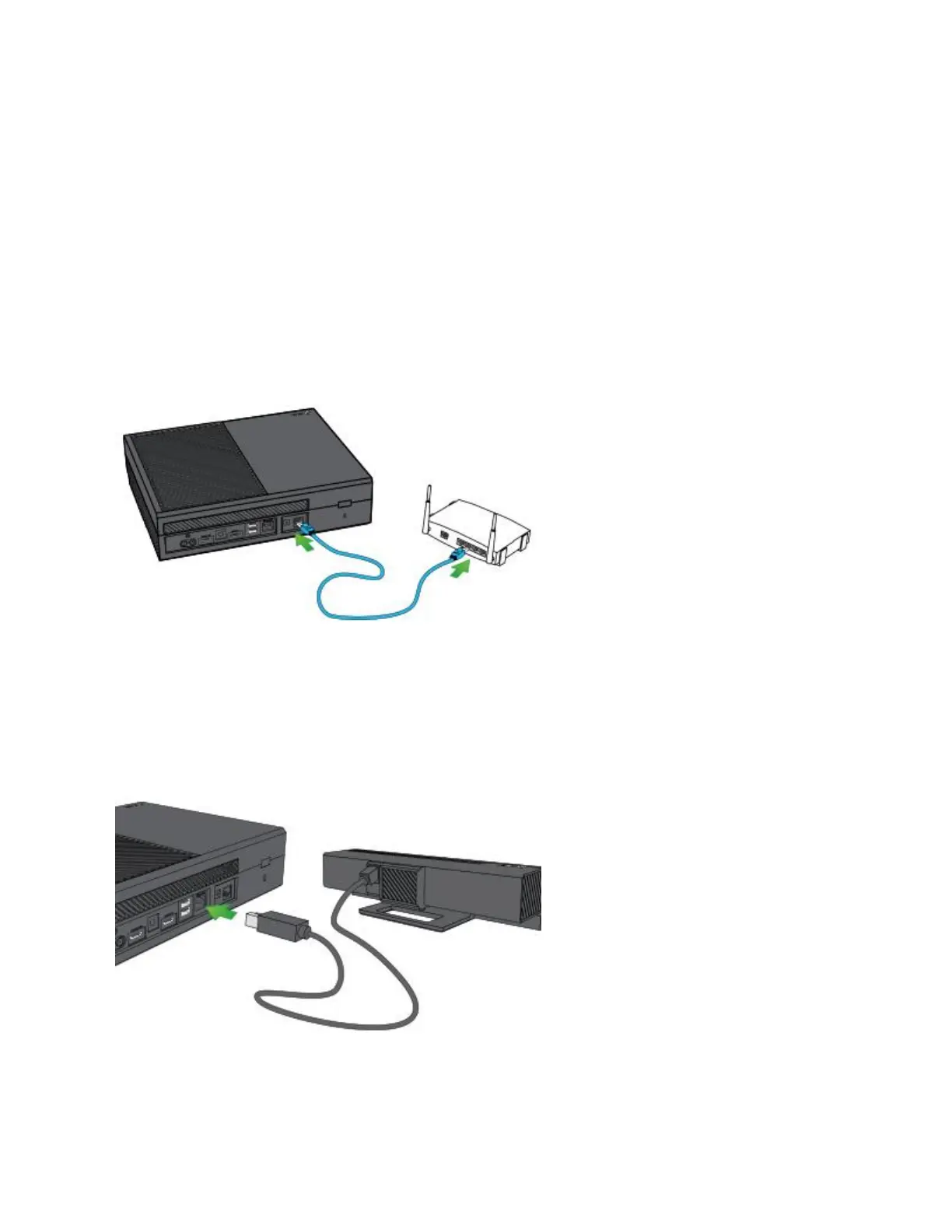
For a wired connection, use an Ethernet cable to connect your router or modem to the
networking port on the right side of the back of the console.
Connect the console to a Kinect sensor (optional)
To connect your Kinect sensor, simply plug the Kinect sensor cable into the back of the Xbox
One console, as shown in the following illustration.


 To Next Page