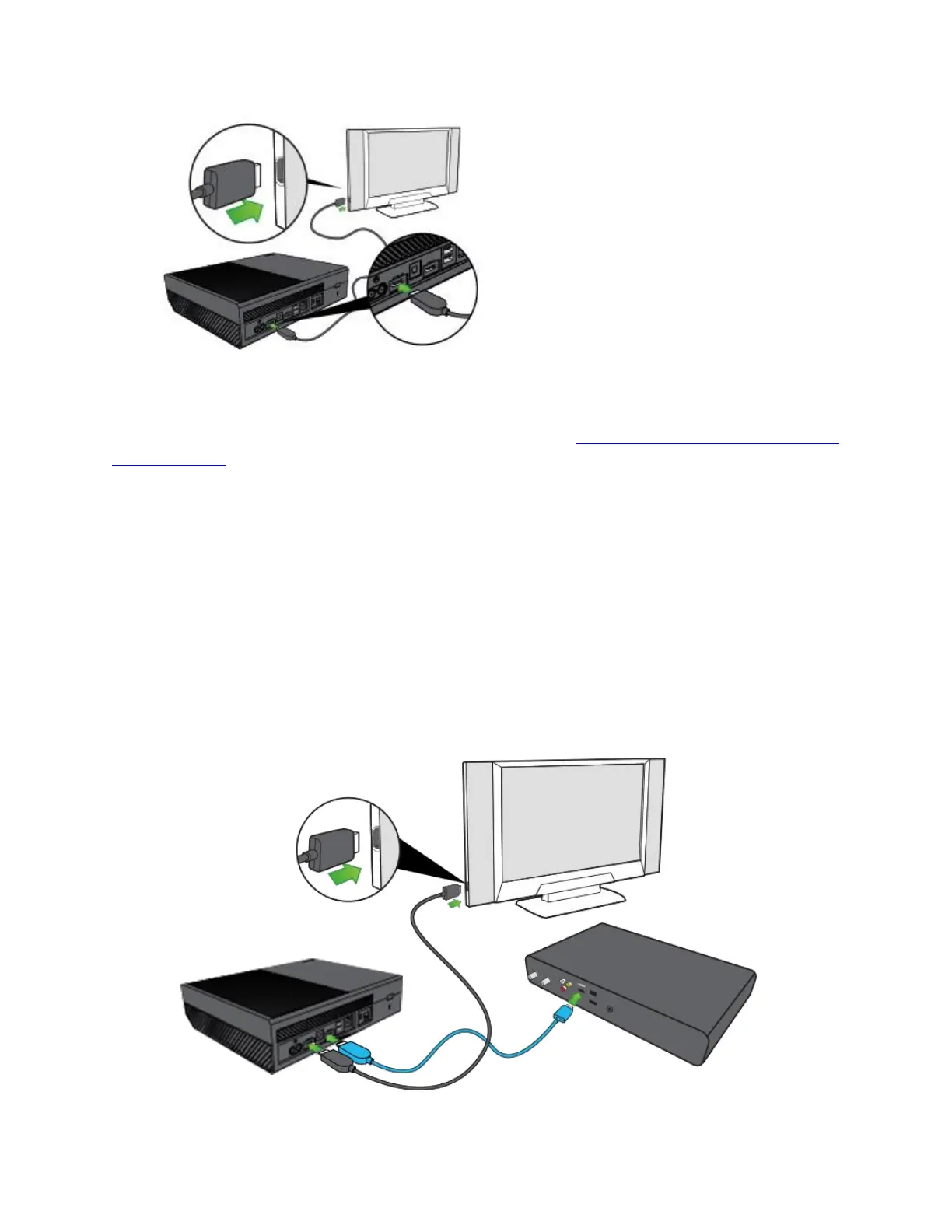
Note Video output for the Xbox One console is HDMI only.
If you’re also connecting your console to a sound system, see Connect your Xbox One console to
a sound system.
Connect your set-top box to the console (optional)
Note If you don't have cable or satellite TV, skip this step.
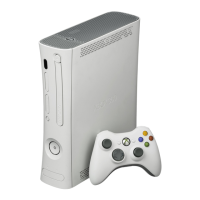
If you connect the set-top box (STB) for your cable or satellite TV provider to your console, you
can control your live TV content through your Xbox One. Here's how:
1. On your TV, disconnect the HDMI cable that connects your TV to your STB.
2. Connect the cable to the HDMI IN port on your console (the rightmost of the HDMI ports
on the back of your console).


 To Next Page