2
Copyright | C2EU Software Service Manual, Version 1.0.0
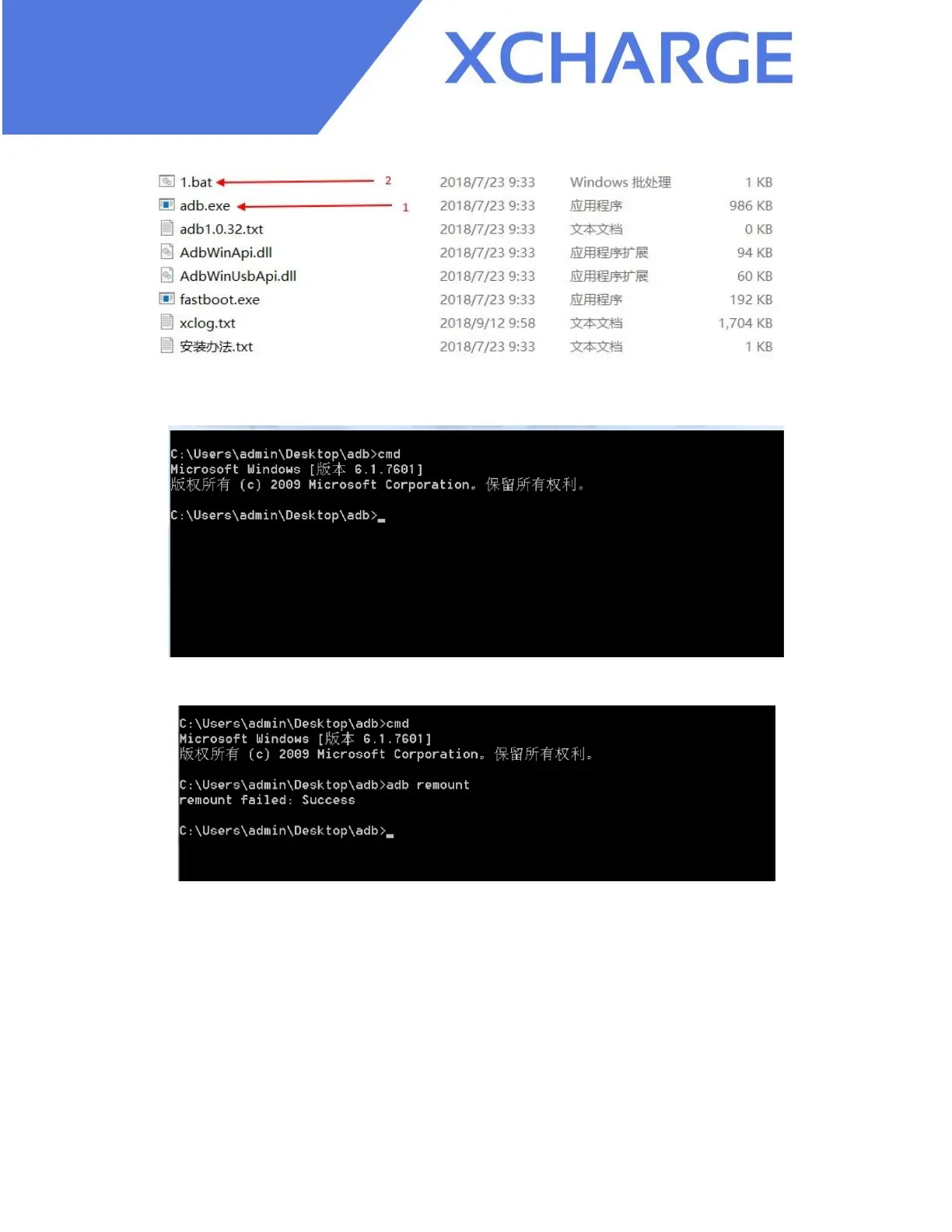
Figure 1.3
Then you will see this window below:
Figure 1.4
Type in the command " adb remount" and press “enter”:
Figure 1.5
Note:
If you want to restart the charger, please disconnect the micro USB cable from your computer.
After you have disconnected, connect laptop with C2EU again and use the command “adb
remount” to ensure the connection is working.


 To Next Page