3
Copyright | C2EU Software Service Manual, Version 1.0.0
2. Application software update
If you wish to update your firmware, please follow these steps:
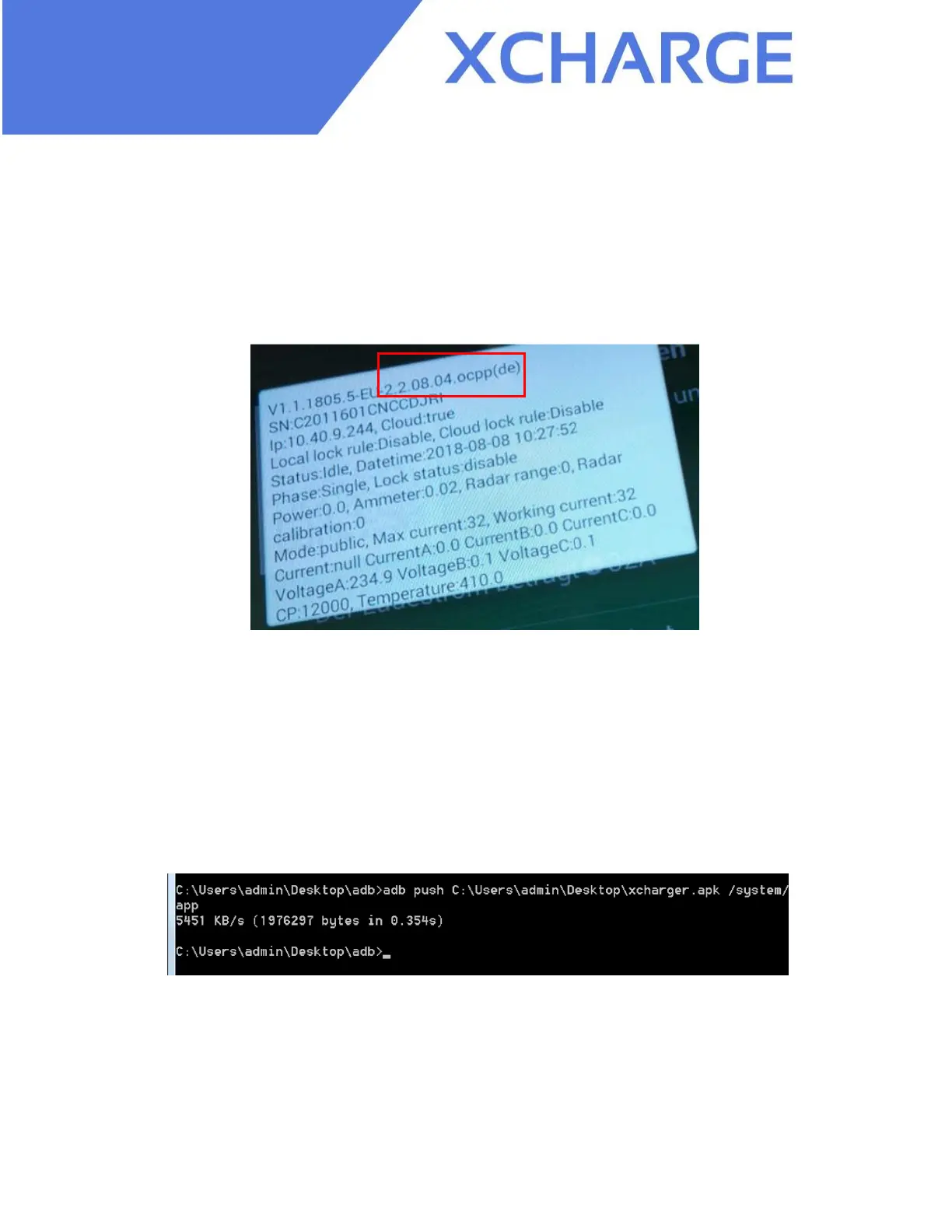
1) Press the home button for 5 seconds to assess the current firmware version, for
example here the current version is 2.2.08.04.ocpp(de).
Figure 2.1 Screenshot for the version displayed on C2EU
2) Then open the ADB tool like shown in 1. Part. After “adb remount” we can start to push the
apk file through operating command " adb
push C:\Users\admin\Desktop\xcharger.apk /system/app"
Note:
C:\Users\admin\Desktop\xcharger.apk is the local address of apk file in your computer that
you received from XCharge, /system/app is the target address in C2EU for apk file, please do
not change it for such updates. Here is just an example, be careful with the space in command.
Figure 2.2
3) If you see "xxxx KB/s (xxxxxxx bytes in xxxxs)", it means that you have successfully pushed the
apk file to C2EU.
4) After successful pushing, you can check the firmware version by pushing the home
button for 5 seconds and see whether the version has been updated.


 To Next Page