EasyManua.ls Logo

Xerox Phaser 6110MFP - User Manual

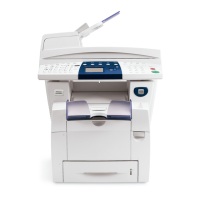
Xerox Phaser 6110MFP
104 pages
Print Icon
To Next Page IconTo Next Page
Loading...
User Guide

Table of Contents

Other manuals for Xerox Phaser 6110MFP

Questions and Answers

  • L
    Lisa BryantSep 10, 2025
    How to resolve 'Over Heat Error Cycle Power' on Xerox Phaser 6110MFP All in One Printer?
    • N
      Nancy AguilarSep 10, 2025
      If your Xerox All in One Printer displays 'Over Heat Error Cycle Power', unplug the power cord and plug it back in. If the problem persists, please call for service.
  • K
    Kelly CuevasAug 22, 2025
    What to do if my Xerox Phaser 6110MFP All in One Printer says 'Toner Low'?
    • F
      fraymondAug 22, 2025
      If your Xerox All in One Printer displays 'Toner Low', remove the toner cartridge and shake it thoroughly. This may temporarily restore printing.
  • J
    Jeremy MillerAug 25, 2025
    What to do if Xerox Phaser 6110MFP says 'Paper Jam 1 Open/Close Door'?
    • M
      Michael JohnsonAug 25, 2025
      If your Xerox All in One Printer displays 'Paper Jam 1 Open/Close Door', clear the jam.
  • J
    Jennifer MeyerAug 26, 2025
    How to fix 'Invalid Toner' error on Xerox All in One Printer?
    • R
      Rebecca TrujilloAug 26, 2025
      If your Xerox All in One Printer displays 'Invalid Toner', install a Xerox-genuine color toner cartridge designed for your machine.
  • J
    Jasmine GutierrezAug 27, 2025
    How to fix 'Invalid Imaging Unit' error on Xerox All in One Printer?
    • P
      patrick51Aug 27, 2025
      If your Xerox All in One Printer displays 'Invalid Imaging Unit', install a Xerox-genuine part designed for your machine.
  • M
    michael64Aug 29, 2025
    How to fix 'Scan Unit Open or Paper Jam2' on Xerox Phaser 6110MFP?
    • M
      melissaperezAug 29, 2025
      If your Xerox All in One Printer displays 'Scan Unit Open or Paper Jam2', close the scan until it locks into place and clear the jam.
  • J
    John WilliamsSep 18, 2025
    Why does my Xerox Phaser 6110MFP All in One Printer have loose toner, light print, or contamination?
    • A
      Allison StantonSep 18, 2025
      Your Xerox All in One Printer is probably being used at an altitude of 2,500 m (8,200 ft) or above. The high altitude may affect the print quality such as loose toner or light imaging.
  • B
    Brianna SmithSep 12, 2025
    How to fix 'LSU Motor Error Cycle Power' on Xerox Phaser 6110MFP All in One Printer?
    • J
      Jimmy Austin DDSSep 12, 2025
      If your Xerox All in One Printer displays 'LSU Motor Error Cycle Power', unplug the power cord and plug it back in. If the problem persists, please call for service.
  • R
    Ryan SmithSep 8, 2025
    How to fix 'Low Heat Error Cycle Power' on Xerox Phaser 6110MFP?
    • M
      Matthew GreenSep 8, 2025
      If your Xerox All in One Printer displays 'Low Heat Error Cycle Power', unplug the power cord and plug it back in. If the problem persists, please call for service.
  • P
    Patricia SerranoSep 5, 2025
    Why is my Xerox Phaser 6110MFP printing vertical lines?
    • A
      Ashlee MorrowSep 5, 2025
      If black vertical streaks appear on the page from your Xerox All in One Printer, the drum inside the toner cartridge has probably been scratched. Remove the toner cartridge and install a new one. If white vertical streaks appear, the surface of the LSU part inside the machine may be dirty; clean the LSU.

Xerox Phaser 6110MFP Specifications

General IconGeneral
BrandXerox
ModelPhaser 6110MFP
CategoryAll in One Printer
LanguageEnglish

Related product manuals