EasyManua.ls Logo

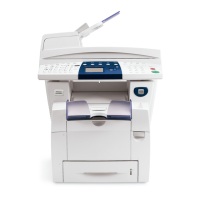
Xerox Phaser 6110MFP - User Manual

Xerox Phaser 6110MFP
104 pages
Print Icon
To Next Page IconTo Next Page
Loading...
User Guide

Table of Contents

Other manuals for Xerox Phaser 6110MFP

Questions and Answers

  • M
    Michael GuzmanSep 3, 2025
    Why is my Xerox Phaser 6110MFP All in One Printer printing light or faded?
    • J
      Jeremy DelgadoSep 3, 2025
      If your Xerox All in One Printer produces light or faded prints, and a vertical white streak or faded area appears on the page, it may indicate low toner. You can try to temporarily extend the toner cartridge life. If this doesn't improve print quality, install a new toner cartridge.
  • R
    Randall OsborneSep 1, 2025
    What to do if Xerox Phaser 6110MFP All in One Printer says 'Out-Bin Full'?
    • J
      Jeremy HernandezSep 1, 2025
      If your Xerox All in One Printer displays 'Out-Bin Full', remove the paper.
  • C
    Caleb GravesAug 30, 2025
    What to do if Xerox All in One Printer shows 'Door Open' error?
    • J
      Jesse AndersonAug 31, 2025
      If your Xerox All in One Printer displays 'Door Open', close the cover until it locks into place.
  • M
    michael64Aug 29, 2025
    How to fix 'Scan Unit Open or Paper Jam2' on Xerox Phaser 6110MFP?
    • M
      melissaperezAug 29, 2025
      If your Xerox All in One Printer displays 'Scan Unit Open or Paper Jam2', close the scan until it locks into place and clear the jam.
  • J
    Jasmine GutierrezAug 27, 2025
    How to fix 'Invalid Imaging Unit' error on Xerox All in One Printer?
    • P
      patrick51Aug 27, 2025
      If your Xerox All in One Printer displays 'Invalid Imaging Unit', install a Xerox-genuine part designed for your machine.
  • J
    Jennifer MeyerAug 26, 2025
    How to fix 'Invalid Toner' error on Xerox All in One Printer?
    • R
      Rebecca TrujilloAug 26, 2025
      If your Xerox All in One Printer displays 'Invalid Toner', install a Xerox-genuine color toner cartridge designed for your machine.
  • J
    Jeremy MillerAug 25, 2025
    What to do if Xerox Phaser 6110MFP says 'Paper Jam 1 Open/Close Door'?
    • M
      Michael JohnsonAug 25, 2025
      If your Xerox All in One Printer displays 'Paper Jam 1 Open/Close Door', clear the jam.
  • K
    Kelly CuevasAug 22, 2025
    What to do if my Xerox Phaser 6110MFP All in One Printer says 'Toner Low'?
    • F
      fraymondAug 22, 2025
      If your Xerox All in One Printer displays 'Toner Low', remove the toner cartridge and shake it thoroughly. This may temporarily restore printing.

Xerox Phaser 6110MFP Specifications

General IconGeneral
BrandXerox
ModelPhaser 6110MFP
CategoryAll in One Printer
LanguageEnglish

Related product manuals