Maintenance - replacing toner cartridge
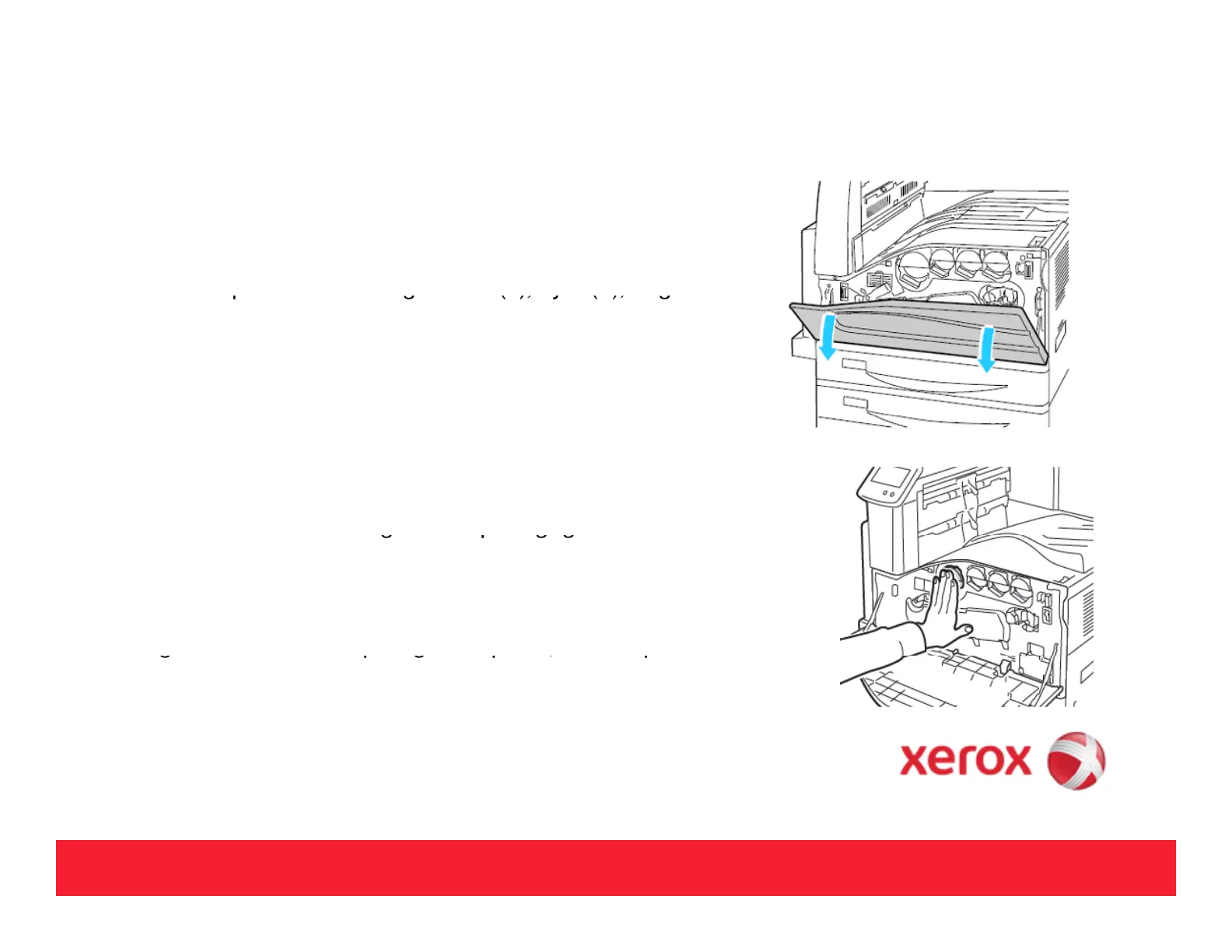
Open the Front Cover.
Locate the re
uired Toner Cartrid
e - Black
K
C
an
C
Ma
enta
(M), and Yellow (Y).
Grasp the cartridge and pull it straight out of the printer.
NOTE: Dispose of the cartridge as normal office waste or recycle it in
accordance with local regulations.
Remove the new Toner Cartrid
e from its
acka
in
and shake
several times to distribute the Toner.
Install the Toner Cartridge by aligning the arrow on the cartridge and
the ali
nment tabs with the o
enin
on the
rinter
and then
ush the
cartridge into the printer. Make sure the cartridge is completely
installed.
Close the front cover.
8



 To Next Page
 Loading...













