Index
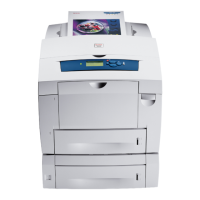
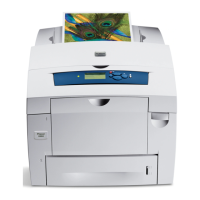
Phaser® 8560/8860 Printer
Index-5
printing
black & white, 1-11
booklets, 1-5
cover pages, 1-13
font samples, 2-4
job accounting, 4-17
job size, 4-18
job timing, 4-18
mirror images, 1-18
multiple pages per sheet, 1-4
N-Up, 1-4
personal jobs, 1-24
personal saved jobs, 1-25
proof print jobs, 1-24
saved print jobs, 1-24
secure print jobs, 1-24
selecting cover page printing
options, 1-13
separation pages, 1-12
Startup page, 4-5
test pages
Windows 2000 or later, 3-6, 3-10
usage profile reports, 4-18
watermarks, 1-16
proof jobs
sending, 1-22
proof print jobs, 1-2, 1-21
deleting, 1-24
printing, 1-24
sending, 1-22
Q
quick CD-ROM install steps
Macintosh, 3-11
Windows 2000 or later, 3-4
R
recycling and disposing product, C-1
reduce images, 1-15
regulatory information
Canada, B-1
Europe, B-2
United States, B-1
reports
usage profile, 4-18
S
saved print jobs, 1-2, 1-21
deleting, 1-24
printing, 1-24
sending, 1-22
saving energy
power saver timeout, 4-6
scaling, 1-15
secure print jobs, 1-2, 1-21
deleting, 1-24
printing, 1-24
sending, 1-22
security
configuring 802.1X, 4-16
configuring HTTPS, 4-15
locking the control panel menus, 4-16
selecting printer settings, 4-14
selecting printing security settings, 4-15
selecting
administrative security settings, 4-14
control panel menu locking option, 4-16
duration for tray prompts, 4-12
HTTPS option, 4-15
Intelligent Ready mode setting, 4-7
load paper timeout option, 4-13
manage certificates, 4-15
printing security settings, 4-15
Tray 1 mode setting, 4-9
Tray 2-n mode setting, 4-10
sending
print with jobs, 1-23
separation pages
printing, 1-12
separator pages, 1-2
setting
administrative security levels, 4-14
control panel language, 4-2
control panel menu locking options, 4-16
date and time, 4-4
duration for tray prompts, 4-12
HTTPS options, 4-15
Intelligent Ready mode, 4-7
load paper timeout option, 4-13
power saver timeout option, 4-6
printing security, 4-15
Startup page printing, 4-5
supply life message timing options, 4-8
Tray 1 mode options, 4-9
Tray 2-n mode options, 4-10


 To Next Page
 Loading...