6
NANJING XIANFEI ROBOT TECHNOLOGY CO., LTD.
Z-2 User Manual
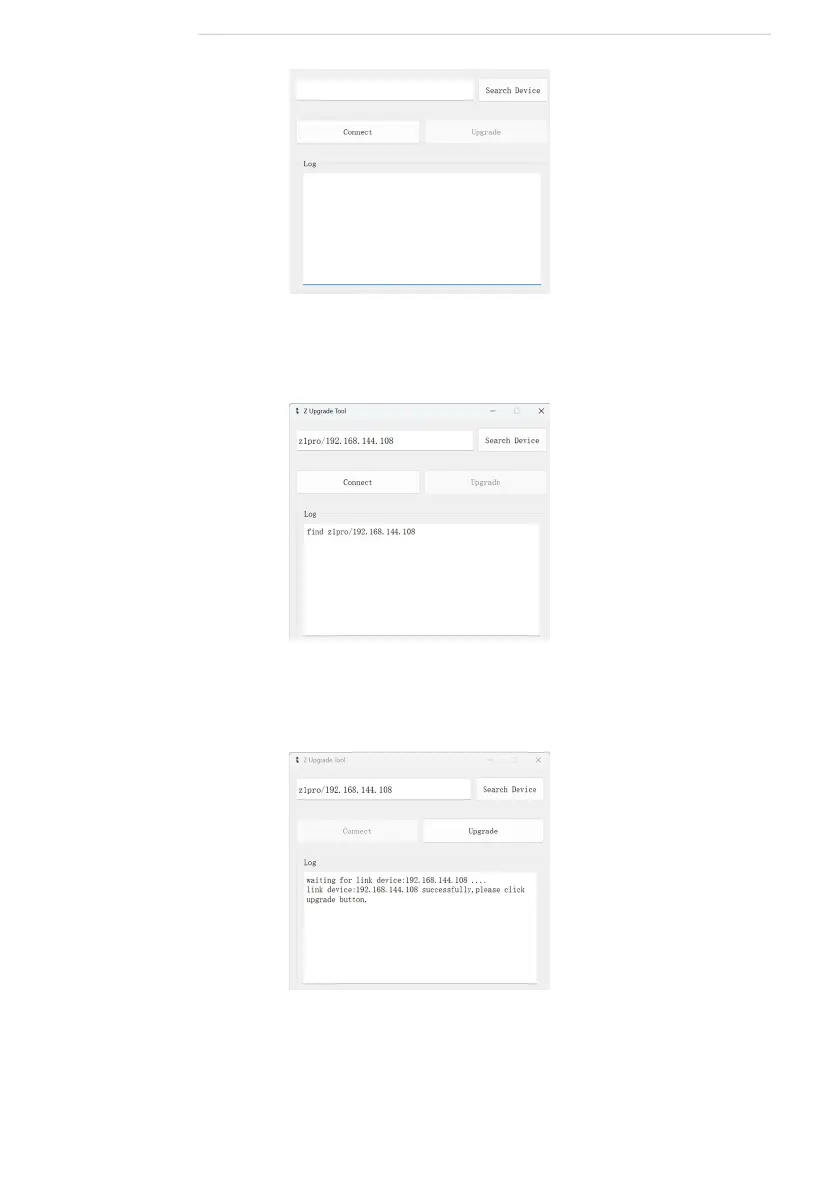
3. Click the "Search Device" button and wait for the host computer search to
complete.
4. After the search is complete, click "Connect" and wait for the connection to
conrm that the connection is successful.
5. After the connection is successful, click "Upgrade" and the device will
start upgrading. Wait for the software to prompt "upgrade successfully" to
indicate that the upgrade is successful.



 To Next Page