XFP ENGINEERING MANUAL • Approved Document No. DFU1200510 Rev 3 • Page 15 of 36
XFP 16 ZONE ANALOGUE ADDRESSABLE FIRE ALARM PANEL
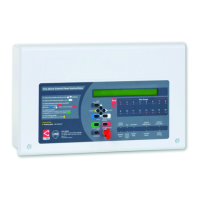
Button controls
More Information Displays additional information on any fire, pre-alarm or fault conditions that
appear on the panel’s display. Will also display additional context dependent
information where appropriate.
(Scroll Up) 51 Dependent on the status of the panel, these two buttons:
(Scroll Down) 63 • scroll vertically through any fire, pre-alarm or fault conditions that appear on
the panel’s display
• scroll vertically through the panel’s user menus
• manipulate date, time and disablement settings, etc.
• serve as code input buttons to access levels 2 or 3.
Accept 4 2 Dependent on the status of the panel, these two buttons:
Escape 34 • scroll horizontally through the panel’s user menus
• escape or accept options available in the panel’s user menus
• serve as code input buttons to access levels 2 or 3.
Menu Provides access to the panel’s menus
Silence Internal Sounder Silences the panel’s internal sounder
Control Panel Reset Resets the panel when the sounders are silenced (access levels 2 & 3 only)
Silence / Resound Sounders Silences or resounds the system’s sounders (access levels 2 & 3 only)
Investigate Starts the panel’s investigate timer function (access levels 2 & 3 only)
Keyswitch control
Turning the keyswitch to the armed position (I) gives the user instant access to
access level 2 (authorised user level).


 To Next Page
 Loading...