MAME™ USAGE
• CHOOSEGAME:Youcanusetheleftjoystickoryourtrackball/mousetoscrollthroughthelistof
games.
• BOOTGAME:Bootupagamebydouble-clickingonit.
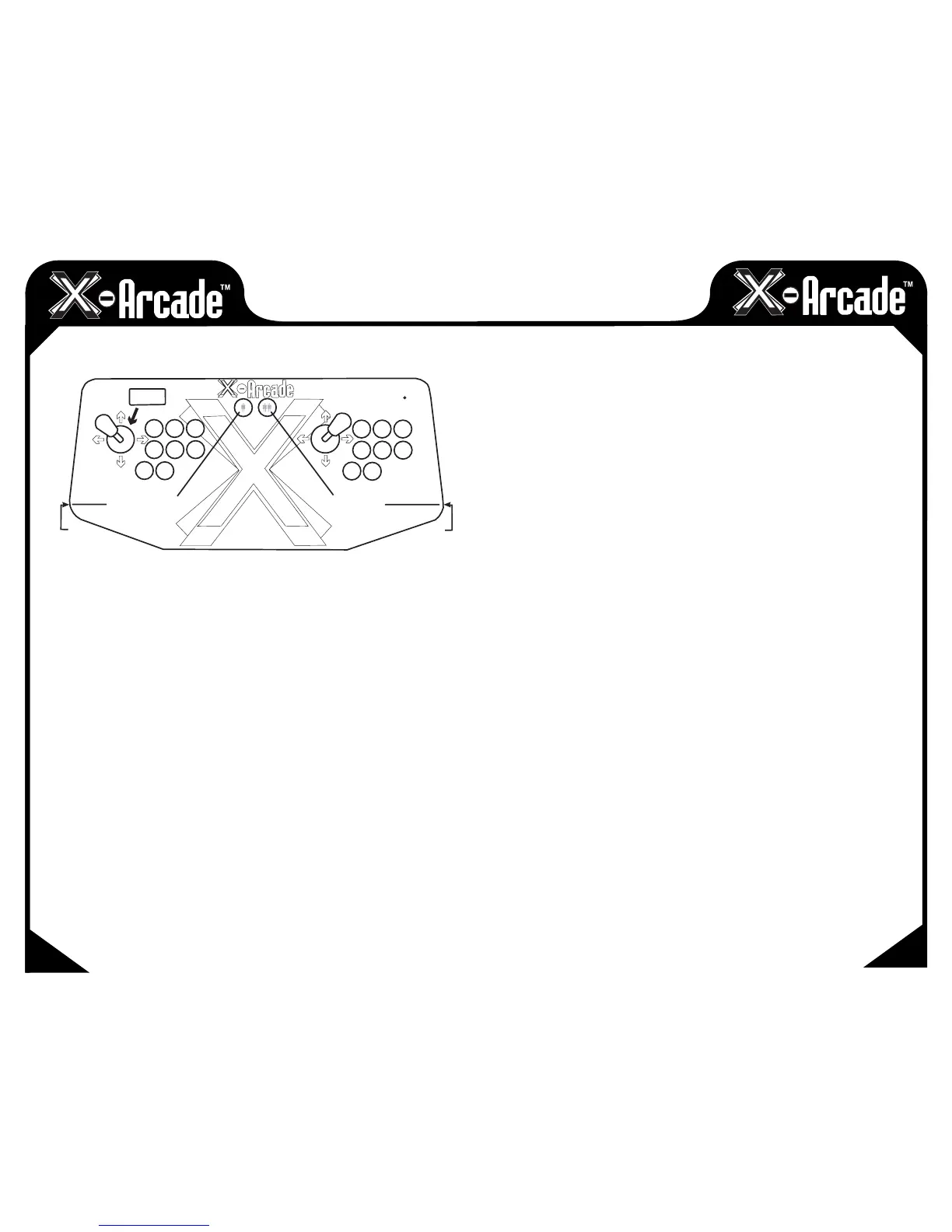
• INSERTCOINS:Afteryoubootupagame,usetheCOIN1(leftpinballflipper)buttononthe
X-Arcade™toinsertcoinsforplayer1,COIN2(therightpinballflipper)forplayer2.
• DISCLAIMER:Youcanskipthescreenswhichaskyoutotype“OK”bymovingtheplayer1
joystick LEFT then RIGHT (left for “O” and right for “K”).
• STARTGAME:PressthewhiteSTART1buttontostarta1-playergame,pressSTART2fora
2-player game.
• OPTIONS:Whileagameisrunning,youcanchangethecontrolsbysimultaneously
pressingSTART1+COIN1(orthe“Tab”keyonyourkeyboard)toaccessthecontrolsmenu.
• TRACKBALL/MOUSESENSITIVITY:Fromtheoptionsmenu,youcanadjustthesensitivityofthe
trackball/mousemovementbygoingto"AnalogControls"andchangethe"TrackXSensitivity"
and"TrackYSensitivity"percentagetoadjusttheballspeedtowhatfeelsbestforyouineach
game. NOTE: If you roll the ball fast and get backlash, you have the sensitivity set too high.
• EXITGAME:YoucanexitagamebysimultaneouslypressingSTART2+COIN2.
More MAME™tipsandinfocanbefoundatthe"CustomerService"sectionofwww.X-Arcade.com
FREE GAMES:
Checkoutthe"ArcadeCenter"sectionofourwebsitewww.X-Arcade.com to play free games,
get more in depth information on emulators including MAME™, and links to TONS of other free
games! Also sign up for our free newsletter to be kept up to date on new free games and emulation
information.
MAIN
MAIN
COIN 1
COIN 2
O
K
EXIT GAME
INGAME OPTIONS
Numpad
(Numlock ON)
START
2
START
1
MAME™ SHORTCUTS
08
09


 To Next Page