PROGRAMMING THE X-ARCADE
TheX-Arcade™has4memorybanks.Mode1isfactoryprogrammedandnon-changeable,foruse
withMAME™andotheremulators.Modes2-4arefullyprogrammableasmanytimesasyouwant.
IMPORTANT PROGRAMMING NOTES:
•Whenthelightison,youareinplaymode.Whenthelightisoffyouareinprogrammode.
•RememberthatMODE1(switchclosesttotheserialcable)cannotbeprogrammed.
•AkeyboardmustbepluggedintotheX-Arcade™toprogramit,evenifyouusetheUSB
connection.
•Tochangemodes,youmustslidetheswitchonthebacktodesiredModeposition,andthen
presstheSAVE/LOADbuttonTWICEtoloadthatmode.(ThelightontheX-Arcade™shouldgo
out on the first push, and back on with the second)
•ProgrammingisforthePC/MAConly,anddoesnotfunctionongameconsoles.
NOTE: If you want to switch MODES after programming, you slide to
that MODE, then PRESS LOAD BUTTON 2 (TWO) TIMES. Don't forget this step.
Remember to HOLD THE BUTTON ON the X-Arcade and KEYBOARD
together until LED FLASHES
11
10
Programming Instructions:
StartbychoosingMode2,3or4byslidingtheswitchawayfromtheserialcable.
1.Presstheblackbutton(LOAD BUTTON) on the back of X-Arcade™ (the red light
turns off).
2. Press and hold any button or direction on a joystick (UP, DOWN, LEFT or RIGHT) on the
X-Arcade™ that you wish to change (keep holding during Step 3!).
3. While still holding button/direction in Step 2, press and hold a key on the keyboard until
the light on the X-Arcade™ starts to blink. Once the light starts blinking, the button on the
X-Arcade™ has been programmed to the keyboard button selected in step 2. Release the held
button/direction and keyboard key.
4.Repeatsteps2&3toprogramadditionalbuttons/directions.(Donotpressloadagain)
5. Press the LOAD BUTTON to close out and save your entire programmed mode!
You can use a word editor like notepad to verify the programming, your buttons and joysticks should
now type the letters you have programmed them to.
AlloftheprogrammedbuttonswillbesavedpermanentlyintheX-Arcade™’son-boardmemory.If
you turn off the computer, or unplug the X-Arcade™, the programmed buttons will not be lost. The
X-Arcade™ can be reprogrammed as many times as you like. This hardware based function was
designed to allow easy use with any Operating System. You can also just assign keys in each individual
game.
Page16has3blanklayoutsforyoutowriteyourfavoriteprogrammedmodes2-4into.Moreare
availableforprintonthe"CustomerService"pageofourwebsitewww.X-Arcade.com .
kljhfjkdjbkjbgjdbgkldbn
NOTE: When switching between modes, you activate the MODE by
sliding the toggle switch to the MODE, then pressing the LOAD button
on the back of X-Arcade twice.) Remember, anytime you wish to
change MODE, after you slide the switch, PRESS LOAD BUTTON TWICE!
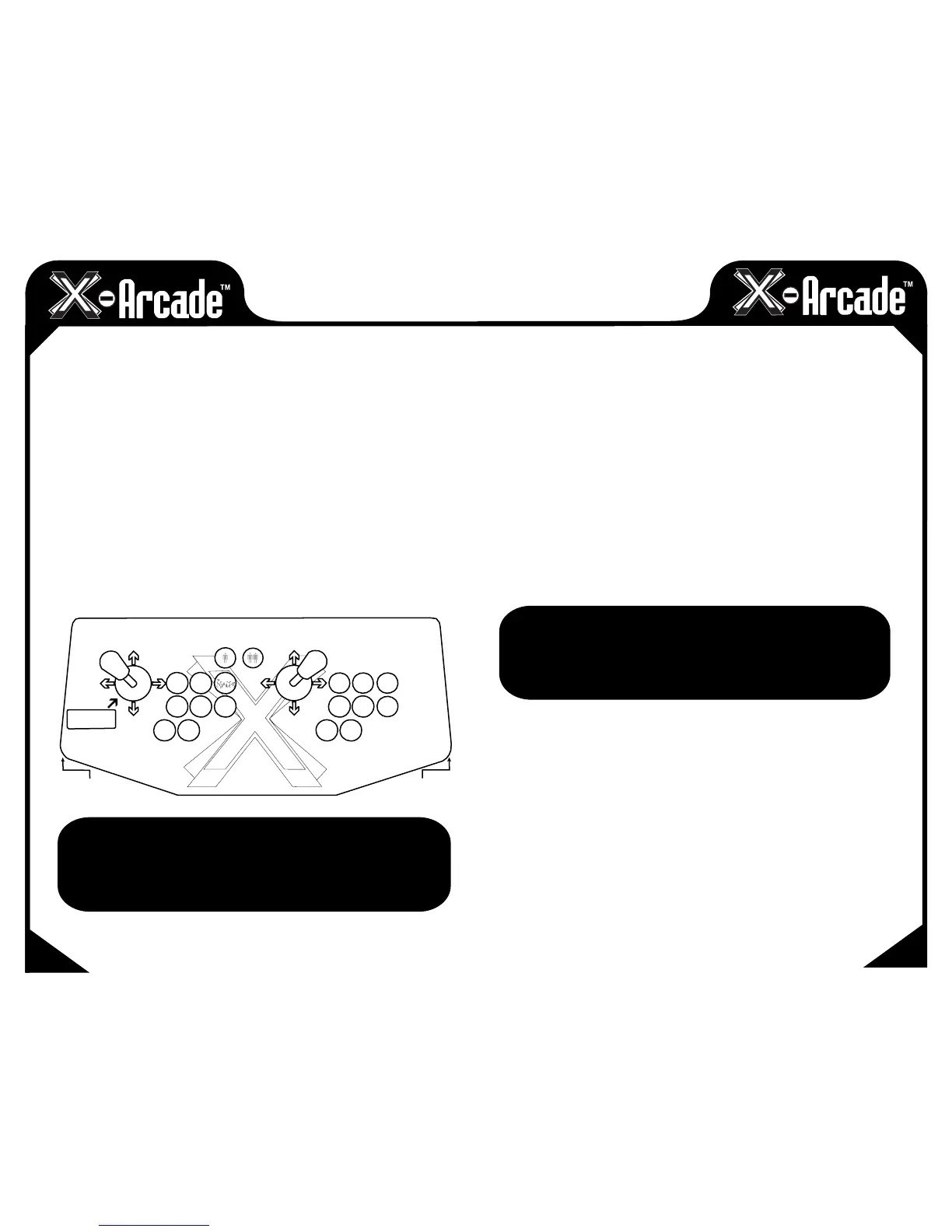
PC & MAC Adapter (Mode 1)
8
4
2
6
1
2
R
D
G
F
AS
Q
W
E
[
6
C5
Z
X
3
4
Left
Ctrl
Left
Alt
Space
Left
Shift
]
Numpad
(Numlock ON)


 To Next Page
 Loading...
