Connecting with Mi Home/Xiaomi Home App
This product works with the Mi Home/Xiaomi Home app*. Use the Mi Home/Xiaomi Home app to control
your device, and to interact with other smart home devices.
Scan the QR code to download and install the app. You will be directed to the connection setup page if the
app is installed already. Or search "Mi Home/Xiaomi Home" in the app store to download and install it.
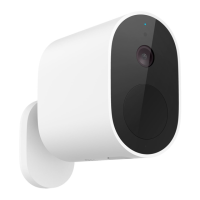
Make sure that an indoor receiver compatible with this outdoor camera has been purchased and installed
separately, and that the indoor receiver has been connected to the app successfully.
6
Awaiting reset: Orange
Awaiting connection: Blinking orange
Connecting: Blinking blue
Connected: O
Charging: Blinking red
Fully charged: O
How to Use
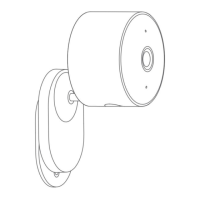
Charging: Please fully charge the outdoor camera before using it.
Turning on/o: Press the power button to turn on/o the outdoor camera.
Resetting: When turned on, press and hold the power button for 5 seconds, and the indicator will blink orange once the outdoor camera
has been reset successfully.
Indicator Status Description



 To Next Page