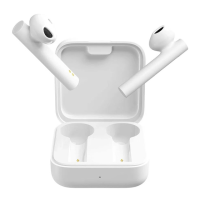
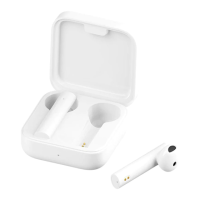
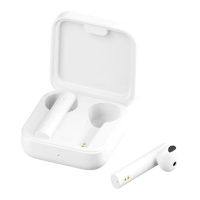
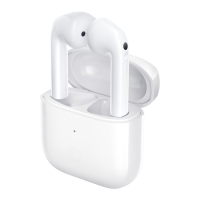
The Xiaomi True Wireless Earphone 2S (Model: TWSEJ07WM) is a pair of Bluetooth 5.0 earphones designed for wireless audio playback and hands-free communication. This device comes with a charging case that not only protects the earphones but also provides additional battery life, extending their usage time.
Function Description:
The primary function of these earphones is to provide wireless audio for music, calls, and voice assistant interaction. They connect to devices via Bluetooth 5.0, supporting profiles such as BLE, HFP, HSP, A2DP, and AVRCP, and audio codecs including SBC, AAC, and LHDC. The earphones feature a secondary microphone for clear call quality and a function button for various controls. The charging case, equipped with a Type-C charging port, recharges the earphones and can itself be charged via a Type-C cable or a compatible wireless charger.
Important Technical Specifications:
- Model: TWSEJ07WM
- Charging Port: Type-C
- Net Weight: 52 g (total weight including charging case)
- Impedance: 32 Ω
- Input: 5 V 1 A
- Charging Time: Approximately 1 hour (for the charging case)
- Wireless Connectivity: Bluetooth 5.0
- Bluetooth Profiles: BLE/HFP/HSP/A2DP/AVRCP
- Supported Audio Codecs: SBC/AAC/LHDC
- Wireless Range: 10 m (in open space without obstacles)
- Earphones' Battery Life (standalone): Approximately 5 hours
- Total Battery Life (with charging case): Approximately 24 hours
- Bluetooth Operation Frequency: 2402–2480 MHz (for EU)
- Maximum Transmit Power for BT: 10 dBm (for EU)
- Maximum Transmit Power for BLE: 10 dBm (for EU)
- Maximum Ambient Temperature for Operation: 40°C
Usage Features:
- Turning On/Off & Sleep Mode: The earphones automatically turn on when the charging case lid is opened. Placing them back into the charging case and closing the lid disconnects them and puts them into sleep mode.
- Charging: Earphones charge automatically when placed in the charging case. The charging case can be charged via a Type-C cable or wirelessly. An indicator light on the charging case shows charging status (red flashing for charging, white off after 10 seconds for full charge).
- Activation: For first use, the earphones are deactivated. They need to be placed in the charging case, and the function button pressed for 5 seconds to activate. Full charging before first use is recommended.
- Battery Level Check:
- Earphones: Battery level can be checked on the phone's status bar after connecting. Note that it displays the lowest battery level of the two earphones and may not be supported by all phones.
- Charging Case: Open the lid or press the function button (if closed). A lit indicator for 5 seconds means sufficient battery; a blinking indicator means low battery.
- Mi Phone Integration: For Mi phone users, placing earphones in the case, closing the lid, enabling Bluetooth, holding the phone close to the case, and then opening the lid will trigger a notification showing battery levels for both earphones and the charging case. This feature requires the latest stable Mi phone version and is supported by select Mi phones.
- Connecting to a New Device:
- Place earphones in the charging case.
- Press and hold the function button for 2 seconds until the charging case indicator blinks, indicating pairing mode.
- Enable Bluetooth on the device, search for "Mi TW Earphones 2S," and connect. Use "0000" if a passcode is requested.
- Connecting with a Mi Phone (Fast Connection): Place earphones in the charging case, close the lid, ensure Bluetooth is enabled on the Mi phone, hold the phone close to the case, then open the lid. Follow on-screen instructions. This feature is specific to certain Mi phones with the latest stable software.
- Automatic Connection: When opening the charging case, the earphones will automatically connect to the most recently used Bluetooth device. If no connection history or unsuccessful connection, they enter awaiting connection mode.
- Connection Interruption: If Bluetooth is disabled or earphones are out of range, they enter awaiting connection mode. After 5 minutes of disconnection, they enter sleep mode, waking up when worn again.
- Call Management: Gently tap either earphone twice to answer or end calls.
- Music and Voice Assistant Control:
- Both Earphones: Tap the right (R) earphone twice to play/pause music. Tap the left (L) earphone twice to access the voice assistant.
- Single Earphone: Tap the earphone twice to play/pause music.
- Taking out an earphone: Pauses music automatically.
- Voice Assistant Note: Requires device support and permission. When using only the left earphone, the right earphone should be in the charging case with the lid closed.
- Wearing: Insert earphones into ears according to the L (left) and R (right) marks.
Maintenance Features:
- Clearing Connection History:
- Place earphones into the charging case.
- Press and hold the function button on the charging case for more than 10 seconds.
- Release the button when the indicator alternately blinks red and white.
- The connection history is cleared, the indicator blinks white, and the earphones enter pairing mode.
- Storage: Placing earphones back into the charging case after use helps extend their lifespan and prevents loss.
- Battery Care: Avoid exposing batteries to excessive heat (sunshine, fire), extreme temperatures, or low air pressure. Do not replace the battery with an incorrect type, as this poses an explosion risk. Dispose of used batteries according to instructions.
- Environmental Responsibility (WEEE): The product should not be mixed with unsorted household waste. It must be handed over to a designated collection point for the recycling of electrical and electronic equipment to prevent negative environmental and health consequences.
- Hearing Protection: To prevent possible hearing damage, avoid listening at high volume levels for prolonged periods.

 Need help?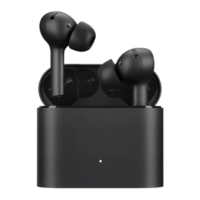



 To Next Page
 General