EasyManua.ls Logo

Xiaomi 4 Go - User Manual

Xiaomi 4 Go
11 pages
Print Icon
To Next Page IconTo Next Page
Loading...
CE.04.00.0786.00-E
Original instructions
22
For further information, please go to www.mi.com
For detailed e-manual, please go to www.mi.com/global/service/userguide
Electric Scooter 4 Go User Manual
Read this manual carefully before use, and retain it for future reference.
Importer:
Beryko s.r.o.
Pod Vinicemi 931/2, 301 00 Plzeň
www.beryko.cz
Question and Answer IconNeed help?

Do you have a question about the Xiaomi 4 Go and is the answer not in the manual?

Summary

Product Overview

Control Panel and Indicators

Speedometer and Bluetooth Status

Displays speed, error codes, and mobile device connection status.

Temperature Warnings

Explains ambient temperature limits for operation and charging.

Control Functions and Modes

Details power, lighting, and riding mode operations.

Indicators: Lock, Error, and Battery

Explains lock status, repair alerts, and battery level indicators.

Package Contents

Assembly and Set-up

Initial Placement and Kickstand

Place scooter on ground and deploy kickstand.

Stem Installation

Lift stem, open clamp, and align onto front fork.

Quick-release Clamp Securing

Firmly secure quick-release clamp after spring button activation.

Stem Security Check

Test stem security by shaking before riding.

Adjusting the Quick-release Clamp

Clamp Nut Adjustment

Turn the nut counterclockwise or clockwise to loosen or tighten the clamp.

Charge Your Scooter

Charging Procedure

Connect charger to scooter and power outlet.

Full Charge Indicator

Observe LED indicator change from red to green for full charge.

Battery Sleep Mode

Battery enters sleep mode if under 30% and off for 10 days.

Connect with Mi Home;Xiaomi Home App

App Download and Installation

Scan QR code to download and install the Mi Home/Xiaomi Home app.

App Launch

Launch the Mi Home/Xiaomi Home application.

Adding a Device

Tap '+' and select 'Add a device' or 'Scan'.

Scooter Pairing

Follow instructions to add and pair the scooter.

How to Ride

Pre-Ride Preparations

Wear protective gear and check tire pressure before riding.

Starting Position

Step on deck with one foot, kick off with the other.

Engaging the Accelerator

Accelerator engages when coasting speed exceeds 5 km/h.

Braking Technique

Release accelerator and use brake lever for sudden stops.

Steering and Turning

Tilt body and turn handlebar in direction of turn.

Parking Procedure

Put down the kickstand when parking the scooter.

General Safety Reminders

Obstacle Avoidance

Always maintain a clear path and avoid obstacles.

Prohibited Riding Areas

Prohibited to ride on public roads, motorways, and expressways.

High-Speed Steering

Do not abruptly change steering direction at high speed.

Specific Safety Risks

Overhead Obstacle Hazard

Avoid hitting head on door frames, elevators, and overhead obstacles.

Accelerator Misuse

Do not press accelerator when walking beside the scooter.

Handlebar Loading

Do not hang bags or heavy items on the handlebar.

Riding on One Foot

Do not ride the scooter on one foot.

Riding Prohibitions

Downhill Acceleration and Braking

Do not accelerate downhill; brake and step off on steep slopes.

Mobile Device and Earphone Use

Do not use mobile phones or earphones while operating.

Riding in Rain or Puddles

Do not ride in rain or through water obstacles.

Rear Mudguard Foot Placement

Do not keep feet on the rear mudguard.

Drum Brake Contact

Do not touch the drum brake.

Riding Without Handlebar Control

Do not let go of the handlebar while riding.

Riding on Stairs or Obstacles

Do not ride on stairs, down stairs, or jump over obstacles.

Riding with Passengers

Do not ride with anyone else, including children.

Carry Your Scooter

Prepare for Carrying

Put down kickstand and open quick-release clamp.

Lift the Stem

Press spring button and lift up the stem.

Carrying Position

Flip up kickstand, hold stem and deck middle to carry.

Lock & Unlock Your Scooter

Locking the Motor

Tap 'Lock the motor' in Mi Home app to secure the scooter.

Motor Locked Status

Front wheel cannot move normally; alarm sounds if pushed.

Unlocking the Motor

Tap 'Unlock the motor' in Mi Home app to release the scooter.

Summary

Product Overview

Control Panel and Indicators

Speedometer and Bluetooth Status

Displays speed, error codes, and mobile device connection status.

Temperature Warnings

Explains ambient temperature limits for operation and charging.

Control Functions and Modes

Details power, lighting, and riding mode operations.

Indicators: Lock, Error, and Battery

Explains lock status, repair alerts, and battery level indicators.

Package Contents

Assembly and Set-up

Initial Placement and Kickstand

Place scooter on ground and deploy kickstand.

Stem Installation

Lift stem, open clamp, and align onto front fork.

Quick-release Clamp Securing

Firmly secure quick-release clamp after spring button activation.

Stem Security Check

Test stem security by shaking before riding.

Adjusting the Quick-release Clamp

Clamp Nut Adjustment

Turn the nut counterclockwise or clockwise to loosen or tighten the clamp.

Charge Your Scooter

Charging Procedure

Connect charger to scooter and power outlet.

Full Charge Indicator

Observe LED indicator change from red to green for full charge.

Battery Sleep Mode

Battery enters sleep mode if under 30% and off for 10 days.

Connect with Mi Home;Xiaomi Home App

App Download and Installation

Scan QR code to download and install the Mi Home/Xiaomi Home app.

App Launch

Launch the Mi Home/Xiaomi Home application.

Adding a Device

Tap '+' and select 'Add a device' or 'Scan'.

Scooter Pairing

Follow instructions to add and pair the scooter.

How to Ride

Pre-Ride Preparations

Wear protective gear and check tire pressure before riding.

Starting Position

Step on deck with one foot, kick off with the other.

Engaging the Accelerator

Accelerator engages when coasting speed exceeds 5 km/h.

Braking Technique

Release accelerator and use brake lever for sudden stops.

Steering and Turning

Tilt body and turn handlebar in direction of turn.

Parking Procedure

Put down the kickstand when parking the scooter.

General Safety Reminders

Obstacle Avoidance

Always maintain a clear path and avoid obstacles.

Prohibited Riding Areas

Prohibited to ride on public roads, motorways, and expressways.

High-Speed Steering

Do not abruptly change steering direction at high speed.

Specific Safety Risks

Overhead Obstacle Hazard

Avoid hitting head on door frames, elevators, and overhead obstacles.

Accelerator Misuse

Do not press accelerator when walking beside the scooter.

Handlebar Loading

Do not hang bags or heavy items on the handlebar.

Riding on One Foot

Do not ride the scooter on one foot.

Riding Prohibitions

Downhill Acceleration and Braking

Do not accelerate downhill; brake and step off on steep slopes.

Mobile Device and Earphone Use

Do not use mobile phones or earphones while operating.

Riding in Rain or Puddles

Do not ride in rain or through water obstacles.

Rear Mudguard Foot Placement

Do not keep feet on the rear mudguard.

Drum Brake Contact

Do not touch the drum brake.

Riding Without Handlebar Control

Do not let go of the handlebar while riding.

Riding on Stairs or Obstacles

Do not ride on stairs, down stairs, or jump over obstacles.

Riding with Passengers

Do not ride with anyone else, including children.

Carry Your Scooter

Prepare for Carrying

Put down kickstand and open quick-release clamp.

Lift the Stem

Press spring button and lift up the stem.

Carrying Position

Flip up kickstand, hold stem and deck middle to carry.

Lock & Unlock Your Scooter

Locking the Motor

Tap 'Lock the motor' in Mi Home app to secure the scooter.

Motor Locked Status

Front wheel cannot move normally; alarm sounds if pushed.

Unlocking the Motor

Tap 'Unlock the motor' in Mi Home app to release the scooter.

Overview

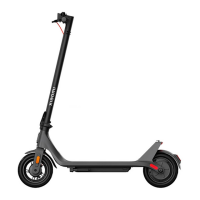
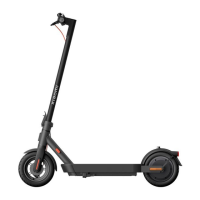
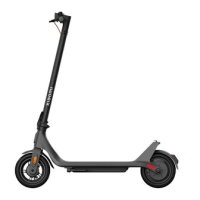
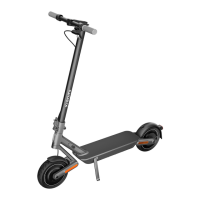
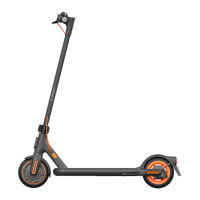
The Xiaomi Electric Scooter 4 Go is a personal electric scooter designed for urban mobility. It features a robust design with a focus on user safety and convenience, integrating smart functionalities through the Mi Home/Xiaomi Home app.

Function Description

The Electric Scooter 4 Go serves as a personal transportation device, offering an eco-friendly and efficient way to navigate short to medium distances. It is equipped with a motor for propulsion, a braking system for stopping, and a control panel for managing various settings and monitoring performance. The scooter can be connected to a mobile app for enhanced control, locking/unlocking, and firmware updates.

Important Technical Specifications

Components:

  • Handlebar: Provides steering control.
  • Front Light & Taillight: Essential for visibility, especially in low-light conditions. The taillight blinks in pedestrian mode.
  • Scooter Bell & Bell Lever: For alerting pedestrians and other road users.
  • Brake Lever: Activates the braking system.
  • Stem: The main vertical support structure, which can be partially disassembled for carrying.
  • Reflector: Enhances visibility.
  • Front Fork: Connects the front wheel to the stem.
  • Wheel Motor: Provides power for propulsion.
  • Charging Port: For connecting the battery charger.
  • Accelerator: Controls the speed of the scooter.
  • Control Panel & Power Button: Central interface for turning the scooter on/off, switching modes, and controlling lights.
  • Quick-release Clamp & Clamp Nut: Used for securing the stem in place.
  • Mudguard: Protects against splashes.
  • Drum Brake: Part of the braking system.
  • Side Reflector: Additional visibility feature.
  • Kickstand: For parking the scooter upright.
  • Battery Compartment: Houses the scooter's battery.

Control Panel & Power Button Features:

  • Speedometer: Displays current speed (km/h or mph) and error codes.
  • Bluetooth Indicator: Lights up when successfully connected to the mobile app.
  • Temperature Warning: Blinks if ambient temperature is outside the safe operating range (-10°C to 45°C for riding, 0°C to 40°C for charging). This can affect performance or charging ability.
  • Power Button:
    • Press once to turn on.
    • Hold for 3 seconds to turn off.
    • Press once when on to turn headlights and taillights on/off.
    • Press twice to cycle through riding modes.
  • Modes:
    • Pedestrian Mode ( ): Maximum speed of 6 km/h, taillight blinks.
    • Standard Mode (D): Default riding mode.
    • Sport Mode (S): Higher speed mode.
  • Locking Reminder: Indicates when the scooter is locked via the Mi Home/Xiaomi Home app.
  • Error Notification: A red wrench icon indicates a need for repair (solid) or an error (blinking).
  • Battery Level Indicator: 5 bars, each representing approximately 20% of a full battery.

Battery & Charging:

  • The scooter is fully charged when the charger's LED changes from red (float charging) to green (trickle charging).
  • If the battery level is below 30% and the scooter is off for about 10 consecutive days, it enters sleep mode. To reactivate, charge for at least three seconds.

Usage Features

Assembly and Set-up:

  1. Place the scooter on the ground, hold the stem and the middle of the deck, then lower the kickstand.
  2. Lift the stem, open the quick-release clamp, align the stem with the groove, and install it onto the front fork assembly.
  3. Secure the quick-release clamp firmly after the spring button pops out.
  4. Shake the stem before riding to ensure the quick-release clamp is secured.

Adjusting the Quick-release Clamp:

  • Turn the clamp nut counterclockwise to loosen or clockwise to tighten the clamp.

Connecting to Mi Home/Xiaomi Home App:

  1. Scan the QR code to download and install the app.
  2. Open the Mi Home/Xiaomi Home app.
  3. Tap "+" in the top right corner, then select "Add a device" or "Scan."
  4. Follow in-app instructions to add and pair the scooter using the unique QR code on the control panel.
  • Activation: Before activation, the scooter beeps and is speed-limited to 10 km/h. Activation via the app removes these restrictions.
  • Locking/Unlocking: The scooter can be locked/unlocked via the app. When locked, the motor is disabled, and the control panel displays only the Bluetooth and lock icons. An alarm sounds if a locked scooter is forcibly pushed.

How to Ride:

  1. Safety First: Wear a helmet, elbow pads, and knee pads. Check tire pressure before riding.
  2. Starting: Step on the deck with one foot, and slowly push off the ground with the other.
  3. Acceleration: The accelerator activates once the coasting speed exceeds 5 km/h.
  4. Braking: Release the accelerator and squeeze the brake lever for sudden stops.
  5. Turning: Tilt your body in the steering direction and slowly turn the handlebar.
  6. Parking: Put down the kickstand.

Carrying the Scooter:

  • This model cannot be folded. To carry, uninstall the stem first.
  1. Put down the kickstand and open the quick-release clamp.
  2. Press the spring button and lift up the stem.
  3. Flip up the kickstand, and simultaneously hold the stem and the middle of the deck to carry the scooter.

Maintenance Features

Safety Reminders:

  • Always steer clear of obstacles.
  • Avoid riding on public roads, motorways, and expressways unless authorized by local laws.
  • Do not abruptly change steering direction at high speed.
  • Watch out for overhead obstacles like door frames and elevators.
  • Do not press the accelerator while walking alongside the scooter.
  • Do not hang bags or heavy items on the handlebar.
  • Do not ride on one foot.
  • Do not accelerate downhill; brake in time to slow down. Step off and push on steep slopes.
  • Do not use a mobile phone or wear earphones while operating.
  • Do not keep feet on the rear mudguard.
  • Do not touch the drum brake.
  • Do not ride in the rain or through puddles/water obstacles.
  • Do not let go of the handlebar while riding.
  • Do not ride up or down stairs, or jump over obstacles.
  • Do not ride with anyone else, including children.

General Maintenance:

  • Regularly check the quick-release clamp for security.
  • Ensure tire pressure is adequate before each ride.
  • Address error notifications promptly, as indicated by the wrench icon on the control panel.
  • Keep the scooter charged to prevent the battery from entering sleep mode.

Xiaomi 4 Go Specifications

General IconGeneral
BrandXiaomi
Model4 Go
CategoryScooter
LanguageEnglish

Related product manuals