2
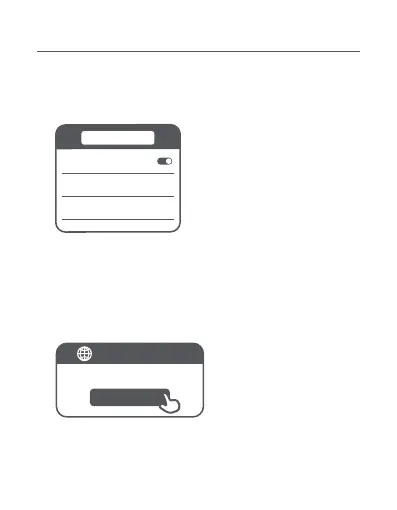
WLAN
router.miwifi.com
Thank you for using Xiaomi Router
Start
WLAN
xiaomi-router-ra82_miapxxxx
xiaomi-router-ra82_miapxxxx_5G
* If the configuration page is not present, open the browser and go to
router.miwifi.com to complete the configuration.
* See the nameplate on the boom of the router for the initial Wi-Fi
name.
2. Once the initial Wi-Fi is connected, you will be directed to
the configuration page. Follow the instructions on the page
to complete the configuration process.
Configuring the Main Router
1. When the router's system indicator turns white, use your
phone or computer to connect with the initial Wi-Fi.





 To Next Page