
 Need help?
Do you have a question about the Xiaomi XMSH16HM and is the answer not in the manual?
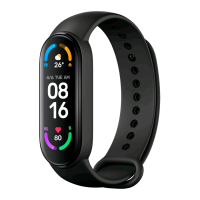
The Mi Smart Band 6 NFC is a smart band designed to track and analyze daily activities and sleeping habits, offering a range of functions including personal activity intelligence (PAI), exercise data, and heart rate measurements. This device also features NFC for payment functionality.
The core function of the Mi Smart Band 6 NFC is fitness tracking. It continuously monitors various aspects of your physical activity and sleep patterns. The band is equipped with a heart rate sensor that measures your heart rate, providing data that can be used to assess your fitness levels and monitor your body's response during exercise. The PAI (Personal Activity Intelligence) feature provides a personalized score based on your heart rate data, offering a comprehensive metric for overall health and fitness. Beyond activity tracking, the band also records exercise data, allowing users to monitor their workouts and progress over time.
A key distinguishing feature of this model is its NFC capability. This allows users to add and activate bank cards to the band, enabling contactless payments. Once a bank card is activated and a password is set, the band can be used to make payments by placing it close to the middle of a compatible reader. The availability of bank card services is dependent on the corresponding banks in the user's city.
To begin using the Mi Smart Band 6 NFC, it must first be installed into its wristband. One end of the fitness tracker is inserted into the slot from the front of the wristband, and then the other end is pressed down with a thumb to fully secure the tracker in place.
Once installed, the band is worn on the wrist. For optimal performance of the heart rate sensor, it's crucial to ensure the back of the sensor maintains contact with the skin. The band should be comfortably tightened around the wrist, ideally about one finger width away from the wrist bone. It should not be too tight to restrict breathing of the skin, nor too loose that it moves freely up and down the wrist or prevents accurate data collection. Before exercising, the wristband should be tightened, and then properly loosened afterward. If the band is too loose and moves easily or the heart rate sensor fails to collect data, tightening the wristband is recommended.
The Mi Smart Band 6 NFC connects to a smartphone via an app. Users need to scan a QR code to download and install the app, then add the Mi Smart Band 6 NFC to the app before initial use. The app requires Android 5.0 & iOS 10.0 or above. After logging into a Mi account within the app, users follow on-screen instructions to connect and pair the band with their phone. During pairing, the band will vibrate and display a pairing request on its screen, which the user taps to complete the process. It's essential to ensure Bluetooth is enabled on the phone and to keep the phone and band close to each other during pairing.
After successful pairing, the band's screen can be lit up by tapping it. Navigation through the band's functions is intuitive: swiping up or down allows users to view various features like PAI, exercise data, and heart rate measurements. To return to the previous page, users simply swipe right.
Disassembly of the band involves removing it from the wrist, then holding onto each end of the wristband and pulling until a small gap appears between the fitness tracker and the wristband. A finger can then be used to pop the fitness tracker out of its slot from the front side of the wristband.
The Mi Smart Band 6 NFC has a water resistance rating of 5 ATM, meaning it can be worn during activities like handwashing, swimming in a pool, or swimming near the shore. However, it is not suitable for use in hot showers, saunas, or diving. The touchscreen does not support underwater operations. If the band comes into contact with water, it should be wiped with a soft cloth to remove excess water before further use.
For daily maintenance, it's advised to avoid wearing the band too tightly and to keep its contact area dry. Regular cleaning of the wristband with water is recommended to maintain hygiene and prevent skin irritation. If any signs of redness or swelling appear on the skin in the contact area, users should immediately stop using the product and seek medical assistance.
The device is equipped with a built-in battery that cannot be removed or replaced by the user. Disassembly or modification of the battery by the user is not permitted. The battery should be recharged immediately when its level is low.
It's important to note that the Mi Smart Band 6 NFC is not a medical device. Any data or information provided by the watch should not be used as a basis for diagnosis, treatment, or prevention of diseases.
 General
| Model | XMSH16HM |
|---|---|
| Category | Watch |
| Display Type | AMOLED |
| Water Resistance | 5 ATM |
| Heart Rate Monitor | Yes |
| GPS | Yes |
| Weight | 32 grams |
| Battery Life | Up to 14 days |
| Sensors | Accelerometer, Gyroscope |
| Compatibility | iOS 10.0 or later |



 To Next Page