Basic Elements 49
Xilinx Blocks
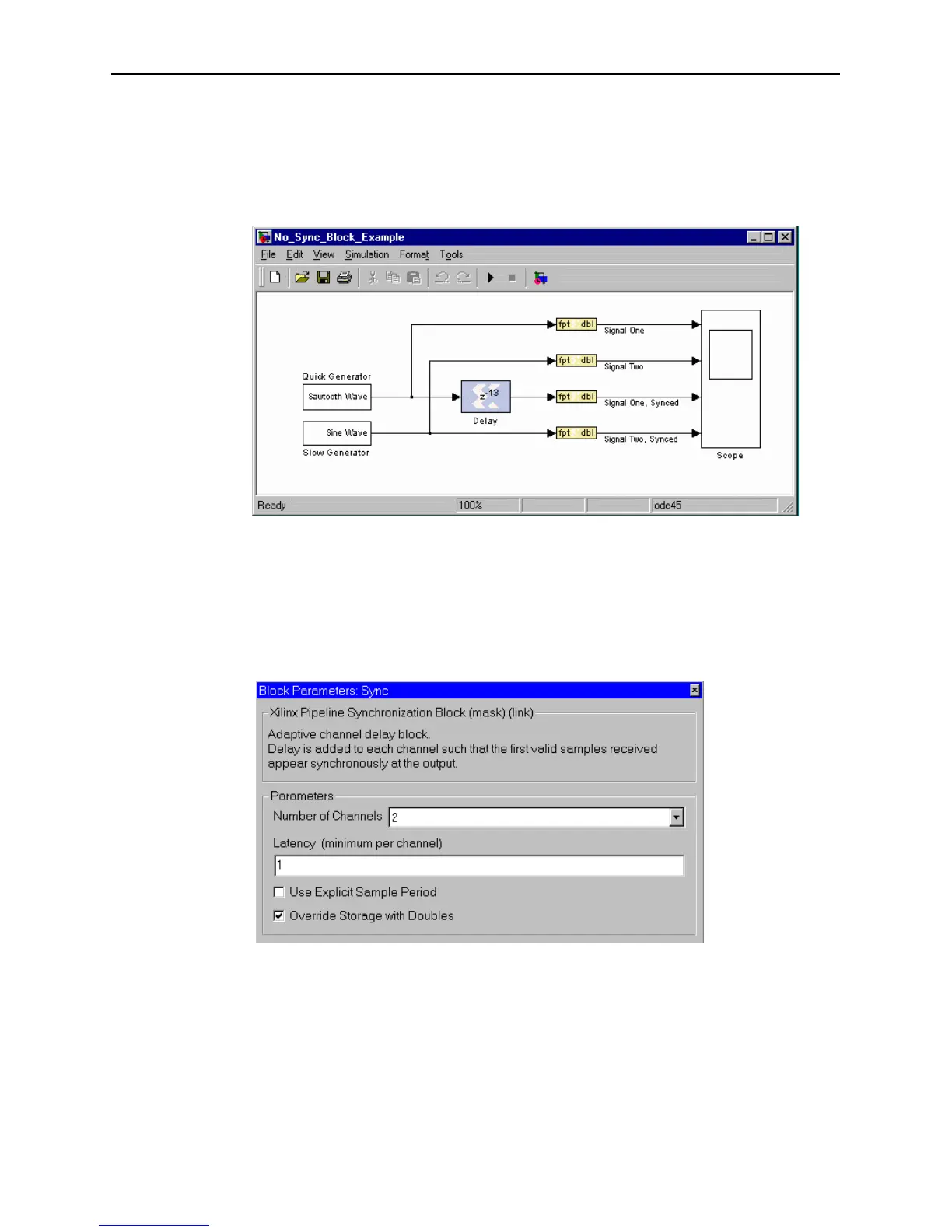
It is instructive to note that the following model produces behavior identical to the
one with the Sync block. This one, though, requires the designer to examine the two
upstream pipelined sources and to insert the correct delay line length to balance the
two pipelines. Moreover, should a pipeline stage be either added to or removed from
the sine wave generator, the pipeline balancing delay line would have to be re-tuned.
The Xilinx Sync block allows such balancing operations to be automated.
Figure 3-25: Design with delay rather than Sync block
The Sync block can be configured to have up to four channels and to add latency to all
channels beyond the minimum required.
Block Parameters Dialog Box
The block parameters dialog box can be invoked by double-clicking on the block icon
in your Simulink model. The dialog box is illustrated below.
Figure 3-26: Sync block parameters dialog box
Parameters specific to the block are:
• Number of channels: Specifies the number of channels to process, hence the
number of input and output ports. The number of channels can be 2, 3, or 4.
• Latency (minimum per channel): Specifies the smallest amount of delay
that will be added to any channel. Latency will also be the amount of latency



 To Next Page