10
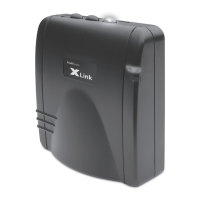
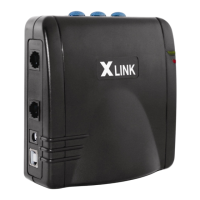
To use the XLink connect your normal corded or cordless telephone into the connector
on the XLink with a standard telephone cable. This phone is now your extension
telephone. To use your telephone service line, connect the telephone service line to
the designated connection on the XLink (see page 4 for Connection Diagram).
BLUE Slow Flash
Indicates the selected line is paired but the cell phone is currently out of range and/or
temporarily not connected. XLink is actively searching for this cell phone.
BLUE O
Indicates the selected line is not paired or not searching for a cell phone (Manual
Connection Mode).
USING THE XLINK
PLACING A CALL
XLink ITC-BTTN is designed to work with your standard phone and your telephone service
or independently of your telephone service. If you have connected your telephone service
line to the XLink you will dial out directly by simply picking up the phone and dialing. If you
wish to dial out on your cell phone simply select the appropriate line, “one” “two” or “three” by
pressing 1 FLASH , 2 FLASH , or 3 FLASH accordingly and dial the desired number.
To place a call on any telephone connected to the XLink, simply pick up the handset
and dial the number. When dialing out using a cellphone connected to the XLink, an optional
# digit may be dialed at the end of the number to activate dialing immediately, the same as

 To Next Page
 Loading...