This document describes the XOMAX 1-Din Digital Multimedia Player, models XM-D749 and XM-D750, featuring a 7" motorized TFT touch screen, AM/FM receiver, USB, and Bluetooth connectivity.
Function Description:
The XOMAX multimedia player is a 1-DIN universal standard car audio system designed for in-vehicle entertainment and connectivity. It supports playback from various sources including DVD, VCD, CD, CD-R, CD-RW, MP3, and USB flash memory devices. The device includes an AM/FM receiver for radio listening and Bluetooth for hands-free calling and audio streaming. The 7-inch motorized TFT touch screen provides a user-friendly interface for controlling all functions. A key safety feature prevents video playback while the vehicle is in motion, requiring the parking brake to be engaged for video functions.
Important Technical Specifications:
- Size: 1-DIN Universal Standard
- Power Output: 4 x 60 Watt (240 Max.)
- Display: 7-inch Wide Screen TFT Video Display
- Pixel Resolution: 800 x 480 Pixels
- Brightness: 400 Nits
- Aspect Ratio: 16:9 High Definition
- Video System: NTSC/PAL (Auto Recognition)
- FM Tuner Frequency Range: 87.5 ~ 108.0 KHz (50KHz/Step)
- AM(MW) Tuner Frequency Range: 522 ~ 1620 KHz (9KHz/Step)
- Bluetooth: A2DP, AVRCP Support
- Speaker Impedance: 4 Ohm
- Signal to Noise Ratio: 60dBA
- Frequency Response: 20Hz - 20KHz
- Connection Interface: AV (RCA) Inputs/Outputs, Subwoofer Output
- Multimedia Disc Support: DVD/VCD/CD/CD-R/CD-RW/VCD/MP3/MPEG
- File Compatibility: JPEG, MP3, AVI, WAV and More
- USB: USB Flash Memory Device, charging for iPhone/Android mobile phones (1 ampere current consumption)
- Working Voltage: DC 12V
- Chassis Dimensions (W x H x D): 178 x 50x 166 mm (Not Included Metal Sleeve)
Usage Features:
General Operation:
- Power On/Off: Short press the /MODE button to turn on, long press to turn off.
- Mode Selection: Short press /MODE repeatedly to cycle through RADIO, DISC, USB, Bluetooth, and AUX IN (AV IN) modes.
- Volume Control: Rotate the VOL knob to adjust volume.
- Audio Settings: Press the SEL button to access settings like Volume, Dimmer, Bass, Treble, Balance, Fader, Loudness On/Off, and EQ presets (Standard/Classic/Rock/Pop/Jazz/Electric/User).
- Mute: Press the MUTE button (on remote) or PTY button (on panel) to toggle mute.
- Display Control: The OPEN/ button slides the monitor out/in and tilts it up/down.
- Detachable Front Panel (XM-D750 Only): Press the release button to detach the front panel for security.
- System Reset: A RESET button is available to restore factory default settings if the LCD or controls malfunction.
Radio Features:
- Tuning: Use the Tune Previous/Skip Previous track () and Tune Next/Skip Next track () buttons to tune radio frequency step-by-step. Press and hold to scan strong signals.
- Preset Stations: Tap and hold preset station touch buttons (1-6) to store stations. Tap to recall. Up to 30 stations can be stored across FM1, FM2, FM3, AM1, and AM2 bands.
- Automatic Store/Scan: Tap and hold the button for more than 2 seconds to automatically store stations. Tap to recall.
- Band Selection (XM-D750 Only): Press the BAND button to switch between FM1, FM2, FM3, AM1, and AM2 bands.
- PTY (Program Types): Press and hold PTY to select specific program types (News, Info, Sports, Talk, Rock, etc.).
- TA (Traffic Announcement) (XM-D750 Only): Toggles TA function on/off. Switches to traffic messages from other modes.
- AF (Alternative Frequencies) (XM-D750 Only): Toggles AF seek mode on/off. Scans for alternative frequencies broadcasting the same program if reception is poor.
Disc/USB Playback:
- Disc Insertion/Ejection: Insert a 12 cm DVD/CD disc label side up. Press the button (on faceplate) or tap the icon on the touch screen to eject.
- Playback Control:
- ►II (PLAY/PAUSE) / CH 1-6: Pause/resume playback.
- / (Previous/Next Track): Skip tracks. Press and hold for fast backward/forward.
- RPT (Repeat Playback): Press and hold to cycle through repeat modes (Repeat Title, Repeat One, Repeat Dir, Repeat All).
- RDM (Random Playback): Press and hold to play tracks in random order.
- Zoom In/Out: Available for video playback.
- USB Port: For media playback (MP4/MP3/WMA/JPEG) from flash memory and charging mobile phones.
- File/Folder Navigation: View root directory, music files/folders, video files/folders, photo files/folders.
- Subtitle/Audio Language: For DVD playback, press and hold SUB-T/AUDIO buttons to switch subtitle/audio languages if available.
Bluetooth Operations:
- Pairing and Connecting: The unit broadcasts as "XOMAX." Enter passcode "0000" on your phone. Automatically connects when in range.
- Making/Ending Calls: Input number via keypad. Tap to make a call, to end.
- Redial: Tap to redial the last dialed number.
- Audio Transfer: Tap icon to transfer audio between the car system and mobile phone.
- Connection Management: Tap to disconnect, to reconnect.
- Call Lists: View income, outgoing, and missed calls. Tap to refresh.
- Phonebook (Contacts List): View contacts. Tap to refresh. Tap and input a key-letter to retrieve contacts.
- Streaming Audio: Tap icon to enter music control playback interface. Use / to skip tracks, ►II to play/pause.
- Bluetooth Settings: Set auto connect, auto answer, and Pin Code.
Android Phone Link Operations:
- Mirroring: Connect smartphone via USB. The unit mirrors the phone screen, allowing app control from the car display.
- Download App: Scan QR code (Amazon/Google) to download "Phonelink" app.
- Icons:
- : Return to previous step.
- : Return to smart devices home page.
- : Landscape mode (rotate screen).
- : Exit phone link mode.
- Two-Way Control: Supports control from both the car DVD player and connected smart devices (for Android).
- Sound Output: Bluetooth must be connected for sound output.
Setup Operations (via Touch Screen):
- Main Menu: Tap the icon to access settings for Disc, Radio, Phonelink, USB, Bluetooth, EQ Preset, AUX/AV IN, F.CAM, and Setup.
- System Settings:
- Logo Setting: Set a splash screen logo.
- Radio Area: Choose region (EUROPE, North America, South America, Russia, Japan, Asia).
- OSD Language: Select language (English, Chinese, Arabic, Greek, Thai, Hebrew, Turkish, Russian, French, German, Spanish, Persian, Indonesian, Portuguese, Italian).
- Screensaver Mode: Enable/disable screensaver.
- Key Beep: Enable/disable beep sound.
- Parke Control: Enable/disable brake detection (safety feature for video playback).
- Camera Mirror Image: Enable/disable camera mirror image.
- Auto Front Camera: Preset duration (Off, 5, 10, 15 seconds).
- SWC (Steering Wheel Control): Study operation menu to map steering wheel buttons to functions.
- RGB LED (Key Lights): Preset button illumination color (Red, Blue, Purple, Green, Yellow, Cyan, White, Auto, LED Off).
- Time Setting: Adjust Year, Month, Day, Hour, Minute. Set 12/24 Hour format and date format.
- Default: Restore all parameters to factory settings.
- Disc (DVD Setup):
- Audio/Subtitle/Menu Language: Select preferred languages.
- Password: Change password (default "0000").
- Rating: Set parental control rating (1 Kid Safe to 8 Adult).
- Screen (Video Settings):
- Adjust: Set Brightness, Contrast, Hue, Saturation, Sharpness.
- Touch Calibration: Calibrate touch screen.
- Wallpaper: Change wallpaper.
- Audio Settings:
- Sound Effect: Preset sound effect for different seating positions (driver, front seat passenger, etc.).
- EQ Presets: Select EQ presets (User, POP, Classic, Rock, Jazz).
- Loudness: Enable/disable loudness.
- Subwoofer Output: Enable/disable subwoofer output.
- Version: View software version.
- Factory Setup: Enter factory setup menu.
Maintenance Features:
- Disc Handling: Handle discs by edges, avoid touching the playing side. Wipe outward from center with a clean, soft, dry, lint-free cloth. Store in a sleeve/case. Do not stick paper/tape on disc surface.
- Cleaning: For dirty TFT LCD display, wipe softly with a cotton swab or clean cloth.
- Foreign Objects: Never place foreign objects into slots (disc, USB, AUX IN).
- Battery Safety: Do not throw remote control battery cells into fire. Keep out of reach of children.
- Power Management: Avoid prolonged use when the vehicle's motor is off to prevent battery discharge.
- Professional Installation: Recommended for wiring and mounting the head unit. Temporarily connect and test before final installation.
- Wiring: Ensure the parking brake ground connection cable is correctly connected for video playback. A warning message will appear if not connected.

 Need help?
 General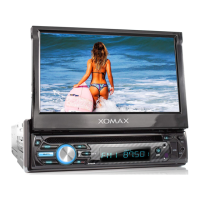

 To Next Page