EasyManua.ls Logo

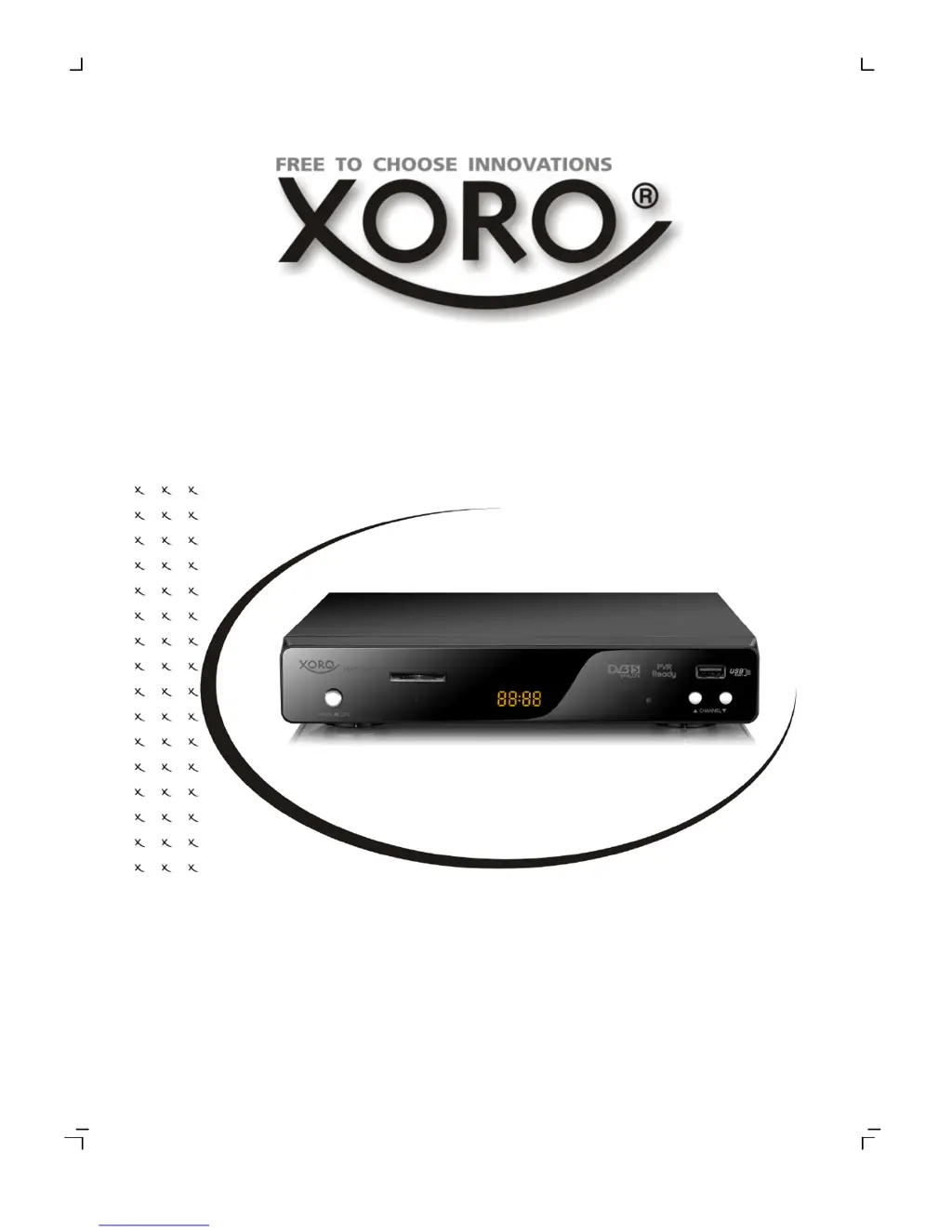
Xoro HRS 3400 - User Manual

Xoro HRS 3400
108 pages
Go to English
Print Icon
To Next Page IconTo Next Page
Loading...
OPERATION MANUAL
BEDIENUNGSANLEITUNG
DVB-S Receiver with USB, SD Card Reader and
PVR Ready
HRS 3400

Questions and Answers

  • N
    Nicole JamesAug 6, 2025
    Why is my Xoro HRS 3400 remote control not working?
    • C
      Carrie WoodAug 7, 2025
      If the Xoro TV Receiver remote control isn't working, first replace the batteries. Ensure that you are operating the remote within a range of 5 meters and at an angle of 30°. Also, check if the sensor is exposed to bright light, as this can interfere with its operation.
  • R
    Rebecca HillAug 10, 2025
    How to fix no sound on Xoro HRS 3400 TV Receiver?
    • A
      Ann SanchezAug 11, 2025
      If there is no sound from your Xoro TV Receiver, first ensure that the mute function is off by pressing the MUTE button. Then, increase the volume by pressing the VOL+ button. Check the connection to your TV set or amplifier to ensure it is properly connected.
  • M
    Madeline WardAug 15, 2025
    What to do if my Xoro HRS 3400 TV Receiver has no power?
    • D
      Daniel FlynnAug 15, 2025
      If your Xoro TV Receiver has no power, ensure the power cord is tightly plugged into the outlet and that the power is turned on.
  • P
    Paula MontoyaAug 19, 2025
    Why is there no picture on my Xoro HRS 3400 TV Receiver?
    • B
      Brian WarnerSep 12, 2025
      If your Xoro TV Receiver shows no picture or no colored pictures, check the connection to the TV set. Also, verify the video output mode in the setup menu. Press the DTV/VCR button to ensure the correct input mode is selected. Note that if the TV channel or program is scrambled, this can also cause the issue.
  • K
    Kerry FisherAug 23, 2025
    What to do if my Xoro TV Receiver can not scan programs?
    • C
      Christopher ReynoldsAug 23, 2025
      To resolve issues with scanning programs on your Xoro TV Receiver, adjust the dish and refer to the settings for searching.
  • J
    James AndersonAug 27, 2025
    Why does my Xoro TV Receiver recording have jerkings?
    • E
      erikpalmerAug 27, 2025
      If recordings on your Xoro TV Receiver have jerkiness or other malfunctions, it may be due to a slow storage device. Use only USB sticks with 8 GB or higher, or use only SDHC cards. You should also control the reception quality of the dish and align them for getting better quality.
  • C
    Cynthia ShawSep 1, 2025
    How to fix audio or subtitle issues on Xoro HRS 3400?
    • D
      davidlambSep 1, 2025
      If the audio or subtitle function is not working, or you cannot choose them on your Xoro TV Receiver, try changing the audio track by pressing the AUDIO button or changing the subtitle track by pressing the SUBTITLE button. Note that the other audio track may not be supported, or subtitles may not be supported by the broadcaster.

Summary

Safety Information

Power Supply Safety Precautions

Guidelines for safe handling of the power cord and plug, including avoiding wet hands and damage.

Operation and Placement Safety

Recommendations for safe operation and positioning of the device, including ventilation and avoiding hazards.

Servicing and Defect Safety

Instructions regarding product servicing, damage requiring service, and use of replacement parts.

Control Elements Description

Front Panel Layout and Controls

Identification and description of buttons and indicators on the front panel of the receiver.

Rear Panel Connections and Ports

Identification and description of input/output connectors on the rear panel of the receiver.

Remote Control Operation

Remote Control Button Functions

Detailed explanation of each button's function on the remote control for device operation.

Connection Guide

Connecting to TV and Satellite Dish

Schematic and steps for connecting the receiver to a TV and satellite dish.

First Time Installation

General Settings Configuration

Setting OSD language, audio language, and subtitle language for the receiver.

My Dish Satellite Setup

Procedure for configuring satellite reception, including LNB type and connection.

DiSEqC 1.0;1.1 Satellite Setup

Configuring multiple satellite reception using DiSEqC 1.0/1.1 switching criteria.

DiSEqC 1.2;USALS Satellite Setup

Advanced satellite setup using DiSEqC 1.2 or USALS for motorized satellite dishes.

Operation Instructions

EPG Guide Navigation

Using the Electronic Program Guide (EPG) to view program information and schedule recordings.

Timer Programming and Recording

Setting up timers for recording programs directly from EPG or manually.

Multimedia Player Guide

USB Storage Media Usage

Connecting and using USB storage devices for media playback and recording.

Card Reader Usage

Using the built-in card reader for SD, SDHC, MMC, and MS memory cards.

My Music Playback

Playing back music files (MP3, WMA) from storage media, including controls.

My Movies Playback Controls

Operating video playback, including pause, slow motion, fast forward, and rewind.

Recorder Functions

Recording Preferences and Time Shift

Setting recording preferences, including Time Shift options and size.

Settings Menu

TV List and EPG Management

Managing the TV channel list, favorites, and accessing the Electronic Program Guide.

TV Setup Configuration

Adjusting TV display settings like format, mode, OSD transparency, and video output.

Password and Locking Features

Managing menu locks, channel locks, parental controls, and changing the password.

Troubleshooting Guide

Common Problem Solutions

Lists common issues like no reception, no power, scanning problems, and remote control faults with corrections.

Xoro HRS 3400 Specifications

General IconGeneral
Image formatsJPEG
Aspect Ratio4:3, 16:9
Tuner TypeDVB-S2
HDMI Ports1
USB Ports1
TypeDVB-S2
TunerDVB-S2
Resolution1920 x 1080 pixels
ConnectivityHDMI, USB
Video formatsMPEG-2, MPEG-4, H.264
Audio formatsMP3, AAC
Display Resolution1920x1080 pixels

Related product manuals