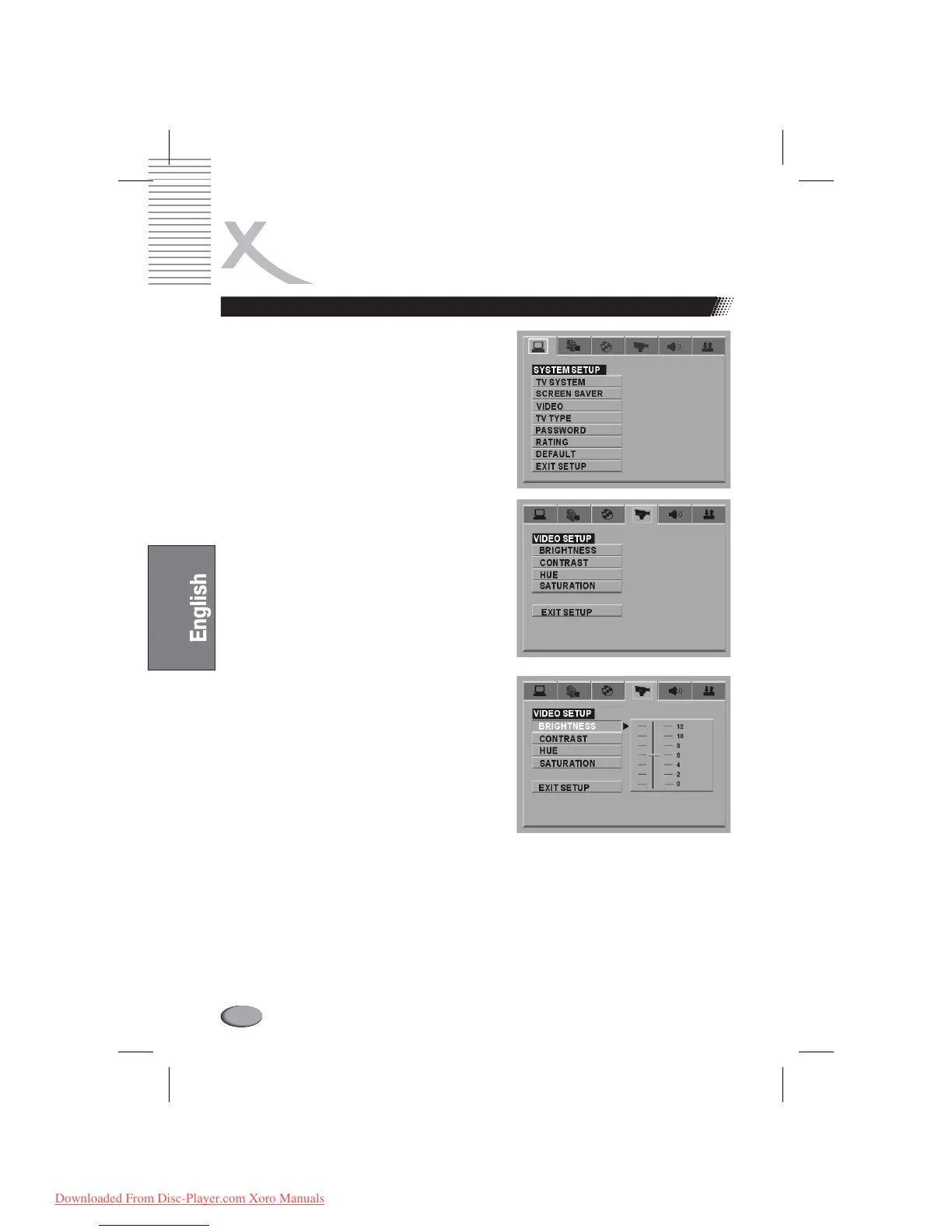
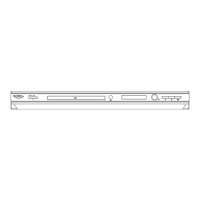
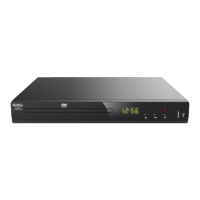
General Steps of Setup Menu
1.
2.
3.
4.
Press the button, the main setup menu
appears.
When the main menu displayed, the DVD
system will auto pause.
Press the and to
highlight the icon of the desired page, then press
the or to activate that
page; For example, if you want to setup the video
page, press to highlight the video icon, the
video page will be displayed on the screen.
Press the to highlight the
desired option. Press or press to
select, the choices of that option appear on the
right; For example, press the
to highlight the BRIGHTNESS option, then press
to select, the brightness choices appear
on the right.
Press the Arrow buttons to highlight the Exit Setup
option, then press Enter or Setup again to exit
Setup Menu.
SETUP
Left Right arrow buttons
Down Right arrow button
Right
Down arrow button
ENTER Right
Down arrow button
ENTER
l
THE SETUP MENU SYSTEM
68
Notes:
When setup, the pressing of the following buttons will turn off the setup menu, while the choices
that have been changed will be saved: P / N, Subtitle, F.F, F.R, Vol +/-, PBC, Title, Return, Play,
Stop, Resume, Pause / Step, Next, Prev, S.F, S.R, Zoom, Preview, Goto, Program, Repeat, A-
B,Angle,Audio, Soundtrack, 3D, VGA, OSD, Mute, Setup.
Downloaded From Disc-Player.com Xoro Manuals



 To Next Page