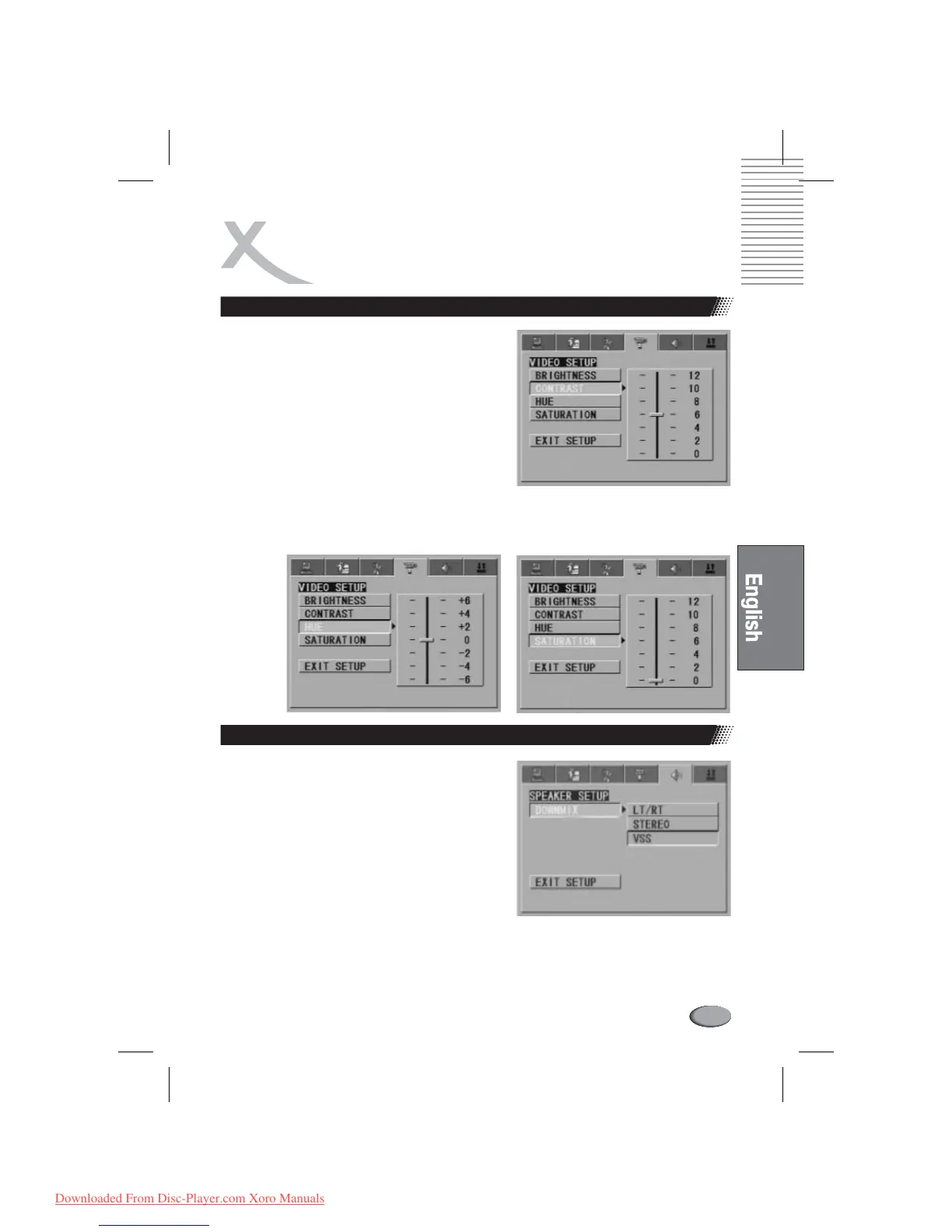
Video setup
CONTRAST
HUE
SATURATION
Use the Up and Down arrow button to move the scroll
and adjust the contrast.
Use the Up and Down arrow button to move the scroll
and adjust the hue.
Use the Up and Down arrow button to move the scroll
and adjust the saturation.
Speaker setup
The speaker setup options are illustrated below:
LT / RT: Choose this setting, it will be sound like in a
movie theatre if the original movie the disc was
recorded from was encoded in the Pro Logic Dolby
Digital format.
STEREO: Choose this setting, stereo signal will be
output.
VSS: Choose this setting, when a disc recorded
with 5.1-channel sound format playing, the fictitious
surround soundtracks effect will be heard from the
main soundtrack.
DOWNMIX
l
l
l
SETUP ITEMS INTRODUCTION
73
Downloaded From Disc-Player.com Xoro Manuals



 To Next Page