SETUP ITEMS INTRODUCTION
74
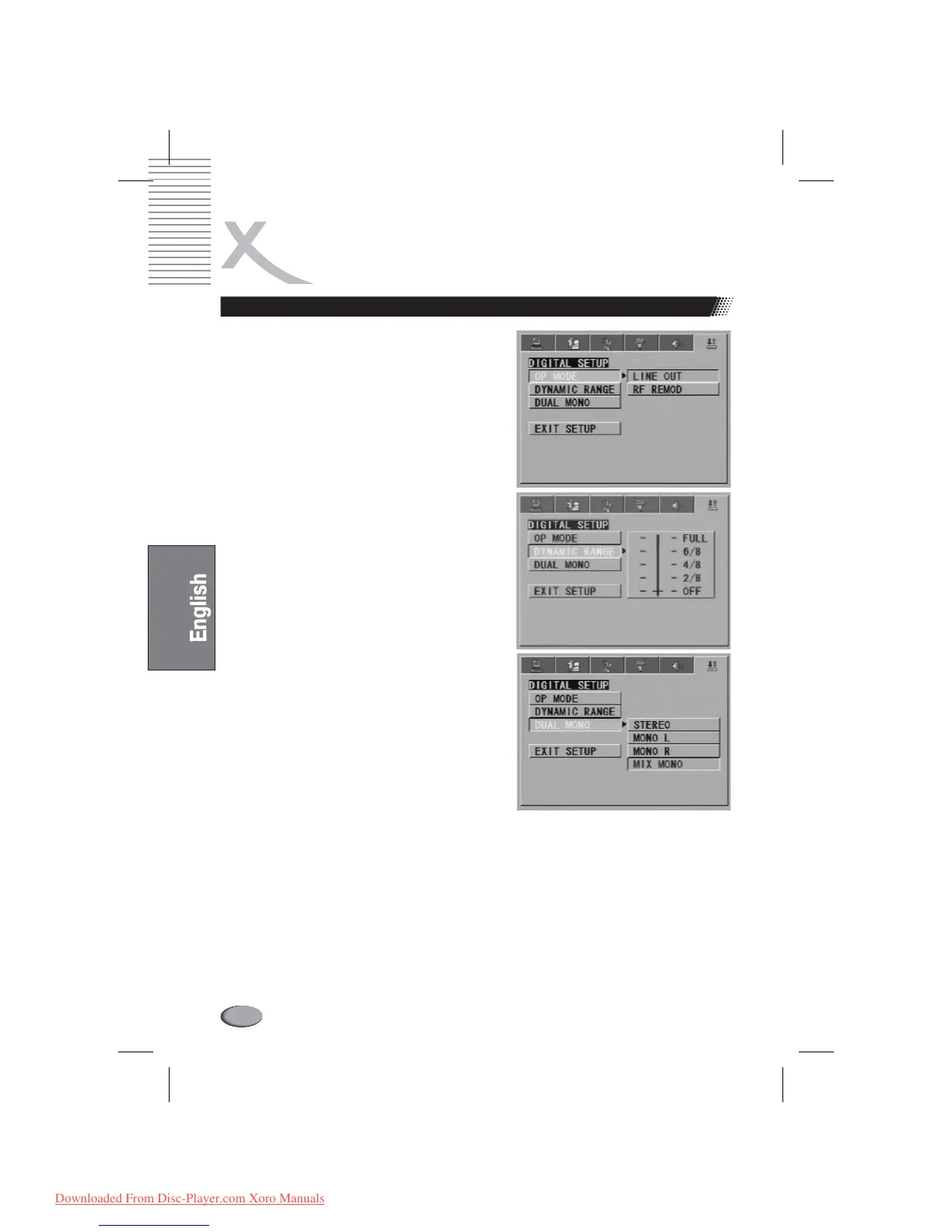
Digital setup
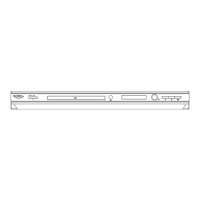
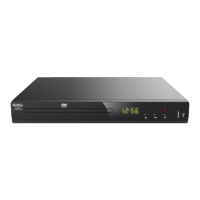
The etup options are illustrated below:
If adjusting to FULL, the audio signal peak value will be
the minimum; while adjusting to OFF, maximum.
This optionwill be validated when theDOWNMIX OFF.
Choose this option to setup the L and R mono output
mode; There are four modes in this option: STEREO,
MONO L, MONO R, and MIX MONO; It is mainly used in
karaoke mode.
To protect your DVD player, the interval between
two consecutive Power button operations must be
above 30 seconds.
No using for a period of time, please pull out the
plug from the electronic outlet.
The player should be operated only on condition
that the type of power supply corresponds to the
marking label. Otherwise, it doesn't work or even be
damaged.
The player may not be compatible with some
encrypted discs.
If the player stops playback by accident, please
power it on again.
Digital S
DYNAMIC RANGE
DUAL MONO (LEFT + RIGHT)
Note:
REFERENCE:
l
l
l
l
l
Downloaded From Disc-Player.com Xoro Manuals



 To Next Page