SETUP ITEMS INTRODUCTION
70
System setup
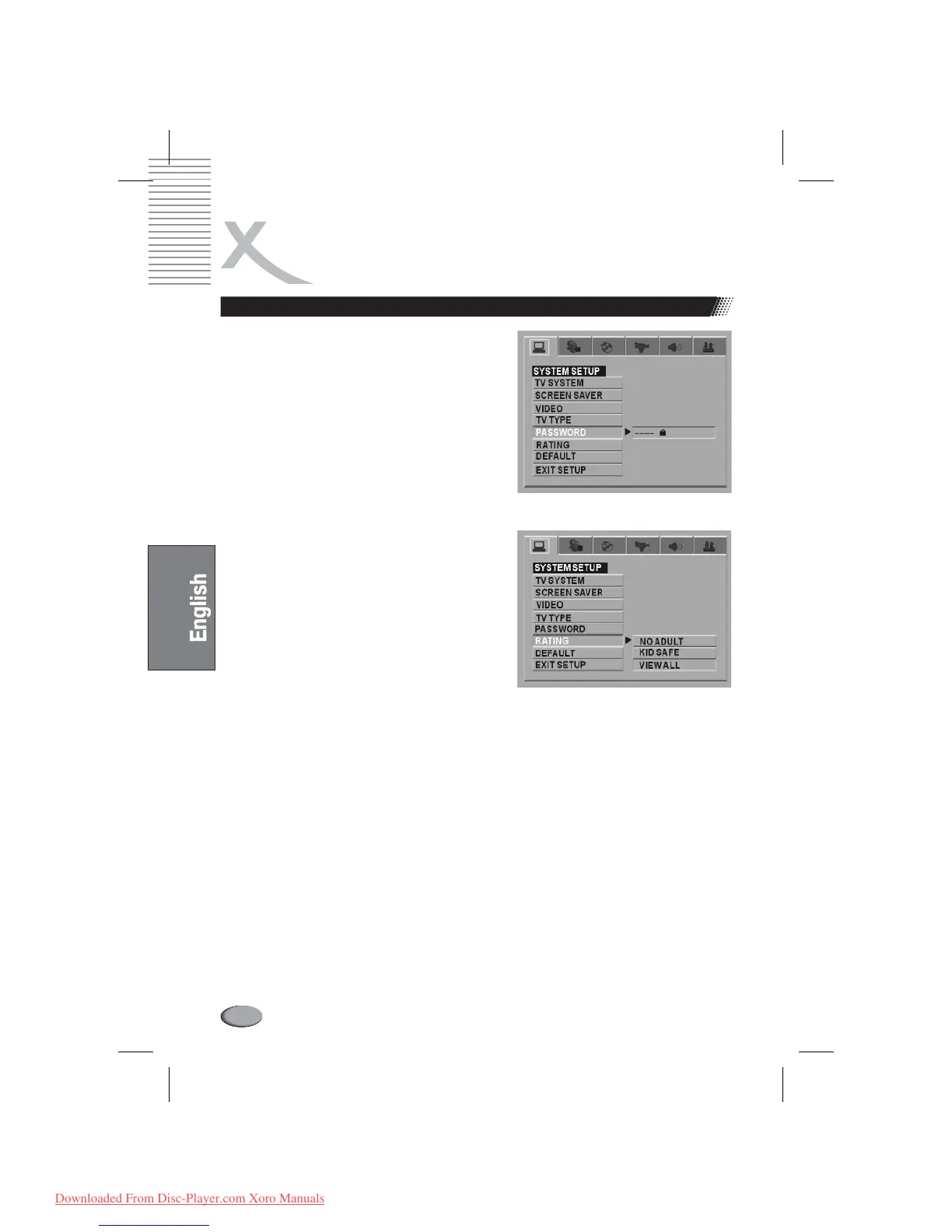
PASSWORD
ENTER
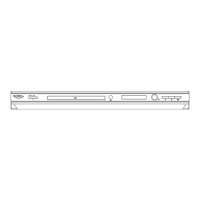
RATING
DEFAULT
The password option is initialized locked, and you
cannot set the ratings limit or change the password. In
order for the Ratings feature work, the password
mode must be turned on. If you want to set the ratings
limit, you will need to enter the default password,
which is 0000, then press to confirm. To
change the password, you will be prompted for the old
password, then be prompted for a new. Enter a 4-digit
number (this is your password).
The Rating feature is a rating limit system, like movie
ratings. It works with DVD discs that have been
assigned a rating. This helps you control the types of
DVDs that your family watches.
There are two rating options: NO ADULT
andKID SAFE.
Select the VIEW ALL option to cancel the
ratinglimit.
The default setting is VIEWALL.
If the password option is locked, you cannot set
the ratings limit; the rating limit does not work
when the password option unlocked.
Choose this option to resume all the setup options to
default settings.
l
l
l
Notes:
Downloaded From Disc-Player.com Xoro Manuals



 To Next Page