
 Need help?
Do you have a question about the Xoss NAV and is the answer not in the manual?
Learn to turn on, start, pause, and stop workout recording on the cycling computer.
Steps to download the XOSS app and pair your cycling computer for data synchronization.
Interpret icons for heart rate, cadence, power, and speed sensor connectivity.
Learn to interpret different levels of GPS signal strength displayed on the device.
Recognize icons that show the current battery level of your cycling computer.
Identify icons for active recording, auto-pause, and manual pause states.
Understand icons indicating speed relative to Average Speed (AVS) settings.
Interpret icons for phone connection, time, and temperature display.
Details on starting GPS search, switching data displays, pausing, and ending workouts.
How unsynchronized workouts are automatically uploaded to the XOSS APP for analysis.
Step-by-step guide to connecting external sensors like heart rate monitors or speed/cadence sensors.
Instructions on how to import routes into the XOSS NAV device via the XOSS App.
Guide on selecting a route and starting navigation on the cycling computer.
Information on setting up custom data dashboards with various metrics and layouts.
Recommendation to keep the device firmware updated via the XOSS APP for optimal performance.
Detailed steps for attaching the device mount to a handlebar using rubber bands and securing the computer.
Details on the one-year warranty and common conditions not covered by the warranty.
Where to find more product information and support resources online.
The XOSS NAV Smart GPS Cycling Computer is a sophisticated device designed to enhance your cycling experience by providing comprehensive data tracking, navigation, and workout management. This user manual outlines its functions, usage, and maintenance features, ensuring you get the most out of your device.
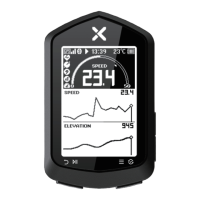
The XOSS NAV serves as a central hub for all your cycling data, offering real-time metrics and post-ride analysis. Its core function is to record and display essential cycling parameters, including speed, distance, time, elevation, heart rate, cadence, and power. The device integrates GPS technology for accurate positioning and route tracking, making it an indispensable tool for both casual riders and serious athletes.
One of the primary functions of the XOSS NAV is its ability to record workouts. By simply pressing the left button, you can initiate recording, and the device will automatically save your workout data upon completion. This data can then be synchronized with the XOSS APP for detailed analysis, allowing you to monitor your progress, identify areas for improvement, and share your achievements.
The device also features robust navigation capabilities. You can import routebooks from the XOSS APP to the XOSS NAV, enabling you to follow pre-planned routes with ease. The navigation page displays your route, distance to destination, and elevation gain, ensuring you stay on track. The ability to zoom in and out of the route on the navigation page provides flexibility and clarity during your ride.
Sensor connectivity is another key function of the XOSS NAV. It supports various external sensors, such as heart rate monitors, cadence sensors, and powermeters, allowing you to gather more precise and comprehensive data. The device automatically searches for and connects to nearby sensors, integrating their data into your overall workout metrics.
The XOSS NAV is designed for intuitive and user-friendly operation. To get started, simply long-press the right button to turn on the device. The initial setup involves selecting your preferred language, unit of measurement, and temperature format.
Recording a workout is straightforward: a short press of the left button starts the recording, and a long press ends it, automatically saving your data. During a workout, you can switch between up to six different data display pages by short-pressing the right button, allowing you to view various metrics at a glance. The device also supports pausing and resuming recordings with a short press of the left button.
The menu system, accessed by long-pressing the right button, provides access to a range of settings. Here, you can customize backlight intensity, key tone, auto-pause settings, and language preferences. This level of customization ensures the device adapts to your specific needs and preferences.
Connecting the XOSS NAV to the XOSS APP is crucial for unlocking its full potential. The pairing process is simple: enter pairing mode on the device via the menu, then open the XOSS APP, select "Device > XOSS NAV," and click "Pair." Once connected, your XOSS account will be bound to the NAV, and the app will facilitate data synchronization, route import, and custom data layout settings. The XOSS APP allows you to set up to six dashboards with 17 layouts and display 39 types of data, offering unparalleled flexibility in how you visualize your performance.
The device's icons provide clear visual cues for its status. For instance, GPS signal strength is indicated by a series of bars, and battery capacity is shown with a battery icon. Sensor connection status is also clearly displayed, with blinking icons indicating searching and constant light indicating a successful connection. Recording status icons inform you whether the device is actively recording, in auto-pause, or manual pause.
Installation of the XOSS NAV on your bike is designed to be quick and secure. First, place the rubber pad on the back of the bike stand. Then, use a rubber band to secure the bracket to your handlebar or stem. Finally, align the tabs on the back of the device with the grooves on the bike stand, press down slightly, and rotate the device 90 degrees until it locks into place. This ensures the device remains stable even on rough terrain.
While the XOSS NAV is built for durability and performance, certain maintenance practices are recommended to ensure its longevity and optimal functioning.
Regular synchronization with the XOSS APP is a key maintenance feature. Unsynchronized workouts are automatically synchronized when the device connects to the app, ensuring all your ride data is backed up and accessible for analysis. This also helps in keeping the device's memory clear and efficient.
Firmware upgrades are crucial for maintaining the device's performance and accessing new features. The XOSS APP will prompt you when new firmware is available, and it is highly recommended to keep the device updated. These updates often include bug fixes, performance improvements, and compatibility enhancements, ensuring your XOSS NAV remains at the cutting edge.
The device's waterproof rating of IP×7 means it can withstand splashes and rain, making it suitable for various weather conditions. However, it's important to avoid submerging the device in water for extended periods to prevent damage.
For any issues or concerns, the XOSS NAV comes with a one-year free warranty from the date of purchase. It is advisable to contact your original dealer for warranty service. However, it's important to note that the warranty does not cover normal aging loss of the battery, damage due to improper installation, damage caused by abnormal use (such as high temperature or water damage from submersion), or damage resulting from self-dismantling or unauthorized maintenance.
To ensure accurate GPS positioning, it is recommended to remain static in an open, barrier-free area when searching for GPS signals. This helps the device acquire a strong and stable signal quickly.
For further information and support, users can access the XOSS website at https://www.xoss.co, which provides additional product details and resources. By following these usage and maintenance guidelines, you can ensure your XOSS NAV Smart GPS Cycling Computer provides reliable and accurate data for all your cycling adventures.
 Operating Environment
| operating temperature | -10℃ ~ 50℃ |
|---|---|
| waterproof | IP×7 |
 Battery
| endurance time | Up to 33 Hours |
|---|---|
| battery capacity | 600mAh |
| battery type | Rechargeable Lithium Ion |
Connectivity| wireless transmission | ANT+/Bluetooth |
|---|
 Weight and Dimensions
| size | 88mm × 55mm × 19mm |
|---|---|
| product weight | 59g |

 To Next Page