3
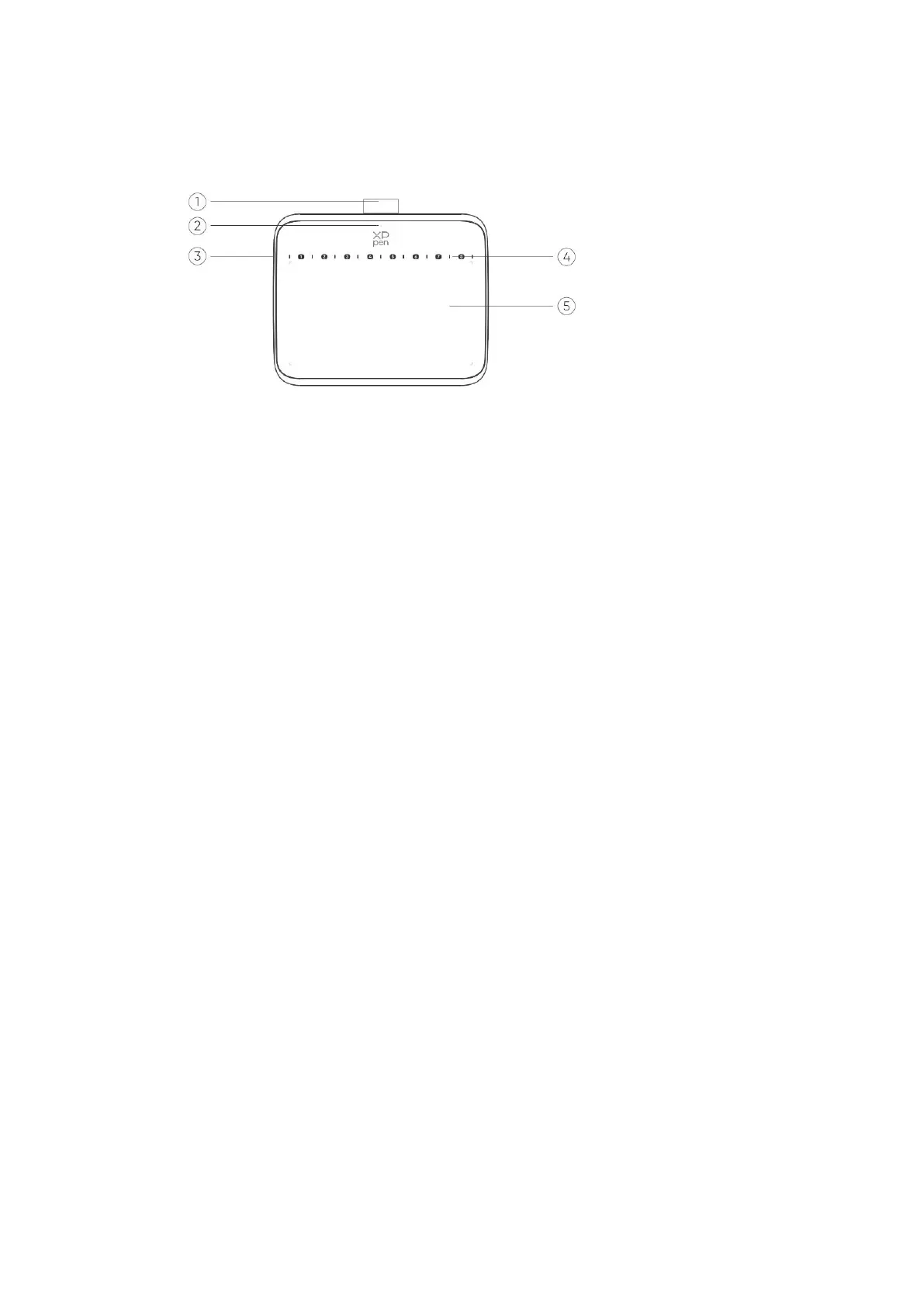
1.1 Product Overview
1.
Pen sleeve
2. Indicator light
a. Flashing:the stylus is in range, but not touching the active area.
b. Always On:the stylus is in contact with the active area.
c. Off:the stylus is beyond the active area.
3. USB-C port
4. Soft shortcut keys: Use the pen tip to click to call the command
5. Active area
1.2 Included with your product
Drawing Tablet x1
Stylus x1
Pen Nibs x10
USB-C to USB-A Cable x1
Nib Extractor x1
USB to USB-C Adapter x1 *
*Due to different product specifications, the adapter may not be standard. Please refer to
the actual product received.
2. Connection
2.1 Connect to computer
Please connect the USB-C to USB-A cable to the USB port on the computer and the
USB-C port on the tablet respectively.



 To Next Page