9
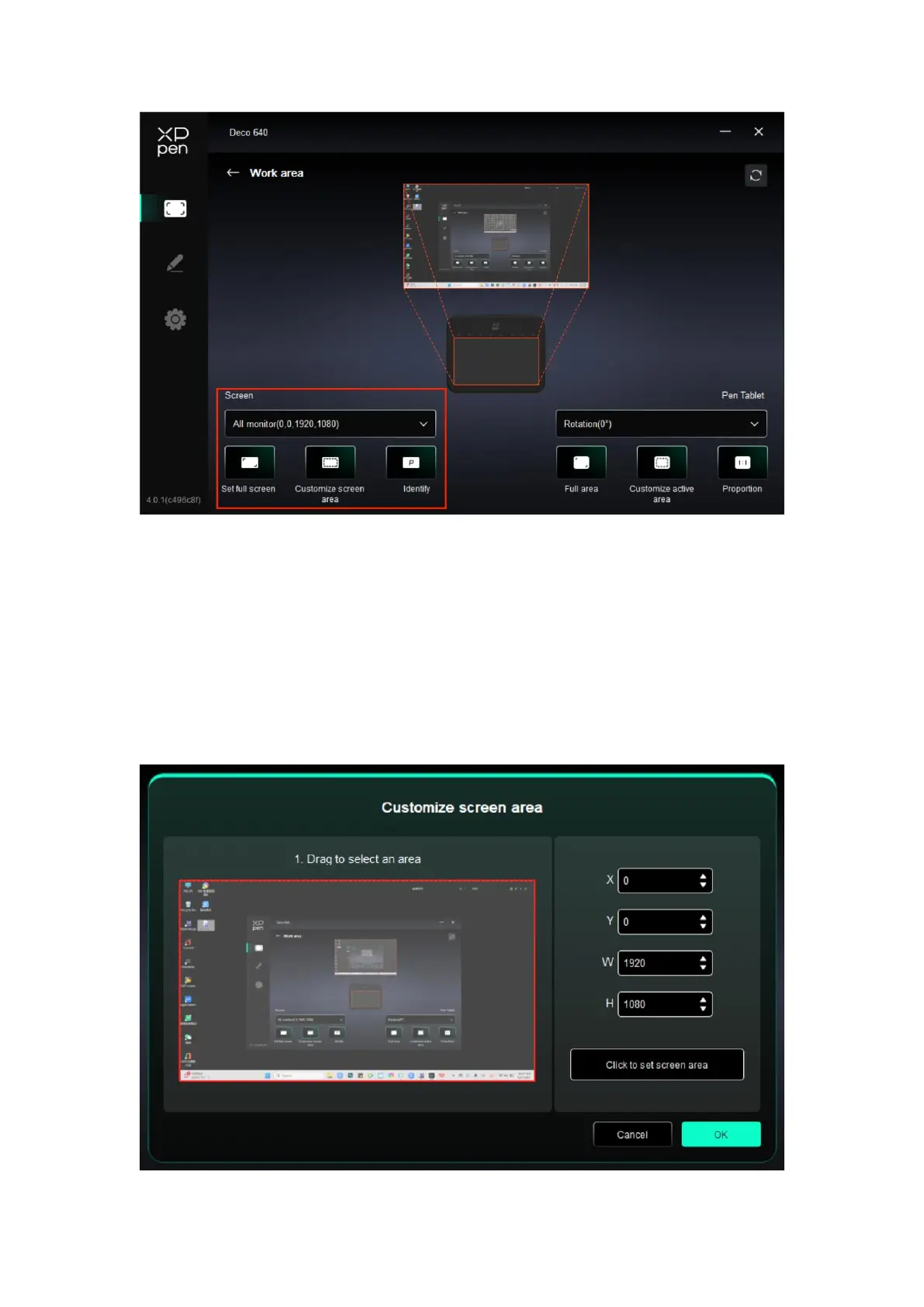
You can set the mapping between the display area of the current monitor and the device.
If multiple monitors are used in duplicate mode, the work area of the device will be
mapped to all monitors. When the pen moves in the work area, the cursor on all monitors
will move at the same time.
If multiple monitors are used in extend mode, go to monitor tabs to select one of the
monitors that the work area of the device will be mapped to.
There are two available options to set the monitor mapping area:
1. Set full screen: The whole area of the selected monitor;
2. Customize screen area: There are three ways to customize the work area.



 To Next Page