1‐888‐44‐XPLORE
9‐7567
WWW.XPLORETECH.COM
CUSTOMERSUPPORT@XPLORETECH.COM
17
Quick Start Guide
First Time Turning On the Computer
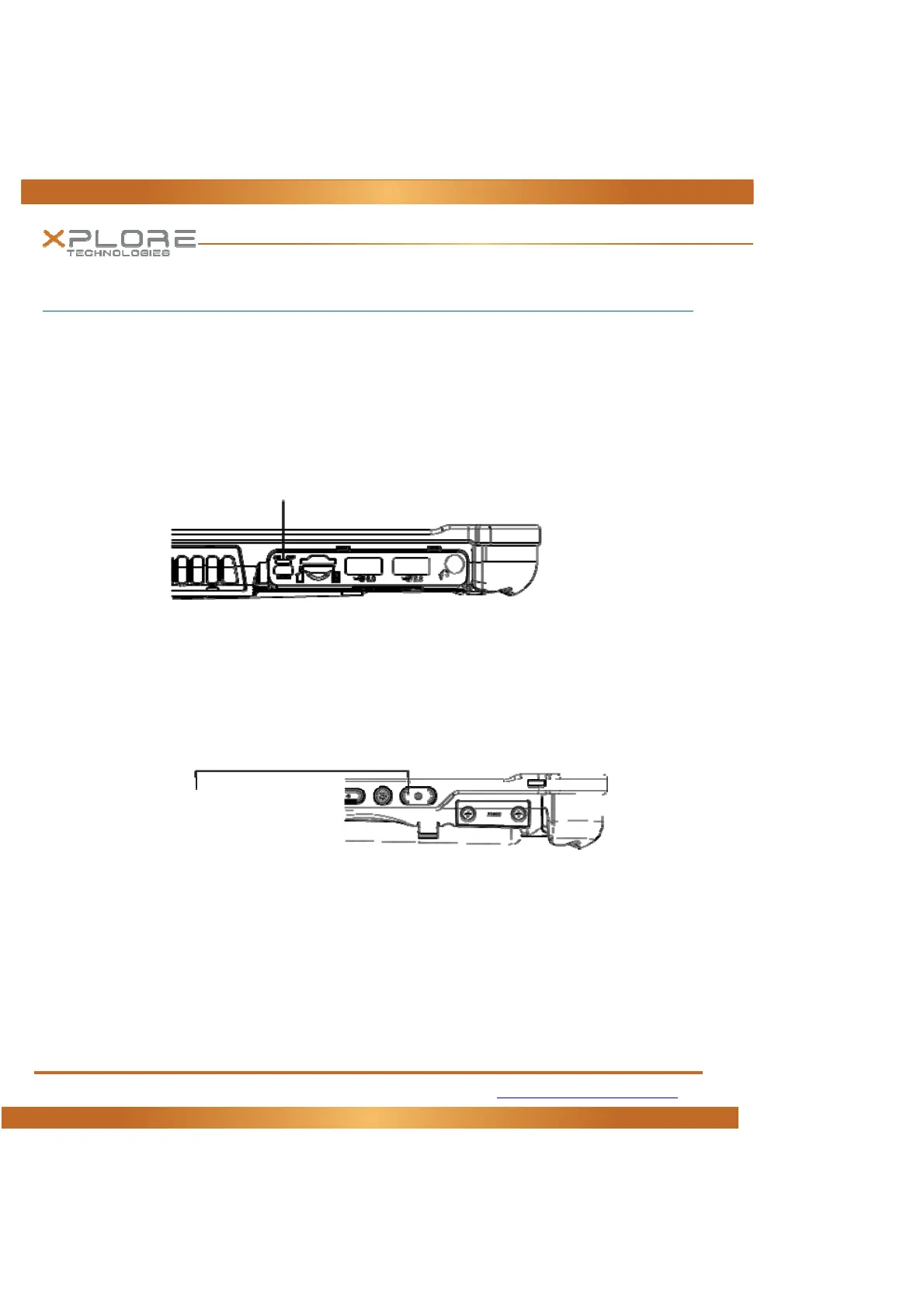
1. FindandTurntheBatteryswitc hON.Asmallscrewdriverorpaperclipmaybeusedforthispurpose.
ForSafetyreasonsthetabletisshippedwiththeBatteryswitchOFFandthetabletwillnotoperateif
thisstepisnottaken.ItisnotnecessarytoturntheBattery
switchofthedeviceONorOFFduring
normaldeviceoperationsothisoperationisonlyneededoninitialdeviceoperation.
BatterySwitchisONwhenthrowntowardthetopsideofthetablet.
2. Makesurethebatteryischargedorthatthecomputerispluggedinto
anexternalpowersource.
3. PressthePowerOn/Off/Suspend/Resumebutton.
4. XploreTechnologiesLogoshoulddisplay.Allowdevicetofinishboot‐upandfollowconfiguration
instructionsonyourscreen
BatterySwitch
PowerOn/OffDisplayToggleand
Suspend/ResumeButton



 To Next Page