TROUBLESHOOTING TIPS
Issue Troubleshooting steps
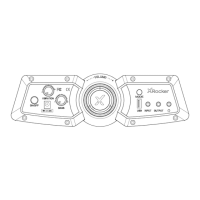
No power going to control panel
No sound
Stereo speakers do not produce
sound / sound is faint
The cables connected to my
X Rocker have been broken
accidentally
Don’t have a headphone socket on
your TV?
• Make sure that the power cable is
connected correctly.
• Make sure that the power supply at the
power source is working correctly.
• With the chair turned to the ON position,
give the power cable a slight wiggle in the
port. If any lights flicker (or not) then please
contact support (details below).
• Connect a mobile phone to the X Rocker
using the phone connection guidelines in
the manual to test the chair for sound.
• Confirm that the device/system is
correctly configured as per previous
connection guide.
• Make sure that you indeed have a
headphone socket on your TV. This will
typically be marked with a headphone
symbol or “H/P OUT”
• Please make sure that the volume of
the source device is at a higher level to
strengthen the audio signal.
• Please contact X Rocker support
regarding this issue.
• You may need to purchase a TOSlink
adapter.



 To Next Page