19
Expression Pedal
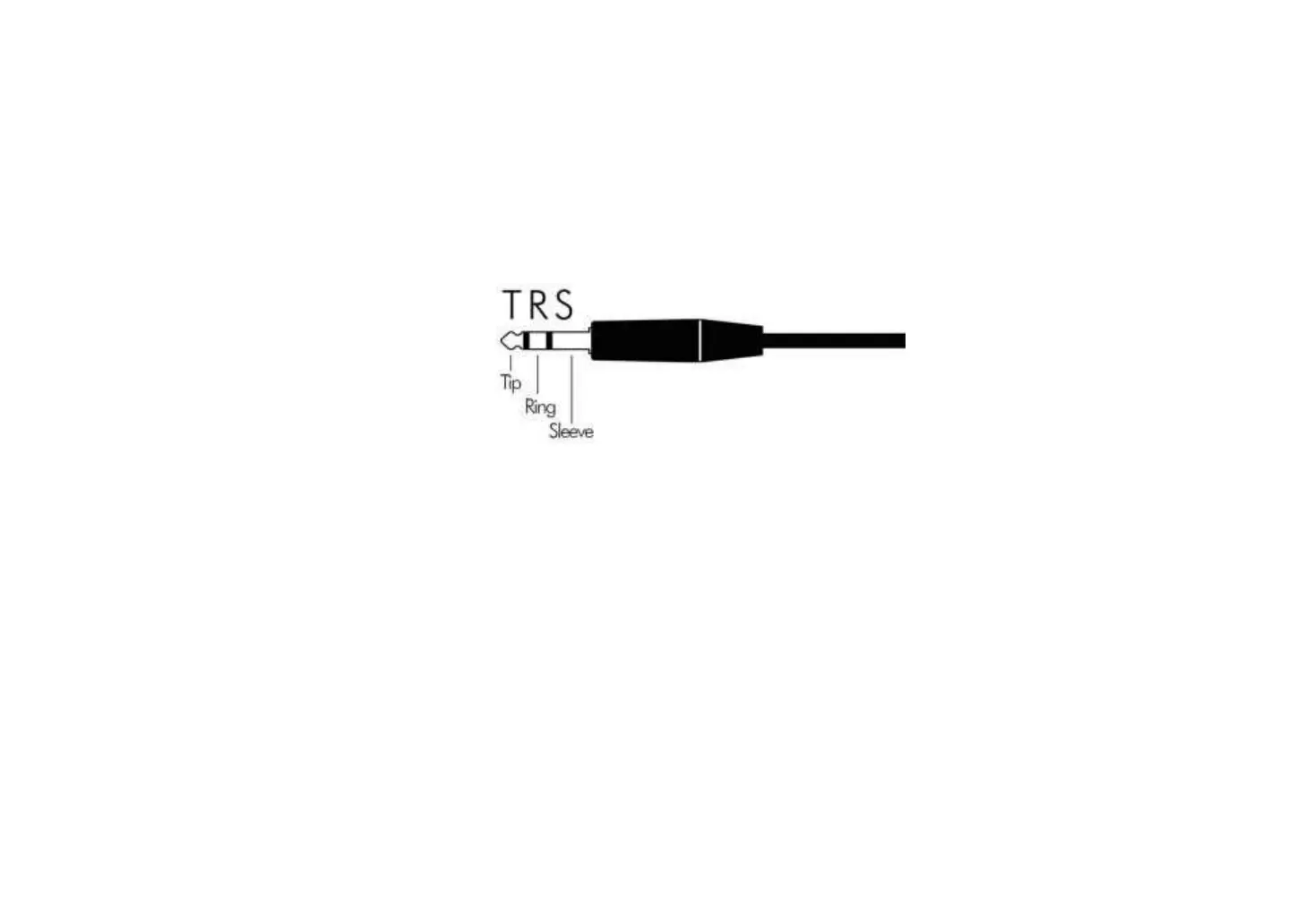
Polarity of the EXP IN of XTONE/XTONE Pro
Tip: Input
Ring: Output
Sleeve: Ground
XTONE/XTONE Pro needs to use RTS expression pedal. Please refer to http://expressionpedals.com/list-of-expression-pedals to ensure that the polarity of
your expression pedal is consistent with XTONE / XTONE Pro. Mismatched polarity may result in damage to the XTONE / XTONE Pro.
We recommend ZOOM FP02M as the expression pedal of XTONE/XTONE Pro. Also,the expression pedal with polarity switch such as Nektar NX-P works, too.
If you can’t confirm the polarity of the expression pedal, please MIDI map a wah or volume parameter in the effects app you use, and then step on the
expression pedal from the beginning to the end at a constant speed, and determine whether the range of the parameter matches and whether the control is
linear. If not, it means the polarity does not match.


 To Next Page