13
Software Settings
When the XTONE(Duo) is used with the software, some necessary settings need to be made to achieve the best use.
This section takes the effect software BIAS FX as an example, Explain the corresponding setting method. Other software can be set by referring to this method.
Settings of BIAS FX on iOS:
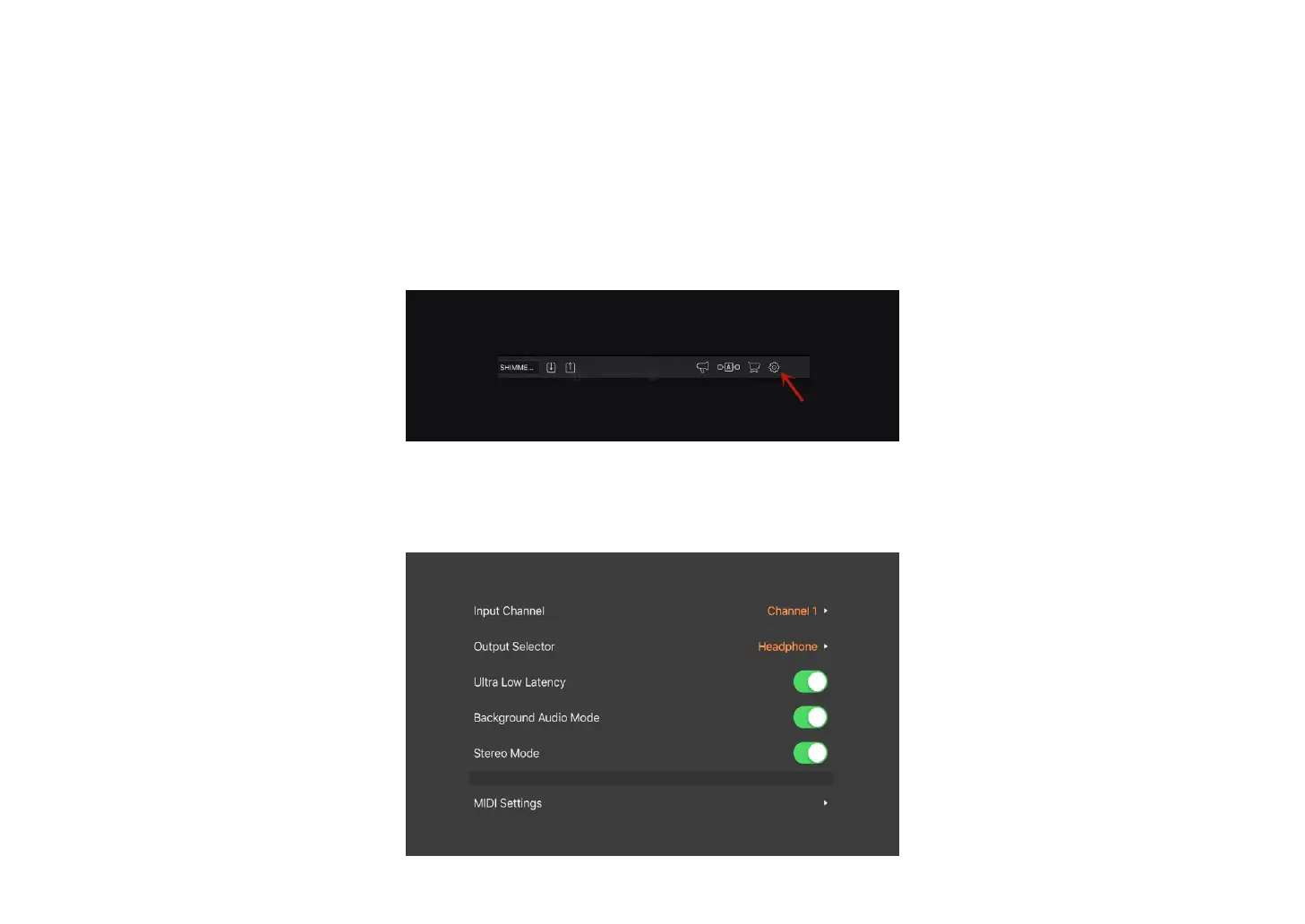
① Open BIAS FX, and enter the settings.
② Select the input channel. If XTONE(Duo)'s INL input is connected, select channel 1; if XTONE(Duo)'s INR input is connected, select channel 2. Then enable
the ultra low latency and background audio mode.



 To Next Page