18
MIDI Specification
Most of the APP has a MIDI control function. To make the foot switch and expression pedal control the APP, you need to specify their functions in the APP’s
MIDI control function list.
Take BIAS FX as an example to explain how to specify MIDI function, and other software effects refer to this please.
MIDI Specification of BIAS FX on iOS:
Example 1 - Switch Presets
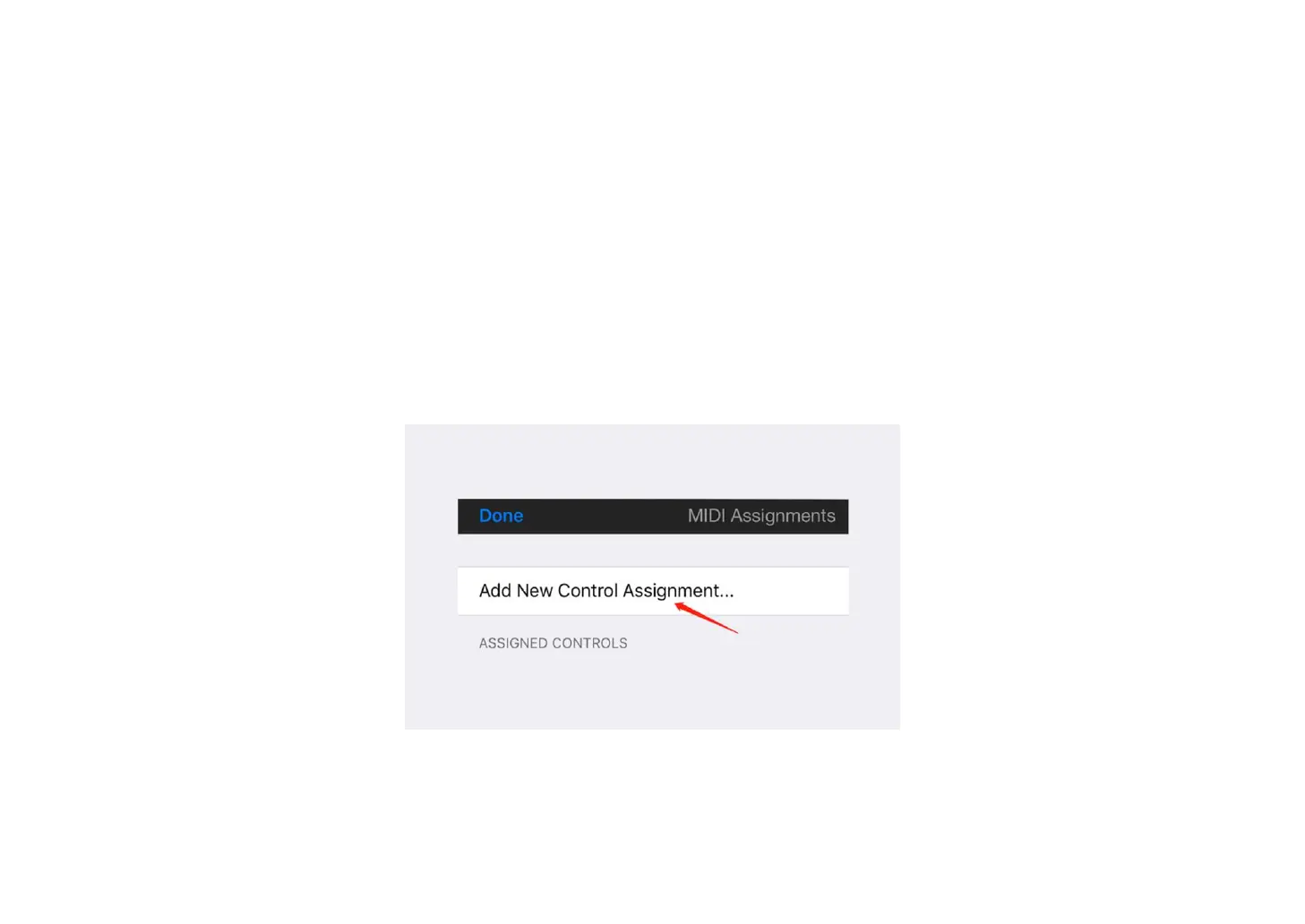
① Open BIAS FX, go to Settings, enter MIDI Setup, click MIDI Control Assignments, and click Add New Control Assignment.
② Click Preset, then click Preset +.



 To Next Page