DP224/6 Operators Manual Page 37
Typical Interface Set-ups
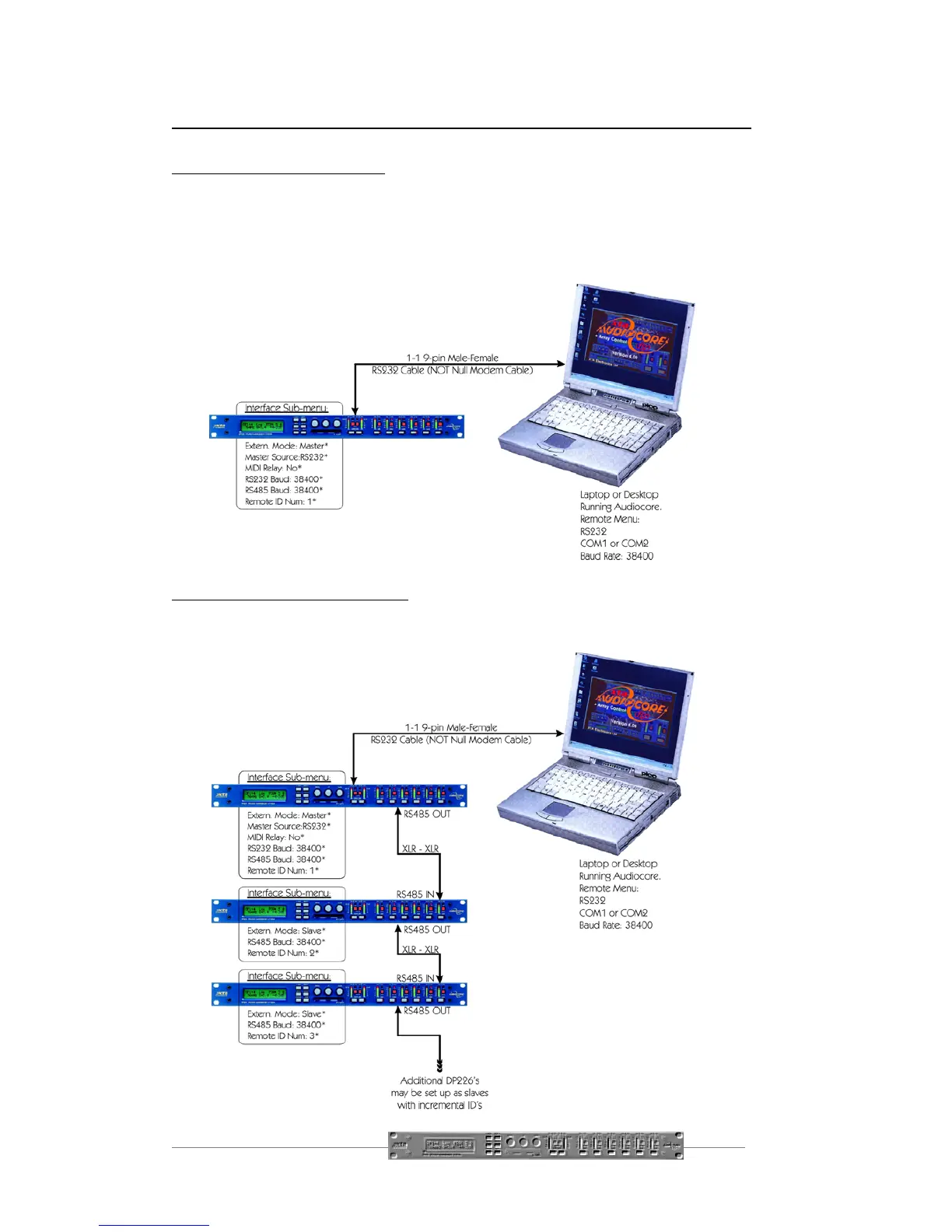
RS232 Connection (Single Unit)
A typical interface set-up might involve running an RS232 link from laptop or a
desktop computer to a DP226 set up as a master unit. The diagram below shows this
method of connection, the required menu options are also given. Note that the
RS232 cable must be a 1-1 connection type, NOT a null modem cable (which has
connections crossed internally).
RS232 Connection (Multiple Units)
If control over multiple units is required, typically the slaves will be set up to run from
the RS485 ports on the master DP226. Note the incremental ‘Remote ID Num’
option in the unit’s menu options.


 To Next Page